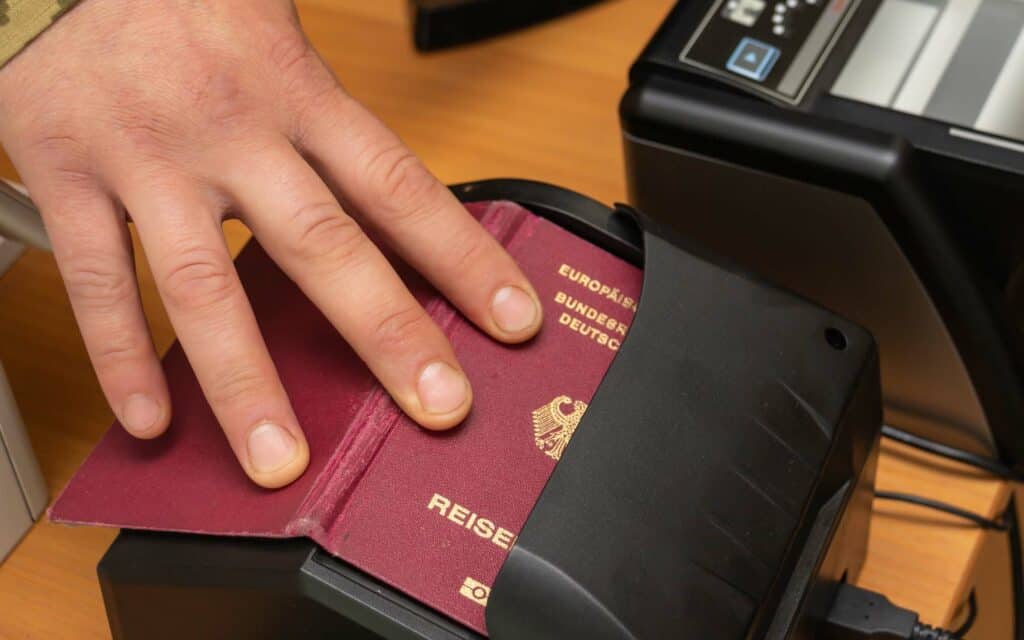
As travel across borders became more popular, so did the need to standardize travel documents increase. One way this has been achieved is by introducing machine-readable passports in the 1980s.
This article will answer the most common questions about them:
- What are machine-readable passports (MRPs)?
- Which countries issue such passports?
- How to figure out if your passport is machine readable?
- Are biometric passports the same thing?
Table of Contents
***
What is a machine readable passport?
Machine-readable passports are government-issued travel documents that include data that can be read by a computer.
This is data about the personal information of the passport holder such as name, nationality, passport number, and date of expiry of the passport.
The machine-readable data is 2 lines of symbols, letters, and numbers.
As you go through an airport, your passport is checked multiple times. To ensure standardization and to speed up the verification process, machine-readable passports were introduced in 1980. Governments around the world gradually began issuing such passports and since 2015, virtually all passports are machine readable.
***
Sections in a machine-readable passport
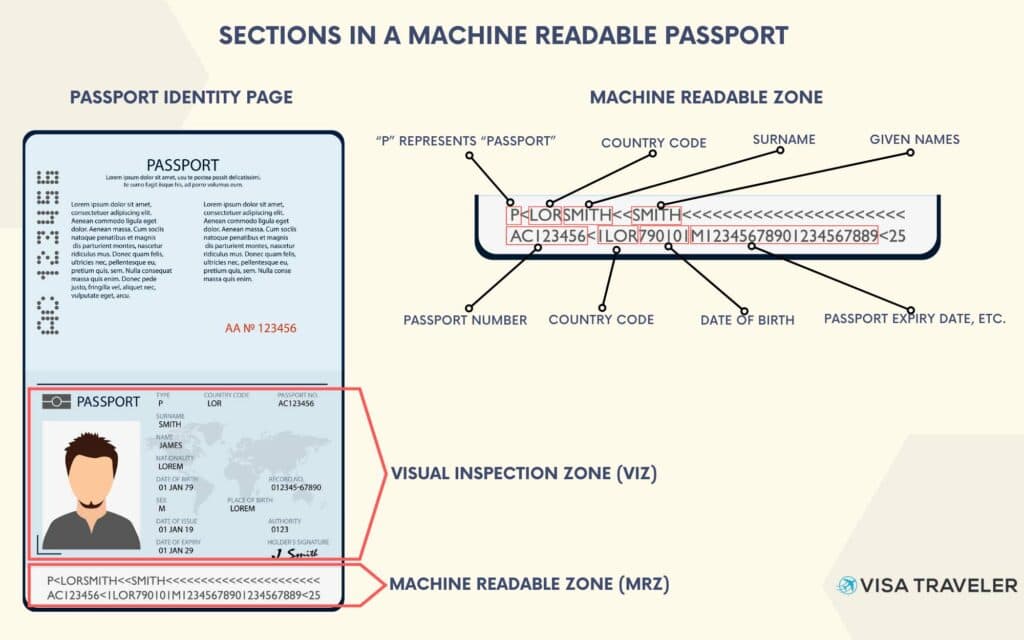
A machine-readable passport’s identity page has two sections: Visual Inspection Zone (VIZ), and Machine Readable Zone (MRZ).
The VIZ is made to be processed by humans – it features personal details and a photo of the owner as well as details about the passport.
The MRZ carries the same information but is standardized for use by computers.
The Visual Inspection Zone (VIZ)
The Visual Inspection Zone takes up the upper portion of the Identity Page in a passport. It is intended to be checked by people, not machines. It is not standardized and can vary from pasport to passport. In general, the VIZ contains:
- A photo of the passport holder on the left;
- Personal data, document issue and expiry dates on the right.
By looking at the visual-inspection zone, an official can quickly obtain information about the person’s full name, date of birth, ID number, as well as the passport expiry date and issuing authority.
The Machine-Readable Zone (MRZ)
The machine-readable zone of a passport’s identity page is just below the Visual Inspection Zone. It consists of numbers, letters and symbols and is what computers read.
Spaces, hyphens and punctuation are represented by “<” and apostrophes are omitted.
The MRZ in passports is most commonly 2 lines of 44 characters. From left to right and top to bottom, it contains:
- The letter P, for “passport”
- Country code
- Surname
- First name
- Middle name
- Passport number
- Nationality
- Date of birth
- Passport expiry date
- (Optional) Personal identification number
In between these and at the end of the second line there are multiple so-called “checking digits” (also known as checksum) which are used to verify the information.
***
How to know if you have a machine-readable passport?
If your passport was issued in the last 10 years, chances are that it is a machine-readable one.
To check that, open your passport on the Identity Page and take a look at the bottom section (the MRZ). If you see lines of letters, numbers, and “<” symbols, then your passport is machine-readable.
If you’re still unsure, contact your nearest embassy, consulate or passport-issuing office.
***
What’s the difference between a machine-readable and a biometric passport?
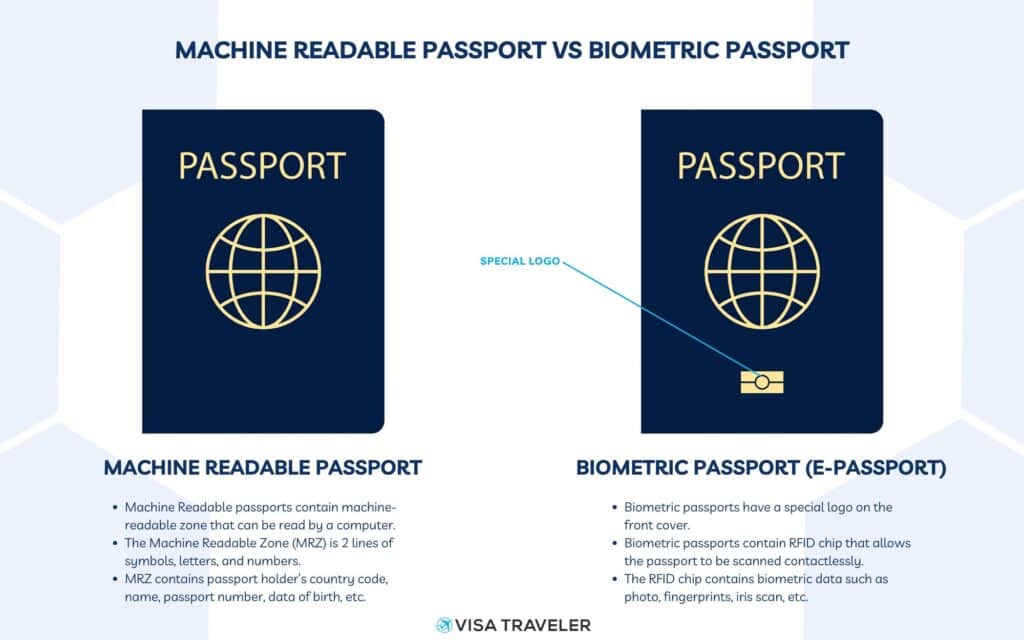
Machine-readable passports and biometric passports are NOT the same thing.
Biometric passports, also called E-passports, are a new generation of identity documents that contain an RFID chip. This radio frequency identification chip allows the passport to be scanned contactlessly.
The chip also contains biometric data about the passport holder like fingerprints or an iris scan making the biometric passport very secure.
Biometric passports have a special logo on the front cover.
Biometric passports still retain the machine-readable zone. This means that all biometric passports are machine-readable.
However, unless there is a special logo on the front cover of the passport, it is not a biometric one (e-passport).
Some countries, most notably the US under the visa-waiver agreement, now require that your passport be biometric. In such situations, a simple machine-readable passport is no longer enough!
***
Which countries issue machine-readable passports?
All ICAO member countries issue machine-readable passports.
The International Civil Aviation Organization (ICAO) has made it compulsory for signatories to issue machine-readable passports from 1 April 2010 and all non-machine-readable passports to expire by 1 April 2015.
Only two countries are not members of ICAO: the Holy See and Lichtenstein, which issue machine-readable passports anyway.
This in effect means that all countries in the world issue machine-readable passports today.
***
Does anyone still have a non-machine-readable passport?
In extraordinary circumstances, some countries may issue non-machine-readable passports in lieu of stolen or lost passports. These can only be used to return to the individual’s home country.
Other than that, all standard passports issued by all countries in the world today are machine-readable.
***
Frequently Asked Questions (FAQs)
What is the ICAO line in a passport?
The ICAO line in a passport is just another name for the machine-readable zone (MRZ). ICAO line or MRZ contains 2 lines of 44 characters. It consists of numbers, letters and symbols that passport scanners can read. Spaces, hyphens and punctuation are represented by “<” and apostrophes are omitted.
The reason why MRZ is also called as ICAO line is that the International Civil Aviation Organisation (ICAO) created the standard for the MRZ in Document 9303. The two terms are perfectly interchangeable.
Is a USA passport machine-readable?
Yes, the USA issues only machine-readable passports. All Ordinary, Official and Diplomatic US passports are machine-readable.
Is the Indian passport machine-readable?
Yes, Indian passports are machine-readable. India has been issuing machine-readable passports since 2001. Even those with 20 years of validity issued before 2001 expired in 2015 when the Indian Government ratified ICAO’s mandate for machine-readable passports.
Is a UK passport machine-readable?
The UK passport meets all requirements and standards of the ICAO convention. All UK passports are machine-readable.
Is a Canadian passport machine-readable?
Since July 1, 2013, all new Canadian passports have been issued as electronic passports (which are machine-readable too). This means that today, all Canadian passports are machine-readable.

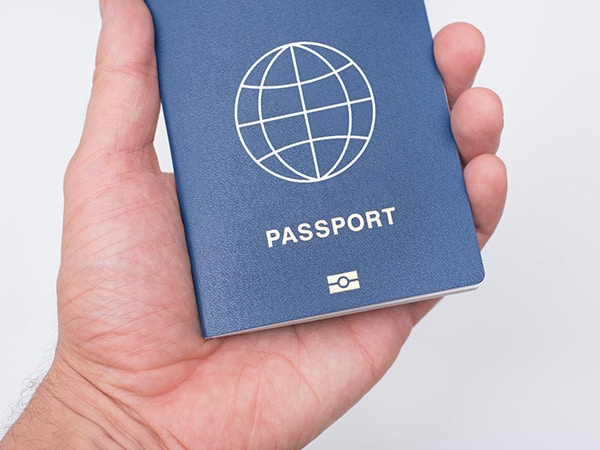 What is a Biometric Passport (or ePassport)?
 26 VISA-FREE Countries for Indians in 2024 (plus 5 territories)
 27 Visa on Arrival Countries for Indians in 2024
Leave a Reply