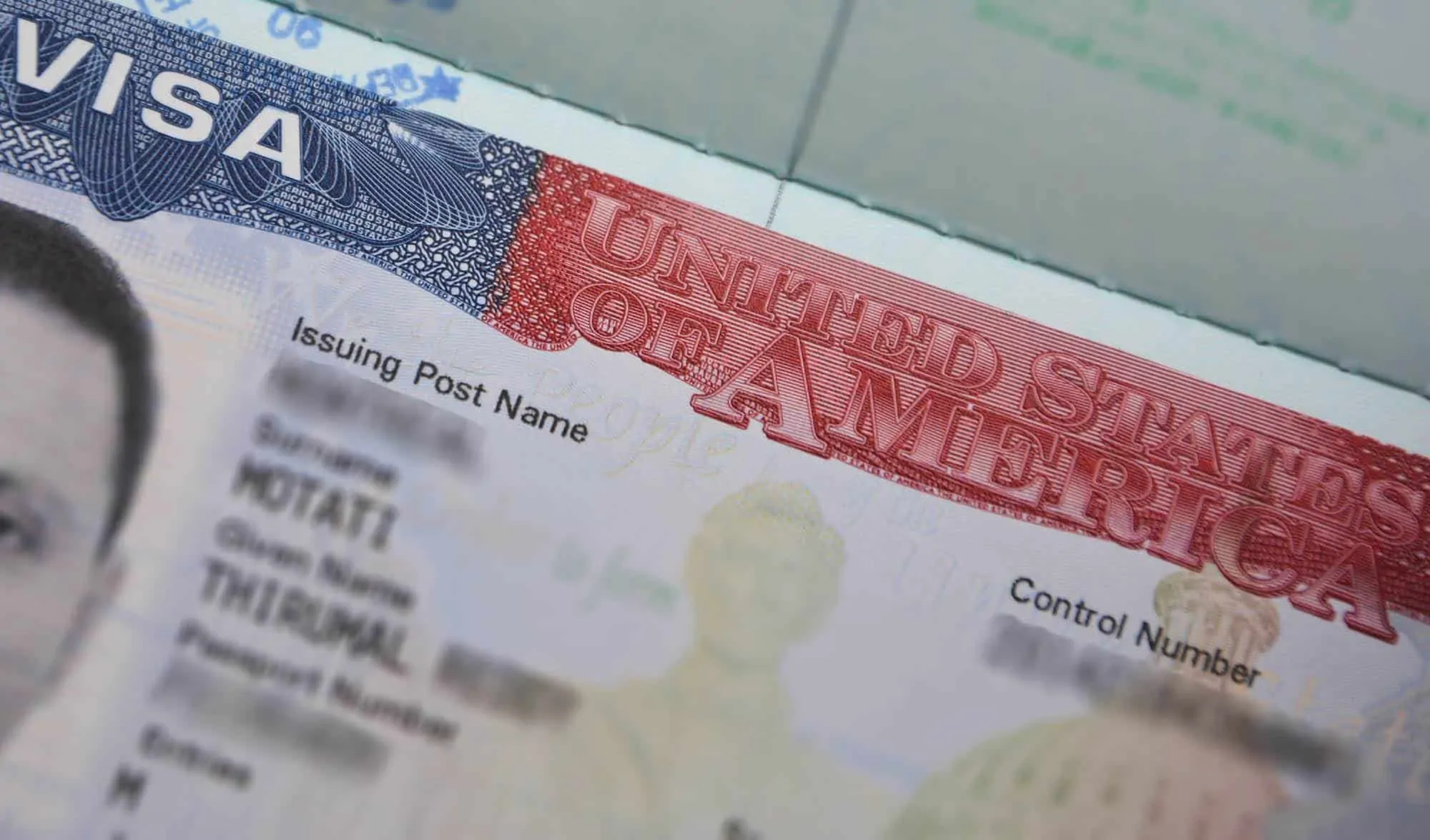
After completing your DS-160, the next step in your visa application is to schedule US visa appointment. This requires paying the visa fee and selecting the location and date for your visa interview. Some countries require an additional appointment for biometrics at a Visa Application Center.
The US visa appointment available dates vary from country to country and location to location. You can check the current wait times for visa appointments at the Bureau of Consular Affairs website.
You can schedule US visa appointment anywhere in the world. If you are traveling and would need to schedule your US visa interview appointment in a third country, you can very well do so.
It is not mandatory to schedule your appointment in the same location as in your DS-160. You are expected to schedule your appointment at the same location. But if you have to attend your visa interview at a different location, you are still allowed to do so.
IMPORTANT
You must complete the DS-160 form prior to scheduling your US visa appointment. If you haven’t yet, follow this detailed step-by-step guide on how to fill DS-160 form online for US visa.
Table of Contents

BONUS: FREE eBOOK
Enter your name and email to download the FREE eBOOK: The Secret to VISA-FREE Travel
***
How to use this step-by-step guide?
There are multiple websites for scheduling US visa appointments. Which website to use depends on the country where you plan to schedule your visa appointment
This step-by-step guide is for using the CGI Federal (US Travel Docs) website. You must use CGI Federal to schedule US visa appointments in Asia, Central America, parts of Europe, Africa and the Middle East.
I have listed out all sections and questions in this guide. For each question, there is a comment explaining what exactly needs to be entered.
Before you start your visa appointment on CGI Federal, go through my comprehensive guide on US visa appointment to understand the eligibility, prerequisites and country-specific appointment portals for scheduling the visa interview.
***
Who Should Use CGI Federal (US Travel Docs) to Schedule US Visa Appointment
Determine the country where you plan to schedule your US visa appointment. If the country is in the below list, continue with the instructions here.
If the country is not in the below list, you may have to schedule your US visa appointment on AIS US Visa Info, NIV Appointment System or U.S. Visa Scheduling.
ASIA
- Bangladesh
- Cambodia
- China
- Hong Kong (and Macau)
- Indonesia
- Japan
- Kazakhstan
- Laos
- Malaysia
- Mongolia
- Nepal
- Pakistan
- Philippines
- Singapore
- South Korea
- Sri Lanka (and Maldives)
- Taiwan
- Thailand
- Vietnam
OCEANIA
- Australia
- Fiji
- New Zealand
EUROPE
- Austria
- Bulgaria
- Czech Republic
- Denmark
- Estonia
- Finland
- Georgia
- Germany
- Hungary
- Latvia
- Lithuania
- Moldova
- Norway
- Poland
- Romania
- Russia
- Slovakia
- Sweden
- Switzerland (and Liechtenstein)
- Ukraine
MIDDLE EAST
- Bahrain
- Jordan
- Kuwait
- Lebanon
- Oman
- Qatar
- Saudi Arabia
AFRICA
- Algeria
- Burkina Faso
- Côte d’Ivoire
- Egypt (and Yemen)
- Gambia
- Ghana
- Liberia
- Morocco
- Nigeria
- Sierra Leone
- Tunisia (and Libya)
CENTRAL AMERICA
- Costa Rica
- El Salvador
- Guatemala
- Honduras
- Nicaragua
- Panama
CARIBBEAN
- Dominican Republic
- Haiti
***
Steps to Schedule US Visa Appointment on CGI Federal (US Travel Docs)

Before you jump into creating your profile and filling out your appointment application, you must first read through the instructions thoroughly. Below are the steps to get to the instructions.
- Head over to the US Travel Docs website
- Select the country from the map where you would like to schedule your appointment
- Select “Yes” to the question “Is this your first time applying for a visa and/or visiting our site?”
- Select “Nonimmigrant” to the question “Are you applying for a nonimmigrant or immigrant visa?”
- Nonimmigrant visa information and instructions will be displayed
- Read through the instructions to familiarize yourself with the application, the steps and the payment options
01. New User Registration

After you read through the instructions, follow the below steps to register a new profile.
- Go to the US Travel Docs website
- Select the country from the map where you would like to schedule your appointment
- Select “No” to the question “Is this your first time applying for a visa and/or visiting our site?”
- Click on “Create Account” button under “APPLY FOR A U.S. VISA”
- You will be taken to “New User Registration” section

Enter the following information in “New User Registration” section
- Select Country For Visa [Comment: Country will automatically be displayed. This field is not editable]
- Email [Comment: Enter your email where you would like to receive communication]
- First Name [Comment: Enter your given name from the passport]
- Last Name [Comment: Enter your last name or surname from the passport]
- Password [Comment: Enter a new password for your profile]
- Confirm Password [Comment: Enter the same password as you entered above]
- I have read and understood the Privacy Policy [Comment: Check this box]
- Type in the characters displayed in the box below [Comment: Enter the captcha]
Click on the “Submit” button to register a new profile. Make a note of your username (your email) and password. You will need these credentials to save and come back to your application later.

Click on “New Application/Schedule Appointment” from the left side menu to start scheduling your appointment. When you click on “New Application/Schedule Appointment”, you will be taken to “Visa Type” section.
02. Visa Type

Enter the following information
- Select whether you are applying for a Nonimmigrant Visa or an Immigrant Visa [Comment:Select “Nonimmigrant Visa” for B1/B2. If you are scheduling an appointment for other types of visas such as H1B, L1, etc, select the appropriate type]
- Immigrant Visa
- Nonimmigrant visa
Click on “Continue” to go to the “Location” section.
03. Location


Enter the following information
- Please Select Your Country or State of Residence [Comment: Select the location where you want to schedule your visa appointment]
Click on “Continue” to go to the “Language” section.
04. Language

Enter the following information
- Language Of Interview [Comment: Enter the language in which you want to give your visa interview. You will be asked questions in this language]
Click on “Continue” to go to “Visa Category” section.
05. Visa Category

Enter the following information
- Please select a visa category that applies to you [Comment:Select “Business/Tourism, Crew and All Other Visas” from the options]
- Business/Tourism, Crew and All Other Visas
- Students and Exchange Visitors
- L1 (Blanket)
- H&L visas
Click on “Continue” to go to “Visa Class” section.
06. Visa Class


Enter the following information
- Select Visa Class: [Comment:Select “B1/B2 – VISITOR FOR BUSINESS AND PLEASURE” from the options]
- B1 – VISITOR FOR BUSINESS
- B1/B2 – VISITOR FOR BUSINESS AND PLEASURE
- B2 – VISITOR FOR PLEASURE OR MEDICAL TREATMENT
Click on “Continue” to go to “Review” section.
07. Review

Enter the following information
- Please make sure all selected information is correct before continuing [Comment: Review the information and make sure everything you have entered is correct so far]
Click on “Continue” to go to “Personal Data” section.
08. Personal Data


Enter the following information
- PASSPORT DETAILS
- Passport Number [Comment: Enter you passport number as in your passport and DS-160]
- Passport Issuance Date [Comment: Enter your passport issue date]
- Passport Issuance Place [Comment: Enter your passport place of issue]
- Passport Expiration Date [Comment: Enter your passport expiration date]
- Date of Birth [Comment: Enter your date of birth as shown in your passport]
- Nationality [Comment: Enter your nationality]
- First Name [Comment: Enter your given name from your passport]
- Last Name [Comment: Enter your last name or surname from your passport]
- Country of Birth [Comment: Enter your country of birth]
- Gender [Comment: Enter your gender]
- DS-160 Confirmation Number [Comment: Enter your DS-160 confirmation number]
- CONTACT INFORMATION
- Phone Number [Comment: Enter your phone number]
- Mobile Phone [Comment: Enter your mobile number]
- Email [Comment: Enter your email]
- MAILING ADDRESS
- Address Line 1 [Comment: Enter your address]
- City [Comment: Enter your city]
- State [Comment: Enter your state]
- Postal Code [Comment: Enter your postal/zip code]
Click on “Continue” to go to “Dependents” section.
09. Dependents

Enter the following information
- Please click “Add by Name” or “Add Existing Applicant” if you have a group/family member (including a child) who needs to apply for a visa with you. [Comment: Click on the “Add by Name” button to add the dependents that need to attend the visa interview with you]

If you would need to add your dependents, click on “Add by Name” button and enter the following information.
- Relationship [Comment:Select the relationship of your dependent from the options]
- Spouse
- Child
- Father
- Mother
- Daughter
- Son
- Other
- DS-160 Confirmation # [Comment: Enter your dependent’s DS-160 confirmation number]
- First Name [Comment: Enter your dependent’s given name from the passport]
- Last Name [Comment: Enter your dependent’s last name or surname from the passport]
- Gender [Comment: Select your dependent’s gender]
- Date of Birth [Comment: Enter your dependent’s date of birth as shown on the passport]
- Country of Birth [Comment: Enter your dependent’s country of birth]
- Nationality [Comment: Enter your dependent’s nationality
- Passport Number [Comment: Enter your dependent’s passport number]
- Passport Issuance Date [Comment: Enter your dependent’s passport date of issue]
- Passport Issuance Place [Comment: Enter your dependent’s passport place of issue]
- Passport Expiration Date [Comment: Enter your dependent’s passport date of expiration]
- Primary Phone # [Comment: Enter your dependent’s primary phone number]
- Alternative Phone # [Comment: Enter your dependent’s alternative phone number]
- Email [Comment: Enter your dependent’s email]
Click on “Save” to save your dependent’s information.
If you have more than one dependent that needs to attend the visa interview with you, click on “Add by Name” to add more dependents.
When finished adding all your dependents, click on “Continue” to go to “Age” section.
10. Age


Enter the following information
- Are you (the visa applicant) under 14 years or age? [Comment: Click “No” to continue]
- Are you (the visa applicant) 80 years of age or older? [Comment: Click “No” to continue]
11. Previous Visas

Enter the following information
- Do you have a previous B-1/B-2 visa (visitor visa)? [Comment: Click “No” to continue. Click “Yes” if you had a previous B1/B2 visa]
NOTE
If you select “Yes” to the above question, you will be asked a few questions to determine if you qualify for the visa renewal and interview waiver.
12. Documentation Delivery


Enter the following information
- Specify Documentation Delivery [Comment:Select “Pick Up” or “Delivery” from the options]
- Pick Up [Comment: Select this option if you would like to pick up your passport from visa application center or courier head office]
- Delivery [Comment: Select this option if you would like to receive your passport by mail to your home]
Click on “Continue” to go to the “Payment Options” section.
13. Payment Options

On this screen, you will see different payment options. Click on each option to see the instructions on how to make the visa fee payment.
At this point, the visa application is already saved. Familiarize yourself with the payment options and pick the payment method that works best for you.
Available Payment Methods
- Electronic fund transfer (ETF) from a local bank account
- Cash payment at a designated local bank
- Country-specific local payment options (mobile payments, wallets, etc)
a. Electronic fund transfer (ETF) from a local bank account
Follow the below steps to pay your visa fee by electronic fund transfer
- On this screen, select Electronic Fund Transfer
- A unique account number will be displayed
- Make a note of this unique account number as you will need this to make your visa appointment
- Make an electronic fund transfer to this unique account number from your local bank account
You will be able to schedule your appointment on the next business day after the visa fee payment is made.
NOTE
If more details such as bank name, bank address, etc are required to make an electronic fund transfer, those details will also be displayed along with the unique account number.
NOTE
You must transfer the correct amount. Incorrect amounts can lead to delays.
b. Cash payment at a designated local bank
Follow the below steps to pay your visa fee by cash at a designated local bank
- On this screen, select Cash at Bank
- A link to download/print the visa application deposit/collection slip will be displayed
- Print the visa application deposit/collection slip
- Fill all the necessary details on the deposit/collection slip
- Take the deposit slip with you to the bank and make the visa fee payment
- You will be given a receipt, save the deposit slip and receipt
You will be able to schedule your appointment on the next business day after the visa fee payment is made.
c. Country-specific local payment options (mobile payments, wallets, etc)
Follow the below steps to pay your visa fee by a local payment option such as mobile payment, wallet, etc. These options differ from country to country.
- On the payment screen, select your country specific local payment option (such as mobile, wallet, etc)
- Instructions on how to make the payment will be displayed
- Make the visa fee payment and make a note of the receipt or transaction number
You will be able to schedule your appointment the next business day after the visa fee payment is made.
After the payment, come back to the website and login with your credentials. You will see a “Continue” option on the left side menu. When you click this “Continue” option, you will be taken directly to the “Payment” screen.


Enter the following information on the “Payment” screen
- Receipt Number [Comment: Enter the receipt number of your visa fee payment]
Click “Continue” to schedule your visa appointment.
NOTE
If your receipt has become active, you will be taken to the schedule appointment screen. If not, you will be shown an error saying that the receipt number is not valid. In that case, try again after some time. Remember that the receipt number becomes active on the next working day of your payment.
NOTE
If you are renewing your previous visa, you may see an additional screen asking to select your visa priority. You may see 2 options – “Regular” and “No Show”. You must select “Regular”. “No Show” is for those who couldn’t make it to their previous appointment but using the same visa fee receipt number to schedule another appointment.
14. Schedule Fingerprints and Photo Appointment (applicable only in some countries)
On this screen, pick the date and time for your fingerprints and photo appointment.
Click on “Continue”.
Print your fingerprints and photo appointment confirmation. You will need a copy of this appointment confirmation for your fingerprints and photo.
NOTE
Appointment for fingerprints and photo is ONLY REQUIRED in certain countries such as India, Mexico, etc. The appointment for fingerprints and photo must be scheduled at least 1 day ahead of your actual visa interview at the Embassy or Consulate.
15. Schedule US Visa Interview Appointment
On this screen, pick the date and time for your visa interview appointment.
Click on “Continue”.

Print your US visa interview appointment confirmation. You will need a copy of your appointment confirmation for your visa interview.
NOTE
The appointment for visa interview must be scheduled at least 1 day after your fingerprint and photo appointment.
NOTE
The US visa appointment available dates can vary greatly from location to location. There may be several days wait in certain countries and cities. Before you book US visa appointment, I recommend checking the current wait times at the Bureau of Consular Affairs website to get an idea on when you can find an available slot.
***
Frequently Asked Questions (FAQs)

I need to travel urgently. How can I apply for an expedited appointment?
If need to travel to the US urgently, you may qualify for an expedited US visa appointment. Keep in mind that you must have a strong reason and must be able to provide documentary evidence to prove it.
The following reasons are generally considered eligible for expedited appointments.
– Medical care for self or companion
– Death or funeral of an immediate family member
– Business related emergency travel
– Students starting or resuming study
You must first schedule your appointment for the earliest available date. After which, you will see a menu item in your dashboard called “Emergency Request” or “Expedited Request”. Fill and submit the expedited request. If you qualify for an expedited appointment, you will be notified via email with instructions to schedule your expedited appointment.
We are traveling together as a family. How do I schedule a family appointment?
If you are traveling as a family, you can schedule one visa appointment for the entire family.
Follow the instructions below.
1) Create just one profile/account for yourself (primary applicant) in the appointment system. Add your family members as “dependents”
2) On the payment page, you will be given a single receipt number and the total visa fee amount (for the entire family) to be paid
3) You must make the total visa fee payment for that receipt number
4) When the receipt number becomes active, you will be able to schedule a single appointment for the entire family
5) On the day of the appointment, you all have to arrive at the consulate at the scheduled time and everyone in the family will be interviewed together
I cannot log into my account. It says my account is frozen and wait for 72 hours. What should I do?
If the appointment system notices that your activities are suspicious, it freezes your account for 72 hours. Once your account is frozen, you will not be able to log in for 72 hours.
I assume that the following activities can trigger an account freeze –
1. Going into the appointment page too often on a given day. You will be shown a warning message if you have accessed the schedule appointment page too often – “You are approaching the maximum number of times you may view this page. Please complete your transaction at this time.”
2. Leaving the appointment page open in other tabs/browsers while you do other work.
If your account is frozen, there is not much you can do. You will have to wait for a good 72 hours to be able to access your account again.
There are no available appointments. My travel dates are approaching. What should I do?
If you are not finding any available appointments and your travel dates are approaching, trying the following.
1) Keep an eye on the current wait times in your location and also at all other locations in your country. When you see a drop in the wait times in any of those locations, check for available appointments in that location. You may be able to find an earlier appointment that way.
2) Try checking for available appointments after midnight or early morning. There will be fewer people on the system, so it would be easy to find an appointment during those times.
3) Attend your interview in another country. Look up the current wait times in other countries that are easy for you to travel to. You will have to pay the visa fee in that country again as the fee is not transferable between countries.
I want to schedule my appointment in a different country than the country in my profile. How do I change this?
The country on your account defaults to the country where you have created your account for the first time. This is fine if you create an account and schedule your appointment in the same country.
The system also uses the name, date of birth and passport number to look up any duplicate accounts. So, if you create a new account, the system will flag it and will ask you to merge.
If you need to change the country on your account or merge your new account with the old one, you must contact USTravelDocs customer service. They have the ability to change the default country on your profile or merge your old account with the new one. Their customer service is very helpful in fixing such issues.
I don’t want to schedule my appointment. Can someone else use my visa fee receipt number?
When you make the visa fee payment, the receipt number (also referred to as MRV number, CGI number) will become active. Once you use this receipt number to lookup available appointments, it’s then associated with your profile. You cannot transfer the visa fee to another applicant.
If you have never used the receipt number in your profile, you can have other applicants use it for scheduling their appointment.
NOTE: The visa fee is valid for 1 year from the payment date. It can only be used to schedule an appointment in the country where the payment was made.
I can’t make it to my appointment. The system says I cannot reschedule anymore. What should I do?
An appointment can be rescheduled for only
1) a certain number of times and
2) until certain days before your appointment.
If you are approaching the number of times you are allowed to reschedule, you will see a warning. At this point, you cannot reschedule any more. If you continue, your appointment will be canceled and your receipt number becomes unusable. You have to pay the visa fee again to schedule your appointment.
I’m renewing my visa. Do I qualify for interview waiver?
If you are renewing your visa, you may qualify for an interview waiver if the following conditions are met.
1) You are applying for the same type of visa as the previous visa
2) You are applying at the same location as your previous visa
3) Your previous visa is still valid or expired in the last 1 year
If you qualify for an interview waiver, you can use the dropbox facility to submit your documents at the visa application center.
The procedure to renew a visa is the same as scheduling a new appointment. While scheduling your appointment, you will be asked questions about your previous visa. If you qualify for the interview waiver, the system will prompt you to use the dropbox submission. Instructions and required documentation are sent to your email.
My visa was neither approved nor denied. I was told that my case requires administrative processing. What should I do?
If the visa officer is not convinced with your answers during the interview, they may issue you a Section 221 (g) and put your case in administrative processing. Administrative processing is required if additional background checks or verification of information is necessary.
If your case requires administrative processing, the visa officer will give a yellow paper (referred to as Section 221 (g)) and will ask you to check the status of your case online. Administrative processing usually takes 4-6 weeks, but in extreme cases, it can take several months.
NOTE: Do not check your visa status right after your visa is approved. It will usually be administrative processing and it can cause panic. This is quite normal and US consulate would need to do some final checks before attaching the visa sticker in your passport.
My visa was approved but the online status stays it’s in administrative processing. What should I do?
Do not check your visa status right after your visa is approved. It will usually be in administrative processing and it can cause panic.
Administrative processing after visa is approved is quite normal. US consulate would need to perform some final checks before attaching the visa sticker in your passport. During this time, your case status will be administrative process/review.
I couldn’t attend my visa appointment. Can I use the same visa fee receipt to schedule another appointment?
Yes. You will be considered a “No Show” applicant. You can use the same visa fee receipt number to schedule a new appointment.
After your visa interview date, your visa fee receipt number gets deactivated. You have to wait two working days for the visa fee receipt number to become active again. After which, you can schedule your appointment.
While scheduling your new appointment, right after you enter your receipt number, you will be asked to select the visa priority – “Regular” or “No Show”. You must select “No Show” and continue scheduling your new appointment.
***
Conclusion
That’s it, folks! Follow this step-by-step guide to schedule US visa appointment. If you have any questions or stuck at any step, feel free to comment here or email me.

 How to Schedule US Visa Appointment on AIS US Visa Info (GDIT/Yatri): A Step-by-Step Guide
 DS-160 Form for US Visa: Everything You Need to Know
 US Visa Appointment: Everything You Need to Know
Anna says
Dear Thirumal, I just realized I made a mistake with my passport number and in the DS-160 is also wrong. So, my passport number starts PAO and I confused the O with a 0 (zero). I already have my appointment, what should I do? I don’t want to miss the appointment nor cancel it. Should I create a new DS-160 and attend the interview with the old and new DS-160? Should I let the officers know in advance about my passport number mistake or at the appointment?
Thirumal Motati says
Hi Anna! If the details on your appointment are correct and it’s just the DS-160 that’s not correct, then you can fill out a new DS-160. Then carry both old and new DS-160 confirmations to your appointment. At the time of the appointment, mention that you have a new DS-160 and hand over the new one. They will scan the barcode on the new one and use that one for your interview.
Kittu says
Hi – me and my husband both are on h1 B. We have booked a drop box appointment as a family as we both are eligible. So we will go for the same appointment for both the H1s together. The appointment confirmation shows both of our visa slots correctly as H1. Do you see any issue here with the family appointment?
Thirumal Motati says
Hi Kittu! That’s how the family appointments work even for a dropbox. So you guys are fine.
Raj says
I have a Q regarding the document submission for renewal of B1/B2 via DropBox. Do we need to submit only the documents listed on the dropbox confirmation checklist (appointment confirmation, DS160 confirmation, Photo, Old/New passports) or supporting documents as well (such as invitation letter, bank statements, tax returns, etc.)? Please help.
Thirumal Motati says
Hi Raj! For dropbox, you will have to submit only the documents listed on the dropbox confirmation checklist. Supporting documents are not required for dropbox.
Deepa Sharma says
I am from India. I want to know if last week I submitted my fees. Daily I try to book the US Visa slot but OFC Slot is easily booked after when I go on the next interview page mention there the screen appears no slot is available again go back to OFC and booked a new OFC Slot. Please reply. I am very worried about this.
Thirumal Motati says
Hi Deepa! The visa interview appointments in India are very limited, so it’s normal to run into this particular issue. You will find an OFC appointment but you will not be able to get a visa appointment. It’s normal at this time due to limited appointment availability, so no need to panic. Keep trying a few times in a day and you may find a slot.
DEJAPPA KORAGA says
Dear Thirumal, may you and this site be blessed with YASHASVI BHAVA!
On 07 Jun 2022 we (self and spouse) booked appointments for our B2 visa, and received the confirmation for 27 Oct 2023 (VAC) and 06 Nov 2023 (Consular appointment). When we booked, no earlier dates were available. Now earlier dates and slots (for the year 2022) are appearing. But when tried, the system ends up saying, “no appointments currently available”.
My query is:
1. Whether rescheduling the appointment to an EARLIER date (than the originally confirmed date) is permissible?
2. Somewhere I read that rescheduling is permissible for a FUTURE date only; it cannot be rescheduled for an earlier date. Is it so?
3. What is the effect of cancellation of an appointment? If we cancel our appointment, will it help getting earlier available dates?
Thirumal Motati says
Hi Dejappa! 1. Yes. Rescheduling the appointment to an earlier date is allowed. In fact, appointments that far out in the future (Nov 2023) are placeholder appointments for those seeking emergency appointments. So those appointments that far out in the future will be canceled sometime later. So it is actually necessary for you to reschedule your appointment to an earlier date.
2. No. Not true. You can reschedule to an earlier date or future date. But dates in Nov 2023 will be canceled in a few months and then you are forced to schdedule again. Therefore, it’s necessary for you to schedule your appointment when you see an earlier date available.
3. No. It won’t. Reschedule only when you find an earlier appointment.
DEJAPPA KORAGA says
Thank you so much. I need some more help in this regard. We submitted DS-160 and paid visa payment in January this year with the intended date of travel being 05 June 2022. Since that date has passed, we will schedule the appointment when we get a date. Now the query is, before attending the interview, does DS-160 need to be revised with the travel date changed to a date subsequent to the date of the interview? Unless necessary, we do not want to touch DS-160. Please answer.
Thirumal Motati says
Hi DK! Yes, you must revise your DS-160 with your new travel dates. You can do that either before scheduling your appointment or before your visa interview. I suggest revising it now so you can update your profile in US Travel Docs with the new DS-160 confirmation number.
Once you schedule your interview you cannot update your US Travel Docs profile anymore. In that case, you will have to carry the confirmations of your old DS-160 and new DS-160. But if you revise it now and update your US Travel Docs profile before you schedule your interview, then you just have to carry the confirmation of your new DS-160.
JuliusH says
Hi! Thank you very much for all those detailed explanations! My boyfriend is renewing his H1B visa and has planned a vacation in France to do so. However, he just realized that the wait times were much too long. Is the option to cancel his current appointment in France (that he still booked) to take a sooner slot in another country a good one? Will that not confuse the system in any way? Because I’m guessing he would have to submit a new DS160 form to change the embassy? I’m worried this might be a little risky…
Considering he is reapplying for the same visa, is there any way around it? In order not to be stuck in France until his appointment (2 months later)? Thank you so much for your help!
Thirumal Motati says
Hi Julius! The visa fee is specific to that country. So he cannot use the fee paid in France for scheduling the appointment in another country. If the wait times are too long in France, he can schedule his appointment in another country (say Canada). It would be best if he can schedule his appointment from wherever he is right now before going to that country (say Canada). That way, he won’t be stuck in that country until his appointment.
There is no need to submit a new DS-160, even though the selected location is different. He can use the same DS-160 for his appointment anywhere. Selecting the location in DS-160 will send an alert to that consulate but the embassy will use the DS-160 confirmation that’s on your visa appointment or the one that you bring to the consulate during your interview.
Fenasi Kerim says
I am a Turkish citizen living in Austria. I need a B1/B2 visa for a conference in September (18th-23rd). The earliest interview appointment in Vienna/Austria varies between the 22nd of September and October. Unfortunately, conferences are explicitly ruled out for an expedited appointment. I am close to the Bratislava/Slovakia embassy, where earlier interview appointments are available.
1) Are there any disadvantages to applying in a country where you do not reside
2) How long will it take to get my passport back? (I would need to stay there since without a pass I cannot just simply go home)
3) In some countries, you cannot pick up your pass after processing – it is only shipped. What is the process in Bratislava? Do I need a shipment address there?
4) Most importantly, how should I proceed if I choose Bratislava as the interview location
Thank you very much in advance!
Thirumal Motati says
Hi Fenasi! 1) There are NO disadvantages. US embassies actually recommend applying at a different consulate/country if you are short on time.
2) Usually, you will receive your passport within a week after the interview. You would need to stay in that country that long. I have applied for US visas in other countries, and I usually plan a 2 week trip for the entire process.
3) These days, most countries have the option to pick up or delivered. Both would take the same time actually since the passports are picked up by the courier company in either option. After that, if you have opted to pick it up, then you will get an alert and you will have to go to the courier office to pick up your passport. If you have opted for delivery, you will get an alert with tracking info.
4) Follow this link to schedule your appointment in Bratislava. Keep in mind the fee can only be paid with a local card or bank deposit. So for paying the fee at a local bank, you must physically be present in Slovakia or take the help of a friend living in Slovakia. If it’s not too much to travel, you can go to Slovakia, pay the fee, come back and schedule your appointment. Then go to Bratislava on the day of the appointment and wait about a week there to pick up your passport.
Ram says
Hi Thirumal, thank you for such an informative article. I have a doubt – while I was filling out the DS160 form, I’ve mentioned the dates of traveling along with the hotel details for this year. Since I’m applying from UAE, I could only see the available appointment dates while making the payment. The next available appointment date is in 2023. Will this be an issue since my intended travel dates mentioned are for 2022 but the appointment would be in 2023? If I bring the flight tickets and hotel booking for 2023 for the interview, will this suffice? Many thanks
Thirumal Motati says
Hi Ram! You don’t need to bring any flight ticket or hotel booking for your interview. When you get an appointment, you can update your travel dates in your DS-160. I will guide you on how to do that. But appointments that far out usually get cancelled later. They are used as placeholders for those needing emergecy appointments. I suggest checkging the appointments for a few more days to see if you can find a appointment in the next 3 months. If not, then go ahead and book the one in 2023.
Kishore says
Hi, I added my dependents (3 – H4) in one profile and scheduled drop box appointment. When I check the appointment history, I can see only one applicant. Other 2 applicants (2 kids) will be part of that appointment or not?
Thirumal Motati says
Hi Kishore! All 4 of you should be on the appointment confirmation. Have you paid the fee for all 4 of you? Do they hold Indian passports as well?
Chung Wai Keung says
I am asking this question for my wife who is applying for a J-1 visa. She has already submitted the DS-160 form. However, she has a problem setting up the user profile. The form showed: Error. Your request cannot be processed at this time. The site administrator has been alerted. We have tried all the ways but couldn’t make it work. Without being able to set up the profile, we cannot pay the fee. Thanks!
Thirumal Motati says
Hi Chung Wai Keung! This usually happens when there is a duplicate account in the system. You would need to contact US Travel Docs customer service. They can help you resolve this issue.
Sai Mohan says
Hi, my name is Sai Mohan. Please help me. I did a minor typo in my DS-160 that I already submitted and scheduled an appointment for my B2 visa. My parents also made changes to their DS-160, filled a new DS-160 for my father and mother, and got new DS-160 numbers. Next, I went to the ustravaldocs where the visa appointment was already scheduled. So I am trying to update my new DS-160 numbers. My profile and my father’s new DS-160 number were updated successfully. But my mother’s DS-160 update not showing. Where can I update my mother’s DS-160 number? Please help me. Thank you so much.
Thirumal Motati says
Hi Sai Mohan! I’m assuming that you have entered both your father and mother as dependents on your application. In that case, you’ll have to create a new application and then go through the steps again. Then you will see the dependents’ information for your father and mother. You can click on them and edit their DS-160 numbers.
One other option is to leave the DS-160 numbers as is and just carry a print of both old and new DS-160 confirmations with you on the day of your appointment.
Archana says
Hi Thirumal, I have applied B2 visa application for my parents. And we paid the DS-160 form fee as well on May 4th. But I’m not able to schedule an OFC visa/interview. How long do they take? Please advise. Thank you.
Thirumal Motati says
Hi Archana! Can you be more specific? Is your fee receipt not active or appointments are not available?
Riah says
Hi Thirumal! We are a family of four and we plan to travel to the USA in July. We got an interview waiver when we made an appointment online. But we don’t want it to use the waiver and we want to appear in the USA embassy in Muscat, Oman for a personal interview instead. Can we ask the US US Travel Docs customer service to activate our visa fee receipt and use it again for setting a new appointment? Thank you in advance.
Thirumal Motati says
Hi Riah! Interview waivers are in place not just to waive interviews for those that are eligible but to also make the appointments available to those that need them. Also, the US embassies have relaxed the criteria for interview waivers a bit due to the pandemic. So, I believe requesting for an interview may not be possible if you already qualify for an interview waiver. Either way, contact US Travel Docs customer service to see if they can help.
Reena says
Hi Thirumal, could you guide me on the US Student visa – DS-160 Form.
Thirumal Motati says
Hi Reena! My knowledge and expertise are only in tourist visas. If the DS-160 is same for student visa, then you can simply follow my DS-160 guide for instructions.
Nadir says
Hi Thirumal, I am applying for my mother’s appointment. Do I need to create an account or I can use mine to schedule the appointment?
Thirumal Motati says
Hi Nadir! You will have to create a separate account for your mother. If you use your existing account for her, the system will consider you as the primary applicant.
Dee says
Hi, my husband had submitted a DS160 for visa in India. He again created another DS160 with another profile to apply in Singapore. The system detects that there are two profiles and does not allow him to schedule visa appointment in Singapore. How do we resolve this pls? Thanks for your pointers. Deepika.
Thirumal Motati says
Hi Deepika! You will have to email US Travel Docs customer support to either (a) merge the accounts or (b) change the country on your old account and delete the new one. Only they can do this, so you will have to email them. They are quick in responding to such queries, so they will help you get this resolved quickly.
Ramanujam Mariappan says
Hi Thirumal, I have applied for the US non-immigrant visa H1B along with my family (Wife and 2 Kids) and we are eligible for dropbox. I have paid the fees for all through my account in a single receipt. But I haven’t been able to book an appointment so far due to slots being unavailable. My elder son is turning 14 this July 6th, in that case, does he need to attend the direct interview? If I need to schedule a separate appointment for him, is it possible to use the same receipt number?
Thirumal Motati says
Hi Ramanujam! Generally, yes, anyone over 14 needs to attend the interview. If you book an appointment before he turns 14, you’ll be fine. If you have to book a separate appointment for him, unfortunately, you cannot use the same receipt number. You will have to create a new account and pay the fee again for him. You can chat with US Travel Docs customer service to see if they can transfer the visa fee to his account.
Taiwo says
I applied for a US visa in the year 2020 and was denied. I want to apply for a new visa this year but I have some challenges.
1. After completing my DS160, I moved to CGI portal to schedule an appointment. I clicked on the Update profile and input my data. The response from the portal was that my data matches existing information in their database.
2. I do not have access to the previous email address and I am now trying o use another email address. I have been logged in with the new email address but I don’t know if I am to click on New Application/Schedule an Appointment OR to click on Update Profile?
This is because I do not want to have double registration. Please how can I proceed on this? Is it a New Application/Schedule Appointment because the update profile is telling me that I have matching data on the database. Thanks so much for your help.
Thirumal Motati says
Hi Taiwo! US Travel Docs (CGI portal) uses passport number, name, date of birth, etc. to see if there are any duplicate profiles in the system. If you have a duplicate profile, you must contact US Travel Docs customer care asking them to merge your accounts and use your new email id as the login. The customer service is responsive and they are usually quite helpful in such issues.
Anoop says
I am a working professional in Dubai. I filled DS-160 form for my entire family with Purpose of Travel: BUSINESS/PERSONAL (B1/B2) for tourist VISA. But I am not doing any business and not visiting the US for business purposes. Is this a valid purpose of travel for my profession? How do I change? I got my confirmation Page. If the above option is wrong, what to choose for tourist visa??
Thirumal Motati says
Hi Anoop! If you or your family will EVER travel to the US for any business purpose, then you can select B2, which is purely for vacation/tourism/visitor. But I usually recommend my readers to opt for B1/B2 even if they don’t have any plan for business travel in the near future. The reason is that US visas are issued for 10 years and you never know when you would need to travel to the US for business. If such an opportunity arises and you hold a B2 visa, then you cannot use your B2 visa to travel to the US. In that case, you would need to apply and get B1 visa.
To update your visa type in your DS-160, simply retrieve your DS-160 form and edit the visa type. After saving, you will get a new confirmation number. Print the new confirmation number. Do this for all your family members.
Jilu says
Hello Thirumal, I wanted a small help with the clarification regarding my US visa. I had applied for the US non-immigrant visa (B1/B2) with my family (me and my mother being dependants of my father), but due to certain travel restrictions I couldn’t travel as we planned, so we removed my name from the list of dependants and my parents proceeded with the interview and got their visas approved as well.
But since we all paid together as a family, we possess only a single receipt for the same. So now for me to schedule an interview and proceed further, do I need to pay the visa fee again? and have a new account created for myself on the ustraveldocs website?
I’ve also had some recent life updates, but since I’ve already submitted my DS-160 application for the same and received the confirmation as well, how may I make the necessary changes? Thank you for your help!!
Thirumal Motati says
Hi Jilu! I believe I responded to your queries on FB group already. But I will respond here too so it may be helpful to others in a similar situation.
If you were added as a dependent on your father’s application, then you would need to create your own account in order to schedule an interview for yourself. The fee paid is not transferable, unfortunately. So you would need to pay again. Before paying again, contact US Travel Docs to see if they can transfer the unused fee from your family application to your account.
If you have any life updates, you would need to edit your DS-160 and resubmit it with new info. If it’s been a while, then you cannot edit your DS-160. In that case, you must fill out a new DS-160 form. Either you edit or fill out a new DS-160 form, you will receive a new DS-160 confirmation number. You must use this new DS-160 confirmation number to schedule your visa interview.
DKhan says
Hi Thirumal, I applied for DS-160 selecting the location as UAE – Dubai. However, I selected Abu Dhabi for the purpose of my location for the interview. Is this ok or do now I would need to reschedule my appointment to Dubai? Thanks.
Thirumal Motati says
Hi Dkhan! That’s absolutely fine. Your actual location of visa appointment DOES NOT have to be the same as the one you picked in your DS-160.
Anita says
Hi Thirumal, I scheduled an appointment for one of my clients for their DS-260. However, I used the wrong AA number. How can I correct that?
Thirumal Motati says
Hi Anitha! You cannot edit the DS-160 confirmation number without canceling the appointment first. When someone updates the DS-160 after scheduling the appointment, they simply carry the confirmation of their new DS-160 so the visa office can scan and use that for the interview. You can have your client do something like that. Have your client carry a print of their DS-160 confirmation to the appointment and have the visa officer use that for the interview.
Jay says
I couldn’t find any visa Dropbox date in the CGI portal. I’m following last one month and couldn’t get any appointments. Please help on this.
Thirumal Motati says
Hi Jay! Yeah, finding appointments is becoming extremely difficult these days. But I have been hearing that joining certain Whatsapp or Telegram groups run by other applicants have been very helpful in finding appointments. Google for such groups and join to see if that helps. Also, I have seen YouTube videos promising certain times of the day that works for finding open appointments. Do some research on YouTube as well.
Sile says
Hi Thirumal, I have a peculiar situation and would like your input. I am trying to apply for a B1/B2 visa for my mum from Lagos, Nigeria. I have completed the DS-160 form and made the payment. I am trying to schedule an appointment for her to go to the embassy for her interview but I do not see any dates. Simultaneously my friend who is also applying for her son can see dates for the same visa category at the same location. I have met two other people with this problem, we are never able to see dates no matter how hard or often we check. However, others can see the dates (like my friend I mentioned earlier).
I am convinced there is a profile-specific problem creating this situation. I have tried calling US embassy customer service countless times but their response is always the same which is to continue checking. Even after I mentioned to them that the dates are verifiably available if checked from other profiles but they are not able to provide any solutions. What do you think might be going on here and what can I do to resolve this? I will be grateful for your response and thoughts on this. Thank you.
Thirumal Motati says
Hi Sile! Due to COVID restrictions, the appointments are very limited. Because of that, some are given priority due to certain criteria, such as students, business-related, medical-related, family emergency, etc. If others are also facing the same issue as you, it may not be an isolated issue. Are there any applying for a similar visa, similar purpose and still able to get appointment? Your friend’s son may not be a good case to compare as certain young applicants are eligible for an interview waiver.
Cindy says
Hi Thirumal, this was all very useful. I have a question and wonder your thoughts on this. My husband is a UK national. He had a green card and only just recently abandoned it as we relocated to the UK 2 years ago and then the pandemic prevented us from traveling to the states. As we were no longer living in the states we chose this path, my work does not allow us to be able to go back and forth and meet the requirements to maintain the green card status. I believe this is the reason his ESTA applications have been denied. So we are applying for a tourist visa to see my family in July. I haven’t been able to get home since pre-pandemic. I have been holding off to pay the fee as the first available appt that was showing was well after when we plan to go. Today, I saw the earliest available was May which was perfect so I proceeded to pay thinking I had secured the May appt. But after the payment was taken and I went to book, it was gone! Now there aren’t any appointments near our time to travel. Is this normal? I thought the earliest available showing up in May was fantastic as I have been checking daily and have never seen one that soon. Do you think I will have luck getting something before July? DO they randomly release earlier appts?
Thirumal Motati says
Hi Cindy! Sorry for not responding sooner. Since the pandemic, US visa appointments especially for B1/B2 visas are very limited. Appointments are released sporadically and they are taken within seconds. Some readers were able to get their appointments using the following tricks. See if any of them will work for you.
– Join Whatsapp and Telegram groups in your country by people looking for US appointments. Applicants alert others when they see any appointments.
– Try at the following times of the day – 12.47am EST, 11.46pm EST, Sundays 8.50pm EST and Mondays 6.47pm EST. (* this sounds silly but some readers have mentioned that they were able to get appointments at these exact times)
Ronke says
Hello, I tried scheduling an appointment but when filling in dependants’ info, my spouse’s DS-160 confirmation number won’t update from the last time we submitted. However, I was able to change my kid’s DS-160 number.
Thirumal Motati says
Hey Ronke! Delete and re-add your spouse’s details again and see if that helps. If not contact US Travel Docs customer service.
Swapnil Pradhan says
Hi, I filled my DS-160 when I was in India on vacation. I hold an Indian Passport. However, I work in London, UK for the past three years and hold a work permit/resident permit in the UK. I haven’t booked my appointment in London as there are no slots available until August 22.
I have to attend the marriage of my friend in May who resides in Texas which is why I am planning to book my visa appointment in Qatar, Doha as they have the early slots available but don’t know what all steps to do. SO can you please help me with this and what all documents I should carry? How do I change my country when I go to book my appointment on the US embassy in Qatar? Does it by default take me to the India website as I had my account already registered with them. So what has to be done to avoid this? Also, if I book an appointment in qatar and travel to qatar, how much time does it take for visa processing after the appointment? Do you know if they have a fast service for foreign nationals?
Thirumal Motati says
Hi Swapnil! The appointment process in Qatar is the same as in India. But if your account was already registered in US Travel Docs with India as your country, you must email them to change that to Qatar. Once they change your country, you can then pay the visa fee and schedule your visa appointment.
You can take the help of someone in Qatar to pay the visa fee, that way you can schedule your appointment while you are still in London. Then you can head to Qatar a day before your appointment. If you don’t know anyone in Qatar to pay the fee in a local bank, you will go to travel to Qatar first, pay the fee yourself in the local bank and schedule the appointment.
You need the same documents as you would need in India. Your passport, your appointment confirmation, your DS-160 confirmation and all other supporting documents. After the interview, if your visa was approved, you will be able to pick up your passport within 5-7 days.
Anand says
What is the rule/guidelines to avoid 72 hrs account freeze? Do we restrict the number of logins/day (or) the number of clicks per login (or) the total number of clicks in a given day? Some light on this can help.
Thirumal Motati says
Hi Anand! Unfortunately, US Travel Docs wouldn’t disclose what triggers a 72-hour account freeze. The purpose of account freeze is to keep scammers/agents away and give opportunities to genuine applicants to find slots. But the system is not smart enough to figure out who is who and locks you out if it thinks your actions are suspicious. Usually, changing your home state often, logging into the account often, refreshing the page too many times are some of the triggers for a 72 hours freeze.
Murali says
Hi Thirumal, thanks for the detailed explanation provided above. I need some specific advice for the issue I am worried about and as described below
I tried scheduling a “family appointment” for both myself and my wife on the CGI website after creating my profile and to help us schedule one appointment for the US Visitor Visa interview in the desired Indian consulate and to help us appear for the interview together.
– On the payment page, it correctly mentions the total visa fee amount (for me and my wife) to be paid and also indicates correctly the Number of Applicants as 2
– In the Bank Advice Page which is used to make the Cash Payments at the Citi/Axis Bank branch, it mentions only the single CGI reference number and the total visa fee payment required (for both of us together)
– I am assuming that the bank will thus provide us one Receipt Number for the above total amount payment.
– If that is correct why does the payment page in the CGI Federal website at the bottom before we click “Continue” ask us to enter the Receipt Number for both of us separately against our Names for us to proceed with the appointment booking?
– I am worried that if I make the total payment and the Page does not accept the same Receipt Number against both our Names (because the Fees Required for a Person is Less than the Total Amount Paid by us against the Receipt Number Provided and hence the amounts does not match). It would then subsequently not allow me to go ahead with booking my appointment dates on the next pages of this website and as a result our total fee payment would thus go waste.
– I have not made the payment and waiting to hear from others on their experiences in such a situation before taking the next step.
Kindly help clarify my doubts. It would be nice to know if anyone else has faced this situation and solved the issue. Thanks a ton!
Thirumal Motati says
Hi Murali! You will have to enter the same receipt number for both. I know it’s confusing but that’s how it works. They really need to update their system to make this clear. Anyway, if you are looking for personal experiences, you can also post your question on the FB group to see if anyone has a similar experience.
Selva says
Hi Thirumal, can we merge/transfer the H4 appointment to the H1 appointment from two different interview locations? Or can H4 attend the interview along with H1 even though having two different appointments?
Thirumal Motati says
Hi Selva! Unfortunately, US Travel Docs is not capable to schedule a family visa interview for multiple visa categories/classes. It does not allow selecting visa categories/classes for dependents and considers the visa category/class of the dependents the same as the primary applicant. The only option is to schedule two separate appointments. Or, you can contact their customer service and see if they have any other ways to handle this.
Rufael says
Hi Thirumal, thanks for the detailed explanation. I need appointment advice. Before I filling the form I need to know the appointment days and months because it is very helpful to arrange my days. How can I know the appointment schedule beforehand?
Thirumal Motati says
Hi Rufael! You can only see the appointment availability after paying the visa fee. You can get a ballpark estimate of availability by looking up the current waiting times. Some agents maintain throwaway accounts to look up the exact availability for their clients. If you can get hold of such an agent, they may give you the exact availability.
John says
The embassy on my 160 form is different from the embassy where I will be interviewing. Is this okay?
Thirumal Motati says
Hi John! Yes, that’s absolutely fine.
Mujjammil Billah says
Hi, in my DS-160 form, my name is written in capital letters (XX, XXXX). But my spouse’s name is written in small letters (xx, xxx). In our passport, names are in capital letters. Will that be a problem?
Thirumal Motati says
HI Mujjammil! No, it won’t a problem. On the visa, they will be in capital letters anyway.
Jessica says
Hi, I have a question about my visa interview location in the US.
I am a Korean citizen currently living in the United States and recently got a work permit. So I am in the process of applying to renew my US visa so that I can visit my home country of Korea. My old student US visa expired a year ago. I filled out the DS-160 to make my visa interview appointment, but when I looked at the confirmation file, it says my interview location is the US embassy in my original country in Korea, even though I am currently in the US at this point. Is there a US location I can do this at in Los Angeles? It did not give me the option to choose a location in the US. It automatically gave me the location in Seoul Korea without any options to change my visa interview location to the US.
Thank you so much for your help!
Thirumal Motati says
Hi Jessica! You CANNOT renew or obtain a new US visa from within the US. You can change your status from within the US, which you have done already, from F1 to H1B. But to obtain a US visa (a visa sticker in the passport), you will have to schedule an appointment at a US consulate “OUTSIDE the US”. It doesn’t have to be your home country Korea, it can be a neighboring country such as Canada or Mexico. But since you plan on going to Korea anyway, you can continue to schedule your appointment in Korea.
I’m guessing that you have mistakenly selected Korea as your location in your DS-160. This is usually the very first step in filling DS-160 and many make this mistake. But do not worry, this is not going to be a problem. Even though your DS-160 stays “Korea” as your preferred interview location, you can still use it to schedule your appointment in any country.
Just like you, I’ve lived in the US on H1B visa. I renewed my US visas twice from Canada. I know many who did that from Mexico as well. If you prefer this option, you can schedule the interview in Mexico or Canada while you are still in the US. Just fly there a day before your interview, complete your interview and wait a few days to pick up your passport. Then you can fly back to the US.
Jessica says
Hi Thirumal. Thank you. You cleared my head! That’s wonderful advice to get an interview near Mexico or Canada, pick up the visa and fly back to the US. So there is another question. Usually how long does it take to get a visa on a passport? I have an O1 visa. Do you have any visa interview tips and what kind of questions do they focus on? Thank you so much for your help!
Thirumal Motati says
Usually, you will be able to pick up the passport in 4-5 working days. So, in total, I would say about 7 days, starting from the interview to picking up the passport. I’m not familiar with the questions for an O1 visa. But for H1B (work visa), the questions were mostly on what company I work for, my role, my job duties, how long I’ve been working for them, my qualifications, my major/minor in my degree, etc.
If the officer is friendly, they would even have a few friendly questions on where you live in the US, how do you like it, etc. I had a similar experience in Montreal, the officer I had was very friendly. But the officer in Vancouver was grumpy and loud. So it all depends on the officer, but in the end, they won’t make it difficult for you.
Mani K says
Hi Thirumal, I don’t understand how to change the prepopulated field for Mumbai consulate, whereas I did not select Mumbai while filing out DS-160 nor in the CGI portal. Do you have any idea, how can I change that to Delhi consulate? Thanks
Thirumal Motati says
Hi Mani K! The consulate field is populated based on your residencial address. The system will determine the nearest consulate for you. But once you get past the fee payment and about to select your appoitment date, you will have the option to select a different consulate.
Rita says
Hi Thirumal, thanks for such a thoroughly informative article. I am trying to book an interview appointment in Nairobi, Kenya. I’m at the payment step of the application where it shows me the amount to pay but it doesn’t give me an option to pay the fee. Below that it says there are no appointments available and to check back in a few days. So is it because there’s no appointment available that I cannot pay? Or should I find another way to pay then keep checking back on that site to see if any appointments open up?
Thirumal Motati says
Hi Rita! As far as my experience goes, you should be able to pay even if the appointments are not available. But I’m not aware if that has changed as embassies are being closed due to covid. Since the US embassies are either closed or have very limited appointments available, the payment of the fee may now be dependent on the appointment available. I suggest contacting customer service to confirm if that was the case.
sindhu somaraju says
Hi Thirumal, thank you for the article. I have a question, I currently live in the US and I am on H1B and applying for US Visa in Canada. I am stuck at a step in the application, can you help me here? I am going to Canada just for the visa and what do I fill here. I am planning on staying in Canada hotel for 3-4 days. Also do I need to apply for Canadian visitor visa?
care of:
address:
zipcode: only Canada zip code?
province:
Thirumal Motati says
Hi Sindhu! I have been to Canada twice to get my US visa when I was in the US on my H1B. But I don’t remember entering any address either US or Canadian. I opted for passport pickup instead of passport delivery. After a few days of my interview, I had my passport ready for pickup from the courier office. I went to the courier office and picked up my passport. Not sure why the portal is asking for address information. Can you send me a screenshot, so I can understand properly?
And yes. You must have a valid Canada tourist visa to travel to Canada. Keep in mind that the Canadian tourist visa process can take up to 30 days.
Khyati says
Hello, my parents’ biometric for B1/B2 visitor visa is done. The interview got canceled at the end time because of lockdown. Now they renewed their Indian passport that was about to expire. The main problem now is – biometrics was done with the old passport and DS-160. Do I need to fill a new DS-160 for updating their new passport details or what? Or can attend the interview with old details? Or need to schedule both biometric and interview with new DS-160 having updated passport details. Will appreciate your reply. Kindly help. Thanks.
Thirumal Motati says
Hi Khyati! There are two things here –
1) New DS-160: Since the visa interview is already canceled, you may be able to update the passport number and DS-160 confirmation number in the visa appointment system (US Travel Docs). Give it a try and see if those two fields are editable. If yes, then first fill new DS-160s for your parents with new passport numbers. Then update DS-160 confirmation numbers in US Travel Docs with the new ones. Also, update the passport numbers to the new ones.
2) Biometrics: I believe biometrics are specific to a person and not specific to a passport. But I don’t have enough knowledge to confirm this. I suggest contacting US Travel Docs customer service in India to confirm. They are usually quick in responding to such questions.
Richa says
Hi, I have filled the DS-160 form and then through the CGIfederal website for filling the form of visa. I am applying for B1/B2 visa. But there are no appointment dates available. It is showing for January but my conference is in November. Please help me.
Thirumal Motati says
Hi Richa! Due to COVID, most US consulates around the world are taking only emergency appointments for B1/B2 visas. If your reason to travel falls under one of the urgent categories, you can request an expedited appointment. Not sure from which you are applying, but here is the info on how to request an expedited appointment in India.
Dickson says
Hi, I have submitted a family visa application already, and have paid and scheduled an interview. Is it possible for me to add another member in my DS-160 form even though I have to pay the extra fee?
Thirumal Motati says
Hi Dickson! If you have already paid the visa fee and scheduled the interview, you cannot add another applicant. You can, but that requires you to cancel your appointment, add the other member as your dependent, pay the fee for the other member and reschedule the appointment. You must also fill/edit DS-160 for yourself by adding the other member as your travel companion and fill a new DS-160 for your other member. Due to all these complexities, I suggest getting in touch with US Travel Docs customer service first. If there is a proper way to do this, they will walk you through the process or will do this from their end on your behalf.
Felix says
Hi, I requested to join your Visa Traveler Support Facebook Group but still pending approval.
I had a valid B2 US visa that expired about a week ago. I applied for a new visa sometime in March hopefully before the old one expired but my next available appointment was for September 17th, 2021. My current passport though expires on the 23rd March 2022. My worry here is, would I be issued a new visa with this passport? Just in case it won’t, applying for a new one won’t be ready before my appointment day, what do I do? Please help!
NB: I’m currently an international student in Canada originally from Ghana. My visa interview is in Calgary, Canada.
Thirumal Motati says
Hi Felix! Yes, you will be issued your visa on your current passport. At the time of your visa interview, you will still have 6 months on your passport, so you will be fine. Certain countries require the passport to be valid for 6 months from the intended date of entry. But Ghana is excluded from that list, so you will receive your visa on your current passport.
IMPORTANT: I suggest NOT applying for a new passport before your US visa appointment. The reason is that most countries when they issue a new passport, they will cut an edge or punch a hole in the old passport. Then the old passport becomes invalid (except for the visas already in that passport). If your passport that is tied to your DS-160 and visa appointment becomes invalid at the time of your visa interview, you may not be allowed to attend your visa interview.
NB: I just approved your request to join the FB group
Aditi says
Hi Thirumal, thanks for the super helpful article! I scheduled an appointment for my H1B visa and cancelled it, as I was leaving the country for the next couple of months. I am now planning to make a quick trip to India for stamping. My previous receipt no is still showing as a read-only value, however, I am unable to actually book the appointment ( even though I can see the availability ). Would I have to make the payment again? I had cancelled the appointment in Feb 2021 but not rescheduled it since I was not sure about when to take it next. I am aware rescheduling can be done for free but not aware if cancelled appointments can also be rescheduled to a later date.
Thirumal Motati says
Hi Aditi! The visa fee is valid for 1 year from the payment date. Since you paid your visa fee in Feb 2021, the fee must be still valid. I think the visa fee is not the reason why you are not able to book an appointment. I suggest contacting US Travel Docs customer service. They respond pretty quickly and usually very helpful too. Give that a try.
Pradeep Kumar says
I had filled my DS form and my wife has also filled DS form (B1/B2 Visa). After filling it I went to the CGIFEDERAL site for an interview appointment. I signed up there and filled in the necessary information. On one of the screens I was asked whether any family member you want to add, I added my wife at that step. I had got one CGI reference number for the payment of 2 people. I had deposited the fee at axis bank for two people. After depositing the fee The same bank reference number appeared against my name and my wife’s name. Me and my wife both satisfy the interview waiver conditions. But when I clicked continue, it brought me to schedule appointments and says appointments are not available. I want to ask when the interview waiver option appear as till these step the interview waiver option has not come.
Thirumal Motati says
Hi Pradeep! If you qualify for the interview waiver, the system will automatically determine that based on your answers and prompt you with dropbox submission instructions. If it’s asking you to schedule the visa appointment, I assume one of you (or both) did not qualify for the interview waiver. Since you are scheduling a family appointment, if one of you does not qualify for the interview waiver, both must attend the in-person visa interview.
If you are certain that you both qualify for the interview waiver, I suggest contacting US Travel Docs customer service. They are very helpful in resolving issues like these. Hope that helps! Good luck!
If you end up contacting their customer service, please let us know how it went so others can benefit from it as well.
João says
Hi, I already have a visa interview scheduled in Brazil, but the embassies are still closed. I was told the embassy in Mexico City is opened and accepting third-country nationals. I’d like to know if I can switch my visa interview to Mexico? What do I need to do?
Thirumal says
Hi João! The visa fee is non-transferable to other countries. That means the visa fee you’ve paid in Brazil cannot be used in Mexico. So you will have to pay the visa fee again and schedule the interview in Mexico. You don’t have to fill a new DS-160 though. You can use the same DS-160.
To schedule your appointment in Mexico, follow the below steps
– Cancel your current appointment in Brazil (fee is non-refundable)
– Change the country on your profile to Mexico (if that doesn’t work, you may have to create a new profile for Mexico)
– Pay the fee using a credit card
– Schedule the appointment
Mahesh Chavda says
Hi, I am planning to travel to India and I will have to go through Visa Stamping. Initially, we decided that I will travel alone. But now we decided that I will travel with my wife and a kid. So, I have already paid visa fees for myself. Now, I want to add my wife as a dependent. I have not yet booked an appointment. My question is, can I add my wife as a dependent on the USTravelDocs website and pay visa fees only for herself? Has anyone done that in past? Your help is much appreciated.
Thirumal says
Hi Mahesh! I apologize for the late response. I haven’t done this myself, so I don’t have personal experience. If you haven’t figured a way to add your wife and kid to your appointment yet, I suggest contacting USTravelDocs customer service. They are usually very helpful in matters like these.
Raju says
I have created a profile in India for an interview appointment on USTravelDocs to book my visa appointment for H1B in past. Now from the US, I have moved to Germany for good. Now I want to apply a visiting visa to see my sister in the US. After finishing my DS-160 form I am trying to book interview dates on USTravelDOcs but it is showing my India profile. I want help in changing the profile completely to Germany country so that I can book my interview in Berlin location.
As its an Indian profile, its only showing Indian locations. When I tried to create with new email ID it is saying there is another profile available already with this passport number. Can anyone help with this issue?
Thirumal says
Hi Raju! This is a very common issue with USTravelDocs. It defaults to the country you have signed up for the first time. It won’t let you create a duplicate account either. This cannot be fixed from your side. You must contact USTravelDocs customer service. They have the ability to change the default country on your profile or merge your old account with the new one. Their customer service is very helpful in fixing such issues, so contact them as soon as you can to get that resolved. Good luck!
OSUALA FIDELIA says
Good day sir! My son is applying to study in the US, unfortunately, after paying the visa fee at GTB in Nigeria to schedule a date for him using the reference number given by the bank, it has been impossible. Once I key in the reference number it bounces back. Therefore I cannot schedule an interview date. The DS 160 form was submitted in April 2020. What can I do?
Thirumal says
Hi Osuala! All US embassies around the world are currently closed due to COVID-19. All existing appointments are suspended. They are not accepting any new appointments either. I was told that only emergency appointments are accepted at this point. Contact the US Travel Docs customer support. They will let you know what to do right now.
Akshay says
Hi Thirumal, I am a full-time employee with the same company for 6+ years and this is my 3rd stamping with the same employer. I never had any issues with dropbox but this time around it’s acting up. I must have filled my DS-160 and tried to schedule an appointment a month or so ago.
Even though I should be eligible for the dropbox but the system didn’t prompt me with dropbox eligibility/interview waiver questions. I think there’s a system error. Instead, the system is asking me to schedule an OFC appointment! And no dates in Mumbai until Feb 2021. And the earliest for other cities is October 2020. Please advise. Thanks!
Thirumal says
Hi Akshay! The US Trave Docs India website says that as of March 20th, the “interview waiver” appointments has been cancelled due to COVID-19. I assume the “interview waiver” facility is currently suspended as well. That’s why you weren’t able to use the dropbox facility and the system was forcing you to schedule an appointment.
Interview waiver may resume when the lockdown ends and consulates open. I suggest keeping an eye on the US Travel Docs home page for updates on when the consulate will open. Try scheduling your visa appointment once the consulates are open and have resumed visa services.
Lorie says
Hello! My friend submitted the D-160 application but there was no prompt to pay the application fee nor schedule an interview. Are we missing a step somewhere? He did receive a confirmation of his application being submitted. Any help or thoughts would be helpful! Thank you!
Thirumal says
Hi Lorie! The website for scheduling the visa appointment is different from the one used for DS-160. You are already in the right article. Just follow the steps in this current article and it will guide your friend in scheduling their visa appointment.
BB says
Hello, please I am trying to schedule an interview with the Embassy in Ghana. I have created a new profile instead of using the old profile because the old profile wasn’t created by me but by my dad because we were applying together at that time(2yrs ago). Now the issue is they are asking that they transfer this account (new) to the previous account (old) which wouldn’t be convenient for me because my dad isn’t around to retrieve any information should I agree for the merge.
Thirumal says
Hi BB! US Travel Docs uses passport number, date of birth, etc. to identify duplicate accounts in the system. They won’t allow multiple accounts using the same passport number. I suggest you explain your situation to the US Travel Docs customer service and ask them to merge your old account with the new account. This way, you will have access to your new account and you can schedule your appointment.
Amit says
Hi, I want to reschedule my U.S visa appointment. My country of origin is INDIA but I am applying it from Toronto. I got my interview date but due to some reason, I am not able to attend on this date. So can you send me the log-in link?
I have watched many videos and read the description but don’t get anything. Waiting for your text or mail. Thank you.
Thirumal says
Hi Amit! Use this link to log back into your account and reschedule your appointment. Click on “Continue”, which will take you to the login screen. Log into your account and you will see the option to reschedule.
Manjula says
I am applying from India. We have paid the visa fees for B2 for the family. But now my daughter cannot attend the interview. Can we remove her from the visa scheduling? And also I want to know, within how many days after payment of fees we have to schedule the interview.
Thirumal says
Hi Manjula! Your visa fee will be valid for 1 year from the payment date. So you can use it within that 1 year to schedule your visa appointment.
For scheduling the family appointment without your daughter, it depends on whether she plans to attend the interview some other time or not attend at all. If she plans to attend some other time, you must contact US Travel Docs customer support. They will help you with separating the visa fee, so she can use her’s later. But if she plans to not attend the interview at all, then you can simply continue with your family appointment by removing her as a dependent.
Sam says
Having completed all the information correctly in the DS-160 form, I made a mistake in filling out the form for an interview appointment. I mistakenly put the first name in the column for the surname and vice versa. But the details of my name were correctly placed in the DS-160 form. My appointment is confirmed for the next two weeks. Please what should I do in this regard?
Thirumal Motati says
Hi Sam! Your name from DS-160 will be the one used for your visa. So small mistakes with your name in your appointment form are fine. That being said, the security at the entrance of the embassy may deny your entry if they see any discrepancies. I suggest contacting US Travel Docs customer service to ask if they can update the name for you from their side.
Linda says
Hello, I am trying to schedule an appointment on https://cgifederal.secure.force.com/applicanthome and it does not open well so I can see Home, New Applicant/Schedule Appointment and the rest on the left. Instead, I see Terms and Conditions with no actionable button. I have tried to create another account and the same thing happens. Please how can I progress to make an appointment? Linda.
Thirumal says
Hi Linda! US Travel Docs website changes based on the country. So, without knowing the country, it’s difficult to see what’s happening. In which country are you scheduling your appointment?
Zara says
Hi, I was issued a US visa for 5 years from Toronto Canada in 2014 November. It expired in 2019 November and I am reapplying now. I submitted the DS-160 and tried to schedule an appointment but after filling in my information (similar to your instructions here) instead of the scheduling option, it gave me a register to send documents option. I followed whatever they were saying and now I have a Courier-in-receipt. So basically they’re asking me to send my supporting docs to the embassy and I am guessing they will let me know at a later date if I need to go in for an interview? I just haven’t heard of this option before I thought everyone had to go for an interview so I just wanted to make sure I didn’t do anything wrong.
Also, I was unable to find my old account even though it’s the same email (I have a visa appointment from 2014 in this email) but I was able to create a new account with this same email. I hope that’s not going to be an issue.
Lastly, I just wanted to know for the documents to send for Courier-in-receipt, what all should I include. It says only to send what is asked but then it doesn’t clearly list what is asked as it has a list of all general visas document list so I am very confused. Any help would be appreciated.
Thirumal says
Hi Zara! Since you are applying for the same visa, from the same consulate, within 1 year of expiry, you have qualified for an “interview waiver”. What it means is that the consulate has already interviewed you 5 years ago and they think there is no need to interview you again. Therefore, they just asked you to mail them your passport and documents. Once they receive your passport and documents, they will issue your visa and mail your passport back to your home.
Using a new email/account to schedule your appointment is fine. It will not be an issue at all.
Normally, interview waiver applicants must mail the following documents
– Original passport
– Old passport (only if it contains the expired US visa)
– Schedule appointment confirmation (interview waiver confirmation)
– DS-160 confirmation
– Two photographs (if you couldn’t upload them in your DS-160)
Wasif says
I am having the same experience that Zara said above. Now my question is how do I know if they decide to call me an interview or issue a visa. Zara can you advise what happened after you send your documents like did you get an interview call or you got the issue.
Thirumal says
Hi Wasif! You will have to send your documents first. If are still need to be interviewed, they will let you know by email. If not, they will issue your visa and mail your passport back (or notify you to pick up your passport). But I will let Zara chime in and advise.
Syed Zafar says
Hi Thirumal, Wasif and Zara, I am in the same boat now. I got my interview waived as I am applying for the same B1 visa renewal from Canada. I submitted all the documents required and it’s been three weeks. Still, when I check my file status online, it shows NO-STATUS. Is it that I should wait for more? Normally what happens once you submit your originals? Please guide. TIA, Zafar Ottawa Canada.
Thirumal Motati says
Hi Zafar! I haven’t used dropbox myself, so I’m not sure what would happen after you submit your originals. But I would let others chip in and share their experience. In the meantime, you can also ask in the Facebook group as someone there might have a similar experience as you.
Sam says
Thank you for your information. I followed closely your blog for my US visa application. I am of African descent and living in the Middle East. I applied for the Tourist Visa along with my wife, but unfortunately, we were denied.
It was our first time to apply, we had an invitation letter to visit a relative. We were to spend our annual vacation for a few days as well. We had all other information intact, yet we were handed the white paper.
After the very brief interview, I asked the VO if I could know the reason(s) for the refusal so as to avoid it/them in subsequent applications. He said as an African in this part of the world, we are recognized as 3rd nationals. That struck me and I don’t really understand what he meant. I tried to press him further, but couldn’t give any other information. Please friend what could his statement mean? I look forward to reading from you.
Thirumal says
Hi Sam! If you are not a citizen of the country where you are applying for your US visa or an American, then you are considered as a third national. Third nationals must show strong ties with their country of residence. Third nationals have already immigrated to a new country and can immigrate somewhere else if necessary. Therefore, such applicants pose a high risk and their applications are usually scrutinized. But if you have already established strong ties with your country of residence, then there is nothing to worry about.
Sam says
Thank you very much. Well understood. But I possess strong ties with the country. I applied for a UK visa in the same country and was granted. I have traveled back and forth to my country of origin a couple of times. I have a stable job as well. Just couldn’t figure out his point of 3rd national!
Thirumal says
That was only my understanding of what you have mentioned. But only the visa officer knows what he actually meant.
Amna says
Hi, I’m applying for my parent’s visit visa from the USA and they live in Dubai. I want to pay for their Visa Application Fee. My question is that can I pay for their visa fee from here or should I transfer them in Dubai and let them pay.
Thirumal says
Hi Amna! If you are paying by credit card, then yes, you can pay for them using your credit card from the US. If you plan to pay by cash, it needs to be paid in Dubai at a local bank.
Rob Md Mahfuzur says
I made an appointment for the visa application. But unfortunately I could not attend due to my illness. Now, I want to make a new appointment again. But I could not pay the visa fee because it is showing previous receipt number though I already updated my profile with a new confirmation number. I need your suggestion to make a new appointment.
Thirumal says
Hi Rob! If you couldn’t make it to your appointment, then it’s a “no-show”. Receipt numbers for no-show appointments are reusable. That means you can reuse your old receipt number to make a new appointment. You don’t have to pay the visa fee again.
Mahfuz says
Thank you very much
pol says
Hi, this is my first time applying for a US visa and I mistakenly answered Yes to all questions when it should be NO. Can I still correct them? I am applying for a tourist visa with my husband, should he also create a username and password for this site?
Thirumal says
Hi Pol! You can update your DS-160 if you haven’t submitted it yet. If you have submitted your DS-160 already, then you can fill a new DS-160. When filling a new DS-160, you will have the option to upload your previous DS-160. That way, all your answers will be copied. You can then fix your answers and submit your new DS-160.
You have to create only one account on the appointment website. Then add your husband as your dependent. This way you can create a family appointment wherein you both can attend the visa interview together.
Hari says
Hey Thirumal, thank you for assisting so many people with their doubts. I do have one question. My account is frozen due to multiple logins it seems. If I try after 24 hours, should I reset my PW and then try with a new PW. If yes, what is that new PW is also not allowing me to login into my account to book the appointment. Thank you!
Thirumal says
Hi Hari! If your account is frozen, you have to wait a good 72 hours to log back in. Even if you change your password within those 72 hours, you will still not be able to log back in. If you already changed your password within those 72 hours, you can use your new password when logging back into your account after 72 hours.
San says
Hi, thank you for your help. I have created a group of three applicants for me and my family and paid for all 3 as a group. I would now like to schedule an appointment but we have decided to take separate times due to some constraints. What should I do?
Thirumal says
Hi San! I have not tried this scenario myself, so I cannot give you accurate information. I suggest contacting US Travel Docs customer service. They are usually very helpful and they may have a solution for you.
rufael says
Hi, I went to the interview and received a rejection letter under 214(b). Now I want to apply again this month at the end of December and I want to visit in March. Is it possible applying December and visit after 2 months in March?
Thirumal says
Hi Rufael! Yes, it’s possible. But keep in mind that the wait times for visa interviews are much longer these days. If you can schedule an appointment for end of December, then you can travel anytime after you receive your passport.
Karyl says
Hi Thirumal! My husband and I are planning to have a vacation in the US with our son. Do we need to make a sponsorship letter for me and my son under my husband? In connection with the expenses for the whole trip. Thank you!
Thirumal says
Hi Karyl! I suggest scheduling a family interview. That way, you all will be interviewed together and there is not need for sponsorship letter.
Jeng says
I already paid my 3 children their fees and completed their DS-160 Form. I already have an account on scheduling for interview. Should I use my account? Or make a new profile for the oldest minor?
Thirumal says
Hi Jeng! I suggest creating a new profile for your oldest minor. Then, add the other two children as your oldest minor’s dependents. Keep in mind that if your children are below a certain age, they may qualify for interview waiver as well.
Note: If you use your own account, the system will assume you as an applicant and will ask you to schedule an interview for 4 of you. It will also ask you to pay the fee for 4 of you.
Navin Rai says
When I try to fill the form for “new applicant” and click create applicant, the system gives an error “Has been taken” under my DS-160 number. I checked a number of times, my DS-160 number is valid and correct but still, I’m not being created as an applicant.
Thirumal says
Hi Navin! Someone might have used your DS-160 number mistakenly in their account. That may be the reason why the system is prompting that your DS-160 number “has been taken”. You would need to contact their customer service and see if they can help. If needed provide a copy of your DS-160 confirmation to them.
Noreen0716 says
Hi, I made a mistake when adding an applicant/dependent on the US Visa Appointment site. The first name and last name were interchanged and I cannot edit the name anymore. Can you please advise if this can still be corrected? Or is it ok and just a minor error? Thanks!
Thirumal says
Hi Noreen! Certain information is not editable after the appointment is scheduled. You will have to cancel the appointment in order to edit those details. That being said, the information from the US Travel Docs profile will not be used for the visa. It’s mostly for the security at the embassy to screen and allow only those that have appointments. It’s difficult for me to say whether interchanged first and names would make the security deny entry into the consulate. Therefore, I suggest contacting US Travel Docs and asking if this needs to fixed or considered as a minor error.
Pamela says
Hi Thirumal, thank you for answering everybody’s questions. May I just ask, I have a problem with regards to retrieving my previous account on scheduling for an interview. I already tried using forgot my password, and it says that the temporary password will be sent on my email. unfortunately, I haven’t received any email, even on my spam. What should I do?
Thirumal says
Hi Pamela! The “forgot password” will say that the temporary password has been emailed to you even if you enter a wrong/different email. You must make sure you are using the same email as your previous account. If you are not sure which email you have used for creating the account, try all your emails in “forgot password”.
Akshat Zalte says
Hello, I am facing a similar issue. It is possible that my account is under a 72-hour freeze, does it mean that no email will be sent to me if I click on Forgot Password and put in my email ID? I haven’t received any emails even after clicking on forgot password and giving my email ID about 10 times. I have checked my spam folder too. I have already paid the VISA fees. Please help! Thank you.
Thirumal Motati says
Hi Akshat! You will receive passport change emails during the 72-hour freeze. But you won’t be able to log in with the new passport. You still have to wait for 72-hours. If you aren’t receiving any emails, then there must be someother issue.
ahsan saeed says
While applying for children only, the system generates payment slip for three individuals i.e. main profile holder and 2 dependents. If the main profile holder (parent) has a visa already, can they still generate the slip for all individuals but at the bank payment for 2 only and then enter MRV receipt only for the ones going for the interview? Will the bank accept partial payments?
Thirumal says
Hi Ahsan! If you use your profile for scheduling the visa appointment for your children, the system will force you to pay the visa fee for yourself as well. You must create a new profile for one of your children and add the other child as a dependent. Please refer to the questions from “Toyin” above and my responses to her questions. She was in a similar situation as you.
Shiva says
Hi there! I appreciate your assistance on the complex US visa process. I’ve one query and want to clarify with you.
I’ll be travelling to Spain in the next 3 weeks and planning to get my US visa appointment done at the Spain office. Will there be any typical questions being asked why we have selected the US visa appointment in a country other than India. If so, what would be a wise answer to this? Or any other questions we might come across for this 2nd type of VISA?
Thirumal says
Hi Shiva! Yes. Usually, you will be asked about your status in Spain and the reason for scheduling your appointment there. The answers to these questions will not affect your visa result. Therefore, just tell the visa officer that you are traveling in Spain and the actual reason why you have scheduled your appointment there.
Toyin says
Thanks so much for your help, Thirumal. They received their visas!
Thirumal says
Hi Toyin! You’re welcome! Glad to know that your kids have received their visas. Have a safe trip!
Nke says
Hello, Thirumal. Please, I will like to know if it is possible to schedule a Visa interview with a passport that has only about 3 months validity left?
Thirumal says
Hi Nke! Passport validity for US travel varies from country to country. There is something called six-month club wherein countries in that list must have their passports valid for at least 6 months beyond the intended period of stay. This applies to the visa as well. It’s assumed that you will travel on the same passport and if your country is one from the six-month club, your current passport validity will not be sufficient. You will either not be able to schedule your interview or will be turned back on the day of interview to obtain a new passport and reschedule your interview.
Venky says
Hello Thirumal! I applied for the US tourist visa along with my wife at Chennai Consulate. I have a close family friend who moved to the US and became a US citizen there. Hence I filled in the application, her home address in US point of contact and mentioned the relationship as friend and I will spend for our trip (myself and wife). During the visa interview, I was asked, whom am I going to visit and I answered a friend. I was asked again how do I know her and I replied that she is my long-time family friend. Next question, he asked about my business turnover and I answered it. Officer just returned the passport saying better luck next time.
I just wanted to know-
1. Would I have got through my interview, if not mentioned about my friend instead gave the hotel address at US point of contact?
2. My friend in the US is ready to fully sponsor our trip but I only refused as I read that friend sponsoring for a person will not be accepted.
I plan to apply again. I don’t have a clue what went wrong. Could you please advise?
Thirumal says
Hi Venky!
1. Mentioning your friend may or may not have affected your visa result. It’s really difficult to say. But, I usually recommend not mentioning friends and acquaintances in the visa application as US point of contact. It can lead to all kinds of complications. But your main intention is to visit your friend, you have to mention her details. Else, mentioning the hotel name and address is fine.
2. If you can pay for your trip, I suggest not using any sponsorship. Like I mentioned above, mentioning someone on your application may lead to questions and complications.
Toyin says
Thanks so much, I did as you (and the customer care agent) advised and everything went fine.
Thirumal says
Hi Toyin! You’re welcome! I’m glad everything went fine. Please update us when your kids receive their visas as well. Good luck!
Toyin says
Hi Thirumal! My husband and I already have the US visas since last year. I am now trying to apply for my 8 and 6-year olds as we plan to make a family trip in late December. I have filled their forms but yet to pay and submit:
1. How do I link them up as our dependents especially as I will be accompanying them to their interview? (I am my husband’s dependent so I have no dependents under my account for now)
2. I used my email address and phone number for both their applications since they don’t have these yet. Is this problematic since I already have listed the same contact details for me?
3. Generally, what’s the best way to go about this without jeopardizing their chances as minors?
Thirumal says
Hi Toyin!
1. Applicants below 14 years of age usually qualify for the interview waiver. Look it up in the help section for interview waiver requirements. If you can’t find it, let me know from which country you are applying for their US visas, I can look it up for you.
If they qualify for the interview waiver, you just have to drop their documents and passport at the dropbox. If they don’t qualify, then you may have to accompany them to the interview.
2. No. it’s not an issue since they are minors.
3. You have to first fill their DS-160 forms. In their DS-160 forms, you can add yourself, your husband and sibling as their travel companions.
Next, create a profile in the appointment system (either US Travel Docs or Global Support Services depending on your country) for the older one. Add the younger one as the dependent. The system will tell you whether they qualify for an interview waiver or not. If not, you may have to enter your details as well since you will have to accompany them for the appointment.
Do not create a profile for yourself and add your children as dependents. The system will consider you as an applicant in that case. Since you do not qualify for the interview waiver, it will ask you all to schedule an appointment for the visa interview.
Toyin says
Thank you so much. I’m applying from Nigeria and unsure if the interview waiver option is available here. I will do as you’ve advised and let you know how it goes.
Thirumal says
I believe the interview waiver is unavailable or suspended in Nigeria. Before going ahead, I suggest contacting US Travel Docs customer support asking the best approach in your case. Their customer support is very helpful in my experience. Here is the link to US Travel Docs customer support in Nigeria.
Aatish says
My wife and I are planning to apply for B1/B2 visitor visa. My office will sponsor my trip and my wife will be self-sponsored as a tourist.
In a common appointment for the 2 of us, do I need to have 2 sets of all the documents (bank statements, rental lease, and other common documents)?
Thirumal says
Hi Aatish! US visa officers are not asking for any documentation these days. But it’s wise to carry some minimal documentation with you for just in case. I suggest carrying two sets of documentation that’s are different for each other. For example, you will carry your sponsor’s financial documentation whereas your wife will carry her own financial documentation since she is paying for herself. And, only one of you can carry any common documentation such as a rental lease.
REYAN YOUSUF says
Hi Thirumal! In my DS-160 form, I have chosen the consulate location for my interview as Dubai. However while taking the appointment since there were no appointments available for Dubai I took an appointment for Abu Dhabi.
Right after I did the payment on the next page of scheduling appointment, the message said to choose the one which you have mentioned in DS-160. Since Dubai was greyed out and still showing no appointments available I continued with Abu Dhabi and scheduled an appointment. What shall I do now? My appointment is on 13th November. Payment is also done. Please advise.
Thirumal says
Hi Reyan! There is no need to worry. This is perfectly fine. Just go ahead and appear for your visa appointment in Abu Dhabi on the 13th.
It is not mandatory to schedule your visa appointment at the same location/consulate as you have specified in your DS-160. The location in your DS-160 will help them to alert the consulate in Dubai. But in reality, the visa officers scan the bar code on your DS-160 confirmation to pull up your DS-160 during your visa interview. Therefore, CEAC does not make it mandatory for the applicants to appear for the interview at the same consulate.
shamas says
Hello! My appointment was canceled by the US embassy due to protests in my country. After 24 hours of the supposed appointment date, the status showed that my passport is with the embassy (it is not). I called the support team and they requested my name, email, DS-160 form, date of birth, etc. in order to help me. I got no reply since then. I tried to log into my account and I had to login many times (I was worried when I will get the opportunity) so I got my account suspended.
Do you think that I will be able to reschedual an appointment after the 72 hours ban? The appointment was canceled two days ago by the US embassy but that doesn’t show on my status, will I be able to reschedule without paying again the fees ( I will be able to log into the account after 72 hours and it will be 5 days after my appointment date)?
Thirumal says
Hi Shamas! US visa appointments are handled by third-party companies such as US Travel Docs. There may be a delay in communication between them and US consulate. Give it a few days and check the status again.
Since your account is frozen, you won’t be able to do anything right now. Give it a good 72 hours and log back into your account to check the status. Keep in mind to not freeze your account again by logging into your account too frequently. Contact their customer service again to check on your question.
You will be able to use the same visa fee to schedule a new appointment. Since the consulate canceled the appointment from their side, they should let you use your visa fee for scheduling a new appointment. Even if they don’t, visa fee can be reused for a “no-show” appointment to schedule a new appointment.
Sharyn Jayaprakasam says
Hi, I just paid my visa application today but still did not schedule my interview because I can’t log in to my profile I had created. Even though I click the forget password and fill it up with a temporary password still receive an error to login. What I have to do as I can’t click new user?
Thirumal says
Hi Sharyn! I suggest clearing your browser’s cookies, temporary files, history, etc. and trying again. You can also try using Google Chrome Incognito mode. If that doesn’t fix your problem, contact US Travel Docs customer support. Their customer support is very helpful in resolving issues like this.
Daisy says
My family is planning to visit the USA and has applied for a tourist visa (B2). I have made a family appointment by adding dependents to the main application. I have also booked dates for OFC and interview, but I can only find 1 appointment confirmation rather than individual appointment confirmation for each dependent. Please help me that whether we need one appointment confirmation letter belonging to main applicant and with the dependent’s name on it for OFC and interview or we need an individual appointment confirmation letter?
Also, will all the members of the family be called together or separately?
Thirumal says
Hi Daisy! It will be just one appointment confirmation with primary applicant as well as dependents names on it. All members of the family will be called for the OFC and will be interviewed together.
ANNE says
Hi, I am trying to create a new user account to schedule my interview. But the systems says: “Your request cannot be processed at this time. The site administrator has been alerted. User could not be created. Please ensure First Name and Last Name are entered as they are in your passport”
Can you help me understand what this possibly mean? Thank you very much.
Thirumal says
Hi Anne! This error usually comes up if you already have an account in US Travel Docs. The system will match your name, email and passport details to see if you already have an account. I suggest contacting the US Travel Docs customer support. They will check and let you know if you already have an account. If you do, they will help merge with the new one.
Anne says
Thank you so much for the insight. Well appreciated. Keep up the good work! =)
Janet says
This is a wonderful platform. Kudos!!
The America visa interview was supposed to be for myself and my parent (3 of us at once), but I was denied at the entrance because of some errors on my details, my parent had to go in for the interview without me, though they were granted the visa.
1- After making necessary corrections, rescheduling another appointment date for me does it need to include the 3 of us going together again
2- number of applicants is stating 2 , who should be the other person
3- difficulty in login , clicked ‘forgot password’ an email for temporary password was supposed to be sent but I can’t see anything in my mail
Please, help out I don’t know what else to do
Thanks
Janet
Thirumal says
Hi Janet!
1 – No. Your appointment should NOT include your parents. The appointment should be ONLY for you.
2 – The number of applicants must be 1. Your parents may be still on your profile as your dependents. You may have to remove them from your profile.
3 – Check your spam folder. If not, try “forgot password” again. As a last resort, contact the customer support.
krparikh says
Hi,
Say if I add my spouse as my dependent and pay visa fees and schedule the joint appointment and if later due to change of plans we cannot travel together, can i then separate out the visa appointment and schedule only for the one of us traveling and re-schedule for the other later.
Thanks,
Karan
Thirumal says
Hi Karan! I haven’t tried this myself so I cannot tell for sure. But I suggest the below two options.
1) Schedule separate appointments for you and your spouse. There won’t be any complications as each of you will pay the visa fee individually.
2) Schedule a joint appointment and secure your visas first. Then decide if you need to travel together or separately. Even though you have secured visas at a joint appointment, you can travel separately whenever you like. It is not mandatory to travel together.
grace says
Good day! Please, I am finding it difficult to book an appointment because I was once denied. I tried to open a new account but it says I have to link up with the old account and that I will get a confirmation of the link-up. It’s been 3 days and has not gotten an email from them or able to book an appointment and time is not on my side.
Thirumal says
Hi Grace! US Trave Docs uses a variety of information such as passport number, name, date of birth, etc. to identify duplicate accounts. You can actually use your old account to book a new appointment for your visa. There is no need to create a new account.
But if you would like to create a new account, you will have to do what the US Travel Docs staff has told you. You have to link your accounts and the staff will manually link your accounts, which may take some time. I suggest contacting them again to see if the linking is complete. If not, ask them to look into it as a priority since you have limited time.
Treesa George says
Hey sir! My husband’s account shows – Your account has been frozen for suspicious activity, and you will not be able to access it for up to 72 hours. Your account will be unfrozen automatically after that time. Our call center agents will not be able to assist you with unfreezing your account or scheduling your appointment until then.
What can be done? Is it ok if I check in between whether the account is unfrozen? Is there any other way to schedule an appointment, it always shows “slot unavailable in Auckland NZ”?
Thirumal says
Hi Treesa! Unfortunately, once the account is frozen, you have to wait up to 72 hours to have your account unfrozen. But during that time, you can check to see if you can log back in. There are no penalties for doing that.
If you are not finding any available slots in Auckland, try other US consulates in NZ. If not, US consulates in other countries such as Australia. You can check current wait times at the US consulates around the world here.
Billy says
Hi Sir, I have not been able to reschedule my appointment after requested to do that on the interview date, which was the last working date of the week.
I logged into my account but couldn’t find the reschedule option. I tried going further by entering my receipt number. It was declined and says the number is not recognized. Please advise sir.
Thirumal says
Hi Billy! You must contact US Travel Docs customer service to have them reactivate your receipt number. Their customer service is very helpful in such matters. Please contact them as soon as you can.
Ola says
Hello, I’m trying to book an appointment for H1B stamping.
1. Can I schedule an interview in Abuja (wait time is shorter) even though Approval notice states the Lagos consulate was notified (I live in Lagos but appointment dates are far)?
2. Do I select Lagos or Abuja in DS-160?
Thirumal says
Hi Ola!
1. Yes, you can schedule your appointment in Abuja. It’s not mandatory to schedule your appointment at the consulate mentioned in your approval notice.
2. You should select Abuja in your DS-160.
vani says
Hello! My current status is F1B. My H1b got approved this year which starts from 1st October.
Traveling to India: 16th Feb 2020
Marriage date: 27th Feb 2020
Return to the US: 22nd march 2020
Both I and my wife want to come back to the US on 22nd march 2020. Initial when I applied for H1B visa I didn’t apply for the H4 spouse visa and mentioned myself as unmarried.
1. Can I and my wife go to the visa interview at the same time after marriage?
2. If we can’t go together for the visa interview together, can I book my visa before marriage? Can we apply for her visa even before I go to visa interview? (If yes, I will book for h4 visa interview in the first week of march so we can come together on 22nd march 2020).
Thirumal says
Hi Vani!
1. Yes. You and your wife can go the visa interview together. First, fill a DS-160 form for each of you. Then using your US Travel Docs account, add your wife as “dependent” and schedule a single visa interview for both of you.
2. If for some reason you both cannot go to the interview together, then yes, you can go for your H1B interview first and your wife can go for her H4 interview after the marriage.
Kay says
Hello Thirumal,
I am currently staying in the USA on F1 visa which was expired. I am planning to attend for my new F1 visa interview in Amsterdam, Netherlands.
When I applied for the Netherlands Schengen tourist visa, my civil status was single when I applied for the Schengen visa. I am married now and filled the Married status in DS-160 now.
I do have the government authorized marriage certificate with me.
Question 1): Will it be a problem when I attend the US F1 visa at Netherlands consulate? Do the Netherlands and US share the visa information?
Question 2): I didn’t see any application information to give my fingerprints (Biometric). Can you provide me the details on what is the process for giving biometric information in Netherlands consulate.
Thanks.
Thirumal says
Hi Kay!
1) There won’t be any problem at all. US and Netherlands may share visa information but it would be mostly your passport number, name, visa status and travel dates. Not more than that. It’s not uncommon to have changes in marital status. So your change in marital status will not have any impact on your US visa.
2) Biometrics appointments are not required in certain countries, including the Netherlands. The US consulates in these countries do not get much applicants and it’s an unnecessary overhead to operate third-party biometric centers. In countries like these, your biometrics are captured during your visa appointment. After the security screening at the consulate entrance, you will be first sent to a counter for biometrics and then to another counter for your visa interview.
Madel says
Hello! I am renewing my U.S. Visa, Hence I don’t need to go to the Interview. and on the steps of applying for a visa after I had introduced the receipt neumber I have to select a visa priority “No Show” or “Regular” , should I select the “No Show” option since I don’t need to schedule an apointment?
Thirumal says
Hi Madel! You must select “Regular”. No show option is for those who couldn’t make it to their previous appointment but using the same visa fee receipt number to make another appointment.
Madel says
Thank you very much for your response and help!
Chp says
Hi, thanks for this very helpful information, it had more than the visa website offered. Thanks for that.
Just a few questions, I am planning to travel with my husband for a week on holiday. My father who works in the UAE is sponsoring us, so do we have to provide 2 sets of bank statements, sponsorship letters for us or is one enough.
Moreover, can we be interviewed together (under 1 token) and do they question both applicants or just 1 person and roughly how long does it take.
Thirumal says
Hi Chp! If you and your husband are employed and can afford the trip, I suggest not bringing your father into the picture at all. Sponsorships are complicated and I don’t recommend. But if you can’t afford the trip, then enter his details in your’s and your husband’s DS-160. In your DS-160, you will see the question “Person/Entity Paying for Your Trip”. Select “OTHER PERSON” and enter your father’s details. You do not need to submit or carry any documentation from your father. Bank statements or sponsorship letters are not required.
Yes. You and your husband can be interviewed together. Follow the below steps for scheduling a family appointment.
– Create one profile/account for yourself (primary applicant). Add your husband as “dependent”
– On the payment page, you will be given a single receipt number and the total visa fee amount (for both you and your husband) to be paid
– You must make the total visa fee payment for that receipt number
– When the receipt number becomes active, you will be able to schedule a single appointment for both of you
– On the day of the appointment, you both have to arrive at the consulate on the scheduled time and you both will be interviewed together
Fred says
Hello! I made a small error will filling DS-160 form. My passport was issued in India but I filled in Uganda. Will it affect my visa result? Can I fill in another form?
Thirumal says
Hi Fred! Yes, you can fill a new DS-160 form. If you haven’t scheduled your visa appointment yet, then use the new DS-160 confirmation number to schedule your interview. If you have already scheduled your visa appointment, then take a print of your old and new DS-160 confirmations to your interview. Handover the new DS-160 confirmation to the visa officer. The visa officer will scan the barcode on the new DS-160 confirmation and use that one for your interview.
Raghu says
Completed DS 160 form and paid the visa fees via NEFT last Sunday 31st Aug. Even today I’m unable to schedule my Visa Appointment. Pressing “Continue” only takes me to the Visa Category page and not to the Appointment page. Should I continue filling till the end once again, as the instructions state not to do so?
I’m at a loss? Please suggest our next steps.
Thirumal says
Hi Raghu! Are you using the unique account number as the receipt number for scheduling your appointment? If so, it should work. If it’s not working, then there is something wrong and you must contact US Travel Docs customer service. They will troubleshoot and figure out if the issue is with their system or the NEFT transaction. But before doing that, I suggest trying these –
– Clear browser cache and use a fresh browser
– Use a different browser (if using Chrome, use Firefox, IE or Safari)
– Like you mentioned, continue filling till the end to see if it lets you continue further
Robert says
Hi, my ten-year visa expired recently and I need another one for ten years. Do I apply afresh or only seek an appointment for its renewal?
Thirumal says
Hi Robert! If your visa has expired within the last 12 months then you qualify for visa renewal. The procedure to renew a visa is similar to a fresh application except that you may qualify for an interview waiver.
First, start with your DS-160. Then, pay the visa fee and schedule your visa appointment. While scheduling your visa appointment, you will be asked questions on your previous visa and it’s expiration. The system then determines if you qualify for an interview waiver. If you do, the system then provides you with instructions on the passport drop off.
Dami says
Hi, I submitted my family after which I discovered there was an error in the family detail and I need to update that to the appointment page but I have been unable to do that. How can I update the family details after scheduling an appointment?
Thirumal says
Hi Dami! Certain details cannot be updated/changed once you schedule your visa appointment. You have to cancel your existing appointment in order to update those details. If you are ok to reschedule your appointment, then go ahead and cancel your existing appointment. Then update the details and schedule a new appointment.
Fatim says
Hi, I schedule an appointment, but the date was later than the date I start class. I requested an emergency and they sent me an emergency request confirmation and asked me to reschedule, but when I’m trying to reschedule my appointment, but it keeps showing « your group size is larger than the allocation » I don’t get it because it is not a group appointment.
Thirumal says
Hi Fatim! I’m not aware of this error. I suggest contacting US Travel Docs support. Their support is very helpful in matters like these.
Narendra says
Hello, I am Narendra. First of all, thank you for creating such an interactive blog. I would be glad if you could answer some of my queries
1. My address on the passport is old. I have mentioned my new address on the application form of US consulate website. Do you think my visa will get rejected because of this?
2. My account is frozen for 31 hrs now, I paid fees on 22nd august 11 am. I want to know once the account gets unfrozen, will it again take some more time to generate receipt number on this visa website. I already lost so much time because of this.
My friends and I are planning a trip. They have already got their appointments of F2F interview on 7th October 2019. Do you think I will be behind them? Thanks in advance.
Thirumal says
Hi Narendra!
1. Every time we move, we have a new address. It’s not possible to have the address updated on our passports all the time. In fact, it’s a lengthy procedure to update the address on the passport. Therefore, it’s perfectly fine to have an old address on the passport.
Having an old address on your passport will not affect your visa result. Do not worry.
2. No. By the time your account is unfrozen, your receipt number will be active and you can use it right away.
The wait times are much longer at all consulates in India these days. It’s difficult to say whether you will get an appointment before or after October 7th. Your appointment date will not affect your visa result. So no need to worry on that either.
Anil Goyal says
Very informative site. Thanks!
I still could not find an answer to one of my query. I transferred the fee through NEFT (in India), now I am supposed to fill the receipt number after it is activated. How and from whom will I get this receipt?
Thirumal says
Hi Anil! If you had made a payment through NEFT, then you might have made a bank transfer to a “unique bank account number”. The unique bank account number to which you had transferred the funds is your “receipt number”. You will have to enter this “unique bank account number” in the box for “receipt number”.
MRR says
Hi Thirumal, can you update this in the process above that the receipt number is nothing but the unique account number. It is confusing to have two names for the same field, I thought the reference transaction id provided by the bank is the receipt number
Thirumal says
Hi MRR! Yes, I’ll update it. I understand that it’s confusing. Thanks for pointing that out!
Swetha says
Hi Thirumal! My husband and I are planning to go for stamping in Nov 2019 in Chennai. We both are on H1 visa. We have separate DS-160 and fed receipt numbers. I have scheduled an interview appointment and he needs to schedule. Can we both attend the interview together in one slot?
Thirumal says
Hi Swetha! Yes. You can do this quite easily if hadn’t paid your fee yet. But if you had paid the fee already and that too separately, then it’s a bit complicated. Also, if your husband had used his receipt number to look up the available dates, then the receipt number is already associated with his account. In that case, his receipt number cannot be used in someone else’s account.
If you still like to give it a try, then follow the below steps –
– Cancel your existing appointment
– Add your husband as a dependent in your application
– On the payment screen, you will see two receipt number boxes
– Enter your receipt number in one box and your husbands in another
– Click on continue to schedule a family appointment
ninad sawe says
My account was frozen for 72 hours, so I wanted to be careful, anyone knows how many times you can check the schedule before it gets frozen?
Thirumal says
Hi Ninad! I haven’t tested this myself, so I don’t know how often you can access the schedule page without triggering an account freeze. I will leave this comment open so others can chime in if they have any personal experience.
Shresth says
Hi Thirumal! Hope you are doing well.
I completed my US – B1 visa application today and got the date for 9th October for interview. While going back and forth to check the more recent date, my account got frozen right now and I can’t access it for about the next 72 hours. With the same message that said “You are approaching the maximum number of times, you may view this page. Please complete your transaction at this time.”
1. I have my biometric appointment due on 22nd August, will account been frozen affect the appointment?
2. Also does account been frozen at some point affect chances of visa rejection?
3. Is there any other possible way to check for the earliest appointment with getting account frozen?
Looking forward to hearing from you.
Thirumal says
Hi Shresth!
1. No. Your account freeze does not affect your biometric appointment. All you need is your biometric appointment confirmation to give your biometrics on the 22nd.
2. No. Your account freeze does not affect your visa decision either. Your profile on US Travel Docs is completely separate from the US consulate, so it will not affect your visa result in any way.
3. You can check the current wait times but that’s not very accurate. You can only check the exact dates of availability by logging into your US Travel Docs account.
Shishira Das says
Hi, I had a few questions.
1) I paid the Visa fees and scheduled an appointment. However, I’m not able to find this MRV Receipt anywhere. Where can I download it?
2) My Visa Appointment is on Nov 4, 2019. What are the chances of me getting the B2 Visa granted with the following profile:
* Moved to Canada as a Permanent Resident on May 30, 2019
* Single, Age -27 years
* Living in Rented house
* No relative in US or Canada, parents back in India
* Working as a full-time Software Engineer in Toronto since July 2, 2019
* I have booked my return tickets from the US and I’m visiting my friend during Christmas for just 1 week
3) How much funds should I show during the interview?
Thirumal says
Hi Shishira!
1) MRV receipt number is mostly applicable to those who make manual payment in the bank. MRV receipt number is needed to schedule the visa appointment. But if you had paid your fee and scheduled your appointment already, you don’t need the receipt number anymore.
2) You have to show that you have strong ties with Canada since you are a permanent resident in Canada now. Having a full-time job, signing a long-term lease on the apartment, having lived in Canada for a significant period of time, having family in Canada will work as strong ties with Canada. Flight tickets or hotels bookings are not required for US visa application. Therefore, having return flight tickets will not strengthen your visa application.
You haven’t mentioned anything about your travel history. Having a decent travel history will help. Other than travel history and less time in Canada, your profile looks fine to me and you have a fair chance of visa approval.
3) About $150 USD per day is good enough. Approximately $1,000 USD funds in your bank is enough for your 1 week US trip.
venkat says
Hi Thirumal,
When am trying to login website to book visa appointment I am getting below error. It has worked till yesterday. From today onwards I am getting this error. I have taken DD for fee payment, now am trying to book slot but unable to. And in website it was showing first slot will be October 25th, 2019. Is there any way to get an appointment this month (august). I heard slots will open daily early ming 3:30 IST. Is it true?
ERROR:
your account has been frozen for suspicious activity,and you will not be able to access it for up to 72 hours. Your account will be unfrozen automatically after that time.Our call center agents will not be able to assist you with unfreezing your account or scheduling your appointment until then.
Thirumal says
Hi Venkat! If the system notices that your activities are suspicious, it freezes your account for 72 hours. I don’t really know what activities are considered suspicious by the system. But what I understand from others’ experience is that the following triggers an account freeze.
– Going into the appointment page too often on a given day
– Leaving the appointment page open in other tabs/browsers while you do other work
There is no option to unfreeze an account. You have to wait 72 hours to be able to log back into your account.
The wait times are much longer these days at all US consulates across the world. I suggest keeping an eye on the wait times in the consulate you would like to schedule your appointment and also at all US consulates in your country. If the wait times drop at any of those consulates, then go ahead and book your appointment.
I’m not aware of the slots opening up early morning. All I know is that slots open up as they become available. But there are fewer people on the system late in the night or early morning. You have higher chances of finding an earlier appointment late in the night or early morning.
Haritha Pulivendula says
Hi Thirumal,
I have a question. I have paid the Visa fee and got the receipt number. I just want to enter receipt number and look for the available dates. When I click on continue after entering receipt number will I be able to come back and edit details? Because it is written in the page that,
“Before you enter the receipt number ensure that the passport bio data and DS-160 information matches the ustraveldocs profile for all applicants scheduled during this session. Discrepancies between the profile, passport information, and DS-160 information may require completion of a new profile and purchase of a new MRV fee receipt. MRV fees are not refundable nor transferrable after they are assigned to a particular applicant.”
Thirumal says
Hi Haritha! Yes. You can still edit your details after checking the availability of the appointments. You won’t be able to edit the details only if you schedule the appointment.
Indhu says
Hi Thirumal, I have made changes in DS-160 form for myself, and my dependents and got new confirmation page. In Visa appointment, only my confirmation number is allowed to change. How to change the DS160 confirmation number for the dependents in the appointment. Please advise. My interview is scheduled next week for B2.
Thirumal says
Hi Indhu! Those fields will not be editable unless you cancel the current appointment. But, you don’t have to do that. Just carry a print of your old and new DS-160 confirmations to the interview. Hand over the new confirmations to the visa officer and mention that you have updated your DS-160s. The VO will scan the barcodes on the new DS-160 confirmations and use those for your interview.
You have to carry the old confirmations too as the security at the consulate verifies the DS-160 confirmation numbers on your visa appointment confirmation.
Velrajan says
Hi Thirumal, I’m a software engineer and applied business visa to just client office visit for 2 months and selected my local Tamil language for the visa interview.
So is there any possibilities to they are not approving my visa in the interview because of attending the interview by my local language.
I applied for my visa by a travel agency. So is there any possibilities to they are not approving my visa in the interview because of this.
Thirumal says
Hi Velrajan! No. Giving your visa interview in Tamil will not affect your visa result. Using a travel agency will not affect your visa result either. But make sure the travel agency hasn’t made any mistakes in your DS-160. If they made any mistakes in filling your DS-160, then it can lead to visa refusal.
TG says
I have invited few people to attend an event in US. Some of them got their appointment dates prior to the event, got their visa and travelled with no issues. But one of my friends got his finger prints done but couldn’t get visa appointment until after the event. He also has plans to visit US for pleasure as well on a short trip. Now the event date has already passed and the question is how does this work?
Thirumal says
Hi TG! Usually, applicants in such a situation have 3 options to choose –
1. The applicant can request an expedited appointment. Applicants can request an expedited appointment if there is a pressing need to travel to the US prior to any of the available appointments.
2. The applicant can simply cancel the existing appointment. Visa fee is valid for one year so the applicant can use it later for another appointment.
3. The applicant can change his/her purpose of travel such as another event in the near future, a pleasure trip to the US, etc. The applicant can then update the DS-160 with the new purpose of travel and go to the existing visa appointment with a copy of new DS-160 confirmation.
I suggest option 3 for your friend. He can still go to his existing visa interview. But have him update/create a new DS-160 with a new purpose of travel and travel dates.
Venkanna says
Hi Thirumal! The first available appointment is showing 30th Sept, but in my DS-160 the intended date is to join is 16th Sept. Is this waiting time will reduce? If I book the appointment for 30th Sept, later it will allow me to book earlier dates like before 16 Sept.
Thirumal says
Hi Venkanna! The appointment wait times are much longer at all US consulates these days. Since you are applying for a J1 visa, you are eligible for the “expedited appointment”. Refer to the US Travel Docs website on how to request an expedited appointment.
Venkanna says
Thank you Thirumal for the information. This blog is very helpful for who are applying for the US Visa.
Venkanna says
Hi Thirumal, I Need to pay visa application fee for J1 and my dependent J2, after all the process while doing NEFT transaction it’s showing the total amount 23,040, the same for IMPS is 11,520, and I can see two receipt number boxes one for mine and other for my dependent and then submit for schedule appointment. If I do the NEFT transaction with 23,040 I will get two separate receipts numbers. Please can you help.
Thanks in advance
Thirumal says
Hi Venkanna! If you do NEFT, you will get only ONE receipt number. You will enter the SAME receipt number in both boxes – same receipt number in the box for you and same receipt number in the box for your dependent. The system will then let you schedule a single appointment for both of you.
madhav says
I am trying to pay the fees and I had previously selected my wife as a dependent. The screen is saying I have to pay a fee of 190*2USD (approx 23k INR). And below that, it is asking me to provide individual receipt number for me and my wife. So, in this case, do I need to pay fees in two transactions or single transaction?
Thirumal says
Hi Madhav! If you have your wife as a dependent on your application, the system will prompt you to make ONE visa fee payment for both. You will be given only ONE receipt number. The total amount for the receipt number will be 190*2 USD.
When the receipt number becomes active, you will enter the SAME receipt number for both you and your wife. You will see two text boxes and you will enter the SAME receipt number in both. The system evaluates the receipt number, the fee paid and understands that it is a family appointment. The system will then take you to the schedule appointment screen.
Asda says
Hi Thirumal,
It would be helpful if I could know Leo’s Visa type and Place of visa appointment. I need to be in the US by Sept 20. Visa Wait times across India is more than 45 days.
Thirumal says
Hi Asda! For sure. I will respond to Leo’s comment with yours.
NOTE: Use a non-Chrome browser to respond directly to Leo. “Reply” is not working in Chrome for some reason, but works in other browsers such as Safari or IE.
Asda says
Thank you Thirumal, will do.
Huy Nguyebn says
I filled out the DS-160 form and paid the fee. However, when I choose the consular section location, the site displays “There are no available appointments at the selected location. Please try again later.” How long will the site keep my application? Is it forever or my application will be deleted and I will loose my payment after 6 months?
Thirumal says
Hi Huy! Your profile on US Travel Docs will be available forever. Your visa fee payment will be valid for 1 year from the payment date.
Huy Nguyen says
Hi Thirumal! Thank you for your information. So is it possible if the payment date is August 8, 2019, and on August 1, 2020, I schedule an interview on October 15, 2020?
Regards,
Huy
Thirumal says
Yes. Your visa fee payment will still be valid on August 1, 2020. You can schedule an interview for October 15, 2020.
Leo says
Hi. I have a question. I need to book my interview but when I confirmed the payment method the system showed me the First Available Appointments – 16/08/2019. I’m wondering if the system allowed me to choose another available date before the first available date appointments. Is there a list of available dates on the system? or I have to go in the first available date that the system showed me.
Thirumal says
Hi Leo! Yes, you will be shown a calendar with all the available days and times to choose from. The “first available appointment” on your dashboard is to only indicate how soon can you get an appointment.
Leo says
Thanks for your answer Thirumal. :)
Thirumal says
Hi Leo! A reader named “Asda” is asking the below question so he can get an idea on the visa wait times. Please respond to his comment. I have also copy-pasted his comment below.
“It would be helpful if I could know Leo’s Visa type and Place of visa appointment. I need to be in the US by Sept 20. Visa Wait times across India is more than 45 days.”
Asda says
Hi Leo,
It would be helpful if you could share your Place of visa appointment and the available dates for Aug. I need to be in the US by Sept 20. Visa Wait times across India is more than 45 days.
Leo says
Hi Asda. My visa type is B2 the place of the appointment is Dublin – Ireland.
Asda says
Leo,
Thank you for sharing
Ahdey says
Okay, I’ve done that and the available emergency date is 16/08/19 but when I selected 18/08/19 as my intended date of arrival and submitted it with 5 supporting documents, I got an automated message stating my request for an emergency appointment has been denied. What do you advise?
Thirumal says
Hi Ahdey! You would need to request an emergency appointment for any day from today till the 10/08/2019. 16/08/2019 is too late as the US consulate will not have enough time to process your visa and you will not have enough time to pick up your passport. You would need at least 5-7 working days after your appointment to receive your passport with visa. Either you have to delay your travel or ask for an earlier date.
RaviE says
Hi, I’m trying to book a Telugu visa appointment for my parents but the availability is only in October for both Hyderabad and Chennai. I have reserved the Oct 9th appointment now but would like to pre-pone if I can find an earlier slot.
Does any of the other users had any luck finding an earlier slot for Telugu appointments? Please advise if you have any suggestions on finding an earlier slot.
Also, I see the Chennai appointment wait times are showing under 50 days per ustraveldocs site – is that for English appointments alone?
Thirumal says
Hi RaviE! I don’t know about Telugu appointments in particular, but quite a few readers had luck finding earlier appointments by keeping an eye on the current wait times. Try looking up wait times and rescheduling your appointment after midnight as there will be fewer people on the system at that hour.
Yes, I believe the wait times are based on English appointments only as only a few visa officers are trained to interview in local languages.
Ahdey says
Hi Thirumal, I’m pregnant and I need to be in the US on 15th August 2019, or latest 18th August to meet up with my Dr’s appointment for the 20th. The available date in my country is November 2019 which refuses to change. Do you advise I request for an emergency date? What’s the procedure Also, for how many days is my DS-160 form meant to have been filled and submitted for the embassy to investigate?
I await your response. Thank you.
Thirumal says
Hi Ahdey! Yes. You may be eligible for an emergency appointment for “urgent medical care”. The procedure to request an emergency appointment varies from country to country. Look for “Apply for an Expedited Appointment” link within “Nonimmigrant Visa Application” in US Travel Docs for details.
You must have your DS-160 completed and submitted prior to requesting/scheduling your visa appointment. Your DS-160 will be valid for a long time and you don’t need to fill a new one unless the information you have entered is outdated.
Richard says
Hi sir, I have booked an appointment for a US exchange visitor, J-1 visa. But on the appointment confirmation page, the visa category is showing student instead of the exchange visitor category that I selected. I went back to select it again thinking that it was a mistake but it still has shown the visa category to be student.
Please, can this affect my chances of getting my J-1 visa (exchange visitor)?
Thirumal says
Hi Richard! You have tried twice and it showed the category “student” both the times. Therefore, I think the system is built that way. I have never applied for a J-1 visa so I cannot confirm. I suggest contacting the US Travel Docs customer service to confirm. Their customer service is very good and they usually respond quickly.
Joe says
Hi! Thanks for the step by step info!
Under the contact information where you have to put your phone number and mobile number, can it be the same mobile numbers? Because I don’t have another phone other than my mobile phone. Can I also put my company’s phone number?
Thank you
Thirumal says
Hi Joe! You have to provide two different phone numbers so US Travel Docs can contact you if necessary. Yes, you can provide your company’s phone number and your mobile number.
Selva says
Hi Thirumal,
I tried to log in to US Travel Docs website to book an appointment. It says your account is frozen for suspicious activity try after 72 hours. It got frozen when I tried to login 2nd time, just 2nd time. I don’t how to book the appointment if it happens like this. In my case, I just went to the appointment page the dates were not fitting my travel so I continued my office work. I tried login after some time it says the account is frozen :-( Do you know what suspicious activity mean or what are the do’s and don’ts in the website?
Thirumal says
Hi Selva! Sorry to hear that! My account was never frozen and I couldn’t replicate it on my account either. Therefore, it’s difficult for me to point out the exact reasons why this happens.
I have been hearing about “account freeze” more frequently from the readers these days. From the readers’ comments, I assume the below activities can trigger an account freeze.
– Going into the appointment page too often on a given day
– Leaving the appointment page open in other tabs/browsers while you do other work
Selva says
My account is frozen again for 72 hours :-). To my understanding I think this website gives us some dates, you have to book in those dates. This repeats for couple of times and then account freezes for 72 hours.
Thirumal says
It’s possible. US Travel Docs never tells what exactly are considered as suspicious activities. If they do, then the hackers would come up with algorithms that do not appear suspicious.
Selva says
Yeah I agree. Thanks Thirumal.
surbhi jain says
Hi Thirumal – My account also got frozen from and it’s been more than 24 hours but still frozen. Does it actually take 72 hours or get unlocked before that?
Also, If I am retrying again in some time to check about the unlocking then does it get froze for another 72 hours if still showing the same message or it will get unlock within first 2 hours?
Thanks!
Thirumal says
Hi Surbhi Jain! Yes. It does take 72 hours to unfreeze. All readers with frozen accounts have reported that they had to wait a good 72 hours to log back into their accounts.
You cannot even log into your account so the system can’t notice any suspicious activity. You can try to login as many times as you want in those 72 hours, but those login attempts will not trigger another freeze.
Rechelle Jacobs says
Hi there, I will be doing a presentation at a conference in Seattle in October 2019 and after first only being able to get a Visa Appointment in Cape Town on 12 November, I was able to reschedule to 25 September (which is too late as I need to book flights and get a 96 hour transit Dubai visa as I stay there with my sister son my return back to South Africa) after my Expedite request was denied. I was told to monitor and check if daily if there are earlier rescheduling opportunities.
Is there no other way one can get an earlier appointment? I’m wondering what will influence the consulate to employ more staff or extend the work hours if there is such a demand. There are also no other places in the country (JHB and Durban) where I can get an earlier appointment either. I’m also concerned that I book flights prior to the Visa appointment and then the Visa application gets declined.
Thirumal says
Hi Rechelle! The appointment availability depends on the visa type. Also, visa types such as work and study are given priority. Unfortunately, if there are many applicants for B1/B2, then the wait times are longer. I don’t know what influences the consulates to address this issue though.
In your case, I suggest looking for appointment availability in other countries. Usually, appointment availability is high in those countries whose citizens do not require a visa for the US. Example: France, Japan, etc.
Ashwin says
Hi, I was looking to book a US visa appointment for my parents who will be visiting Canada to stay with me. They already have a Canadian visa. Unfortunately, their US visa application got rejected while they were applying from their home residence. I have already refilled the DS-160 form for both of them and also made the payment. But when I try to schedule an appointment it says “no dates available for appointment”. May I know what is next process and how long should I wait?
Thanks
Thirumal says
Hi Ashwin! No waiting is required. That message is due to non-availability of visa appointments. I suggest the following options –
1) Keep an eye on the current wait times. When you notice a drop in the wait times, try to schedule your appointment. Try this approach late in the night when there will be fewer applicants trying to schedule the appointments.
2) Keep an eye on the current wait times in other consulates in your country. If there is a consulate with less wait, schedule your appointment at that consulate.
3) Schedule your appointment at one of the consulates in Canada. Remember, you will have to pay the visa fee again in Canada as the fee paid in your home country cannot be transferred to Canada.
Mazen says
Hi Thirumal,
I have a profile that was created last year for a B1/B2 visa and was done for myself only. I want to use it to create another request for L1/L2 visas for me and the family. I cannot add the family members in the profile. Should I create a new one?
Thirumal says
Hi Mazen! The system may not allow you to create a new profile. Usually, it will match your passport details and identify that you already have a profile.
The system should allow you to add your family members since you will add them as “dependents” while scheduling your appointment. Are you seeing an error or warning when you try to add your family members?
Peace says
Hi Thirumal, I am trying to create an account to schedule my appointment but I keep getting an error message saying “Your request cannot be processed at this time. The site administrator has been alerted. User could not be created. Please ensure First Name and Last Name are entered as they are in your passport”. However, I am entering the correct information. What do I do?
Thirumal says
Hi Peace! You will see that message if you already have an account in the system. You or someone might have associated your passport details with an existing account in the system. If you haven’t used your passport details to create an account before, I suggest contacting their customer service.
OOA says
Hi Thirumal, I am studying in North Cyprus. I have been trying to get an appointment since May for a conference which I was supposed to attend last month June but couldn’t attend because there was no available appointment dates. So I had to refill another DS-160 for another conference in August which still shows no available appointment dates on the website. Please, what can I do to get an appointment date in July? Thank you.
Thirumal says
Hi OOA! You have a couple of options –
1) Keep an eye on the wait times in that particular consulate and also at all other consulates in North Cyprus. If you see a drop in the wait times in any of those consulates, try to schedule your appointment there. You may be able to find an earlier appointment that way. Try this especially after midnight.
2) Attend your interview in another country. Look up the wait times in other countries that are easy for you to travel. You will have to pay the visa fee in that country as the fee is not transferable between countries.
Sheshu says
Hi Thirumal,
I have a question as I have applied for B1/B2 visa and my consular appointment schedule is on 29th July in New Delhi. I’m done with by OFC interview in Hyderabad on 10th July 2019.
I had logged into my account multiple times yesterday to reschedule my consular appointment, but unfortunately, today morning I’m not able to access my account and there is a pop up saying that suspicious activity has been done and my account has been frozen for next 72 hours.
Do this impact on my visa appointment on 29th July?
Secondly, how can I log into my account soon?
Regards,
Sheshu
Thirumal says
Hi Sheshu!
1) No. It won’t impact your current appointment (assuming you haven’t canceled your current appointment). It won’t impact your visa decision either.
2) You cannot. You have to wait 72 hours to log back into your account. I know it’s annoying but that’s how the system is. Many readers who had similar situation had to wait a good 72 hours to be able to log back into their accounts.
P SHESHU BABU says
Hi Thirumal,
Thanks a lot for the positive reply.
I have received an invitation for B1/B2 type visa to visit my brothers family place in the US for 3 months secondly, my brother’s son’s graduation party is planned in late august and we would travel to many places for visiting.
Since my age is 30 and I’m still single, will this effect in getting a visa approved? Currently, I’m working in India and I have all the proofs to show and even I got the leave approved from my boss.
Regards,
Sheshu
Thirumal says
Hi Sheshu! Age and marital status will not be an issue. If you have a fulltime employment and decent travel history, you will not have any problem securing the visa.
Khaled Tawfik says
Hello, is the receipt number the same as the CGI reference number? Do I have to manually enter it or it will be automatically entered 24 hours after I make the bank deposit?
Thirumal says
Hi Khaled! Yes, the receipt number and CGI reference number are the same. And yes, you have to manually enter your receipt number after 24 hours.
Sandra says
Hi Thirumal, I have a question. I scheduled my appointment for August 20 and I have to attend the class on 20 August 2019 in USA. What should I do? Should I call to the embassy?
Thirumal says
Hi Sandra! If you are applying for a student visa, then you are eligible for an emergency appointment. Look up on the US Travel Docs website for the emergency appointment procedure.
Dalila Samad says
Hi Thirumal :)
Is there any way we can remove our dependant from our dependant list when scheduling visa? I can’t seem to find an option that allows us to do so. The reason is because I want my dependants to create their own account hoping that they could schedule an earlier interview, because whenever I add more dependant, the date of interview to choose from becomes very late.
Thirumal says
Hi Dalila! If the system is not letting you delete the “already added” dependents, then click on “new application”. You will have to fill all the details again, but you can skip adding dependents in your new application.
Fatima says
Hi Thirumal, I scheduled my appointment for Aug 27. I have two queries, can you please help me.
1. My appointment receipt has applicant name same as DS-160 and passport (FNU,xxxxx)
But in appointment receipt appointment made by is written as (null xxxxx)
The difference in applicant name and appointment made by name fnu and null in appointment receipt, will that be a problem? I guess while creating the profile with the name I wrote null instead of fnu, but in details as per passport for applicant name is same.
2. My travel date is 7th Sept. Can I collect my passport after the interview or it takes more time?
My visa is b1/b2 with my company as my sponsor
Thanks, awaiting for ur help
Thirumal says
Hi Fatima!
1. No need to worry. Error in “appointment made by” is fine. Only “applicant name” and “passport number” are verified at the entrance of the consulate.
2. The VO will tell you the visa result at the end of your visa interview. But, it takes 4-7 working days to pick up or receive the passport with visa.
Dammy says
Hello, you are doing a great job. Please, I have been refused a US f1 visa before. I just reapplied and I indicated that. While I was trying to schedule an appointment, I accidentally clicked on renewal. My appointment confirmation reads renewal on the visa priority field. Please, what do I do?
Thirumal says
Hi Dammy! In order to fix your appointment confirmation, you will have to cancel your existing appointment, update your application type, schedule your appointment again and print the new appointment confirmation. But before going through all this hassle, I suggest contacting US Travel Docs customer support to see if they have a better solution.
Max says
Hi Thirumal, I booked a date for US visa appointment initially for August 15th, because I am taking summer classes right now, I applied for an emergency visa appointment. It got approved for July 1st. I left the states back to my home country to go for the interview. Unfortunately, the DS-160 on my profile did not match the new one completed, so I was turned back.
After three business days, I was advised to pay another fee. I did that and was able to book another regular appointment, again I applied for the emergency visa appointment and it was approved again. In the process of rescheduling, the system told me “your size group is larger than current allocation”. I don’t know what to do moving forward. (P.s the interview for July 1st still says scheduled even tho it’s past)
Thirumal says
Hi Max! Since you are one person and not a group, that seems to be an error to me. I haven’t seen that error myself, so I have no clue. Contact their customer support and see if they can resolve the issue. If they do, please let us all know so we all know what to do when that happens.
Franci says
Hi Thirumal!
I’m applying for a new visa (the second one) and so I have already an existing account.
In the home page (Europe) to get the appointment there is the section “apply” or “continue”. I clicked on continue and logged in: I have my last visa appointment and I don’t know what to do to get a new one because I can’t see any part useful to get a new appointment.
What should I do? Thank you so much and have a great day!
Thirumal says
Hi Franci! When you are logged in, you must see a “+” sign on the top. When you hover on it, it says “new group”. Click on that and you will be able to continue creating a new appointment.
niying engelbeth njong says
Hi, I paid the visa fee and it has been updated in my account. I have proceeded to select the first available date and time. When I select the date, what appears is Nan-Nan-Nan and I can’t select the time. How do I proceed?
Thirumal says
Hi Niying! That seems to be a system error. You must contact US Travel Docs to see what’s causing that error.
Lynne says
Hi, I have paid my MRV already but the RECEIPT Number won’t work. I badly needed the appointment schedule. Can you please let me know what to do about it. Also, I will apply for an EXPEDITE Visa appointment since I am participating as a US Exchange Student. Please let me know. Thank you!
Thirumal says
Hi Lynne! If your MRV fee receipt number is not active even after 24 hours, contact US Travel Docs or GSS customer support. Usually, the fee receipt becomes active in about 24 hours.
Betty says
After my brother lost the passport, we already got him a new one. And as I mentioned last time his interview appointment is on July 15. Can I just edit the DS form and put his new passport number and still be interviewed on July 15? He lost his passport after we already made the appointment and everything. And lucky it only took as few days to get a new passport and since its only July 2nd, can we still use the July 15th appointment?
I really thank you for everything.
Thirumal says
Hi Betty! There will be passport number on the appointment confirmation as well. You will not be allowed inside the consulate if the passport number on the appointment confirmation is different. I’m afraid there is no other option than canceling the current appointment.
I suggest the following –
– Update or create a new DS-160 with the new passport details. Also, answer “yes” and explain to the question “Have you ever lost a passport or had one stolen?”
– Print new DS-160 confirmation
– Cancel your current appointment in US Travel Docs
– Update the profile in US Travel Docs with the new passport details and new DS-160 confirmation number
– Schedule a new appointment
– Print new appointment confirmation
Victoria says
Hello Thirmural,
I am from Ghana and I will be visiting Italy this Thursday, 4th July 2019 for a conference. And I have already filled the DS160 and booked my appointment. And I will still be in Italy during my interview date.
1) Is it okay to cancel the scheduled date whilst in Italy and book a new appointment date?
2) And can I have my interview in Italy?
3) Or do I have to pay a new visa fee there, fill new DS160 and schedule a new appointment date?
Thank you!
Thirumal says
Hi Victoria!
1. Yes. You can cancel your scheduled appointment while in Italy.
2. Yes. You can schedule to attend your visa interview in Italy.
3. Yes. Visa fee is not transferable, therefore you have to pay the visa fee again in Italy. And, schedule a new appointment on the Italy website. You can REUSE your existing DS-160 confirmation number.
Raju says
Hi Guys, the same issue with me, tried to change the payment option, as by mistake I have selected Bank Of America, unfortunately now the account is frozen.
1) Can I change the payment mode to Axis bank now as I have already selected BOA before
2) Is it possible to unfreeze the account as I need to schedule the appointment as early as possible?
Any pointers would be highly appreciated.
Thirumal says
Hi Raju!
1) You can change your payment mode as often as you want prior to paying the fee.
2) Unfortunately, there is no way to unfreeze the account. Contact US Travel Docs to see if they can help.
Cris says
Hi Thirumal,
I would like to ask if I can request for the same interview schedule with my Mother? I was researching about requesting for group appointments, but this does not apply to families and for those less that 10person. If it is possible, can you help guide me on this, or if you have a link where I can find the steps/procedures, that would be great?
Thanks, heaps in advance for your assistance!
Best regards,
Cris,
Philippines
Thirumal says
Hi Cris! Yes, you and your mother can attend the visa interview together. This is not a group appointment, the requirement and procedure for which are different. This is a family appointment.
Follow the below steps to schedule a family appointment –
– Create just one profile/account for yourself (primary applicant) in US Travel Docs. Add your mother as “dependent”
– On the payment page, you will be given a single receipt number and the total visa fee amount (for both of you) to be paid
– You must make the total visa fee payment for that receipt number
– When the receipt number becomes active, you will be able to schedule a single appointment for both of you
– On the day of the appointment, you both have to arrive at the consulate on the scheduled time and you both will be interviewed together
Sampson says
Hello Thirumal, Thank you for your reply.
The V.O asked me what am I going to do in the US. And I responded to participate in an internship program. And the next thing she said was You have been refused a Canada visa in the past so I can’t issue you the visa. Step aside! I asked her so because I have been refused a Canada visa in the past, that’s why you deny me? She looked in my eye and added that I do not have strong ties. But she didn’t even listen to me or look at my documents concerning my ties. That is why I was thinking the Travel Agent had answered in the DS160 that I have never been refused any visa. Because I am still surprised why and how the V.O will just give me that reason with aggressiveness and deny me the visa.
Thirumal says
First of all, do not use a travel agent. I tell this again and again in every article on the blog and people still make the same mistake. Travel agents don’t care about your visas or your future. They just care about their money. One visa rejection can affect all your future visa applications.
Second, there is no field in DS-160 for you to enter a visa rejection other than the US. But VOs refer to many databases and they can easily check if you had any previous visa refusals for any country. That being said, a Canada visa refusal itself will not be a factor for the VO to deny your visa. I am assuming what caught the attention of the VO are the refusal notes from the Canada visa officer. So, I suggest first look into Canada visa refusal reasons. Understand why your Canada visa was refused. Check if anything has changed since your Canada visa refusal. If nothing has changed, then your US visa will also be denied.
Michelle says
Hi, I want to ask if a scheduled a group family interview but one of us can’t make it will we need to reschedule the whole group? Thank you.
Thirumal says
Hi Michelle! I suggest going ahead without that person to the interview. That person will be a “no show”, but at least you don’t need to reschedule the interview.
Even if you reschedule the interview by removing that person, that person has to pay the visa fee again to attend the visa interview at a later point.
Deepa says
I have exhausted my 5 attempts in rescheduling appointment trying to prepone the interview to meet a deadline. How do we proceed now?
Thirumal says
Hi Deepa! In that case, you may have to pay the visa fee again. But before doing that, I suggest contacting US Travel Docs to see if they have a better solution.
Francis says
Hello,
1) Please, I am about to fill the DS 160 forms and I have been refused a Canadian student visa before. Do I have to state with the reasons in the DS 160? And is it asked in the DS160 form specifically if I have been refused any visa apart from USA visa?
2) Also, can I use my step father’s or uncle’s bank statement? And will it be effective as I heard the V.O. always look out for parents bank statement.
Thirumal says
Hi Francis!
1) You don’t have to mention any visa refusals other than the US. The question is specifically for previous US visa refusals.
2) You will not be asked to show any documents during the interview. You can carry a set of bank statements for just in case.
Victoria says
Hi Sir, Please I was recently denied a B1/B2 visa. Someone helped me fill the DS 160 and mistakenly opted that I have not been refused any visa before and that led to my denial.
I am reapplying and I want to know if I can explain further in the DS160 where they ask for explanation to the reason of the denial of the US visa that, someone who helped me made a mistake since he didn’t know I have ever been refused a Canada visa before. Is it right to do that?
Hope to hear from you soon. Thank you.
Thirumal says
Hi Victoria! The question is specifically for “previous US visa refusals”. If you had any other country visa refusals (including Canada), you don’t need to mention those details. I believe that is why the person who filled your previous DS-160 did not mention your Canada visa refusal.
You can mention in your application that whoever filled your application has a made a mistake. But the VO may not consider that as a reason.
REMend says
Thank you so much! This blog is such a blessing and a gem! Thank you for taking the time to give us guidance and answer the questions immediately.
Thirumal says
Hi REMend! You’re welcome! I’m glad the blog and my guidance were helpful to you.
Sampson says
Hello Thirumal, I am a final year Agriculture science student in the university.
Please, I would want to ask on 3 questions:
1) I had an invitation for an agriculture training in the USA and a travel agent filled my DS 160. But I was denied the visa with the reason that I have been refused a Canada visa before and the visa officer did not even take a look at any document. So later I realized the travel agent had opted that I have never been denied any visa before and also he chose “no one helped me in filling the DS 160”.
I would like to reapply but this time do everything by myself. What are my chances? I am thinking the consulates will think I have lied and I am trying all means to get to the USA.
Please advice me on what to do and what to say to the visa officers. Hope to hear from you soon. Thank you!
Thirumal says
Hi Sampson! DS-160 form only asks for any “previous US visa refusals”. There are no fields for “visa refusals for other country or Canada”. Therefore, how did you conclude that the travel agent has not entered your Canada visa refusal in your DS-160? Also, how do you know that your visa was denied on the fact that you failed to mention your Canada visa refusal in your DS-160? Did the VO clearly tell you that this is the reason why the VO has denied the visa?
danial manzoor says
How long does it take for C1 USA visa processing after an interview/appointment in Pakistan?
Thirumal says
Hi Danial! The visa result is immediate. You will be told your visa result right at the end of your visa interview. It may take 4-7 working days to receive your passport after that.
Danial Manzoor says
Thanks a lot for replying. I want to ask if my interview is on 8 of August 2019 then what will be the date of issuance of the visa? Of what date should I book my ticket?
Thirumal says
First of all, you should not book your ticket until you receive your visa in hand. If your visa is denied, you will lose all the money spent on the ticket.
If you still would like to purchase your ticket now, book a flight at least 10 working days from the day of the interview. It takes 4-7 working days to receive your passport after your visa interview.
Sangay Phurba says
Sir, I have a family group interview appointment schedule on 3rd September 2019. Son is trying for F-1 and parents for B1/B2. We have 1-20 form for the son. Parents are going to reach their son and return. Are we eligible for emergency appointment schedule as he has to be in the college on 29th August for the orrientation program. Please advice.
Thirumal says
Hi Sangay! Yes, you are eligible to request an emergency appointment.
By the way, can you please let us know how you were able to schedule a single appointment for son and parents together as they are applying for different visa categories?
Sangay Phurba says
Thank you very much for the information. Actually what I have done was we did online application with DS- 160 forms. When we are scheduling the appointment, the main applicant was my wife, my son and me were as her dependent. Is this possible or do have to do separately. If so now how do we do as we have already made an appointment together? Thanks
Thirumal says
I don’t have personal experience in applying as a family with different visa categories. But what I have heard from other readers is that the system assumes the same visa category for the dependents. That’s why I asked how you were able to schedule an appointment as a family for both F1 and B1/B2. If you have no idea on how to do that, then I suggest contacting the US Travel Docs to see if they have a solution.
Saravanan says
Hi, can you tell me is there any way I can check appointment availability without cancelling my current appointment? The wait times link is not accurate, for eg, I rescheduled today morning for a day within the next 35 days, the wait time link is showing wait time in that consulate as 60+ days! I don’t want to risk my current appointment since the reschedule option cancels the current appointment first! Is there a way out? Thanks in advance!
Thirumal says
Hi Saravanan! Unfortunately, there is no other option to know the appointment availability. Current wait times are only an approximation. I believe the wait times are updated once a week. Here is the note on wait times from the department of state.
“The estimated wait time to receive an interview appointment at a U.S. Embassy or Consulate can change weekly and is based on actual incoming workload and staffing. These are estimates only and do not guarantee the availability of an appointment.”
Betty says
Hello, My little brother filled the DS-160 form and already scheduled for an appointment. At the meantime, he just lost his passport after he finished with the DS-160 form and scheduled for the interview. What should he do? We’re so confused. His interview is for July 15.
Thirumal says
Hi Betty! I suggest the following for your brother
– Cancel the visa appointment. Visa fee is valid for 1 year from the date of payment. Therefore, he can use the same visa fee receipt number to schedule his appointment later.
– File a police complaint to find his lost passport
– If he finds his old passport, he can schedule the appointment.
– If he can’t find his passport, apply for a new one
– After he receives his new passport, he has to fill a new DS-160 form
– Then update his passport number and DS-160 confirmation number in his US Travel Docs profile
– Schedule his visa appointment
Albert says
Hello, Please I have an invitation to visit the USA for training related to my program which is AGRICULTURE science. And it states I should be there June to September but I was refused the visa on the first application. But I am reapplying.
Please, I would want to know :
– which visa type should I apply for. Is it B1, B2 or B1/B2 visa
– how many days will be appropriate to be indicated on the DS 160 that I will be in the US for the training to boost my chances of being issued the visa?
– what documents should I take along with the invitation letter?
– and also can I give a reason to the consulate that the training will be an integral part of my project work and thesis write up? Will this reason boost my chance of having the visa?
Counting on your usual help. Thank you.
Thirumal says
Hi Albert!
– B1 or B1/B2 are the visa types you must apply for
– It doesn’t work that way. You just have to provide the details of your training duration, weekly schedule, location, fee, etc. You cannot shorten or lengthen your training for your visa. If found that you lied, your visa will be revoked later.
– You will not be asked to show any documentation. Just carry your original passport, appointment confirmation and DS-160 confirmation.
– Yes. During the interview, you will be asked why you have to attend this training. That’s your chance to explain why this training is important to you.
Sangay Phurba says
Dear Thirumal, It was really fascinating to read your assistance in the previous post. I am from Bhutan and I have a few questions.
1. I have applied the visa for my family. My son is applying for F-1 and my wife and I have applied for B1/B2 visa as we are going to reach him and return. Can we make the appointment date and time together
2. The other problem is our profile account got frozen as we tried with different accounts. What would be the solution?
Thirumal says
Hi Sangay!
1. Everyone in the family/group attending the interview together must be applying for the same “visa category”. F1 and B1/B2 in the same group will not work. If you read the comments here, many had a similar issue. I suggest contacting US Travel Docs to see if they have any solution.
2. If your account is frozen, you have to wait for 72 hours to be able to log back in again. This happens mainly when you go into the schedule interview page too often. But if you think the account is frozen due to some other reason, contact US Travel Docs. They are very helpful in these kinds of situations.
REMend says
Hi!
The information that you have consolidated are very helpful! I do have a couple of questions:
1. I will be going on a business trip for 2 weeks. Meeting starts on the 6th of August but flying out of Singapore on the 1st of August. Which dates should I put in the form? The date I arrive in the US or the date I depart for the US?
2. My husband will be coming with me on this trip. DOes he need to file a separate VISA application? If so, can his reason be to accompany me on this business trip?
3. If my husband needs to file a separate VISA Application, what can we do so that we can get the same appointment slots for the interview so that our interview can be done at the same time?
Thirumal says
Hi REMend!
1. You will enter the date you arrive in the US.
2. He needs to fill a separate DS-160 form for himself as well. Then, you both can attend the visa interview together. Yes, he can use that as the reason for his travel.
3. Each of you fill a separate DS-160 form. After that follow the below instructions to schedule the appointment for both (a single appointment)
– Create just one profile/account for yourself (primary applicant) in US Travel Docs. Add your husband as “dependent”
– On the payment page, you will be given a single receipt number and the total visa fee amount (for you and your husband together) to be paid
– You must make the total visa fee payment for that receipt number
– When the receipt number becomes active, you will be able to schedule a single appointment for both of you
– On the day of the appointment, you both have to arrive at the consulate on the scheduled time and you both will be interviewed together
Mohit says
Hi, Can we add a newly born baby in the current visa appointment? I already booked an appointment for myself and my wife which will be held in end of August. We are expecting baby in end of July. Now can we add newly born baby in my current scheduled visa appointment which will be in end of August? Please suggest.
Thirumal says
Hi Mohit! If you try to add a new dependent to your existing visa appointment, the system will ask you to pay the fee for everyone again. I suggest contacting the US Travel Docs to see if they have a solution for this. If you do end up taking US Travel Docs help, please let us all know so the readers in a similar situation will know what to do.
Sush says
What was the final outcome, it would be very helpful to know if you were able to add the newborn to the exisitng appointment?
Harjyot Soni says
Hi, due to multiple attempts my account has got freeze for 72 hours. Is there any way by which I can defreeze it?
Thirumal says
Hi Harjyot! There is no way to unfreeze your account. The only option is to wait 72 hours.
Okey says
Good day, I am applying for an F1 visa. I have paid the visa fees and filled the ds 160 on Friday, June 21st. I went ahead to search for interview dates and discovered the earliest date was August 2019. I booked it but requested for an emergency interview as my proposed program resumes on August 7. The request for an emergency interview was granted on Saturday, June 22 and I was given the options to chose from the provided earlier dates. On Sunday, June 23, I discovered serious errors on my ds 160 and I retrieved it and submitted a new one and a new confirmation code was given. Now, I want to reschedule my appointment to June 26 or 27 (which are all in the new options given to me). I have the following questions:
1. How long would I wait to schedule this appointment? Is June 26 or 27 still good? I am wondering if there’s a wait time in my circumstance since I sent in a new DS 160 form.
2. Which of the confirmation slips of the DS forms should I take to interview?
3. Are there negative implications of changes in the DS form on the outcome of one’s visa application?
Thank you.
Thirumal says
Hi Okey!
1. Updating or filling a new DS-160 will not affect your interview schedule. You can schedule your appointment anytime. No need to wait. You can even fill a new DS-160 form after you have scheduled your interview.
2. You must carry the confirmation of your NEW/LATEST DS-160 with you to the interview.
3. Not at all. You can change/update/fill a new DS-160 form as many times as you want. You must make sure to carry the latest DS-160 confirmation to your interview.
Prasanna Kumar Bezawada says
Hey Thirumal, I will be having my graduation walk on August 9th and I’m trying to get my parents here for that. I got the letter from the university and send it to them. DS-160 forms have been filled out and created account to book appointment for B-2 visa. They haven’t paid the fees yet but planning to do so early next week. How can I know if there are visa slots available before paying the fee? Also, once we pay the fee and if we don’t find slots before August 9th, can we get refund or book slots sometime later? They will be attending the consulate in Hyderabad, India. I would really appreciate your help in this
Thank you
Thirumal says
Hi Prasanna Kumar! You can check the current wait times to know when you can get an appointment. This is not accurate but at least gives you a general idea.
Visa fee is non-refundable. But the fee is valid for 1 year, so your parents can use it anytime within 1 year of payment.
niral says
Hi Thirumal,
I have filled the DS-160 application for me and my family. The wait time for all consulates in India is showing ~ 70 days and Canada is showing around 30 days.
I have selected Mumbai as my visa appointment location in DS160 application.
I am looking for an earlier date (mid-July/end July). If I pay the fees:
1) How long is the payment valid to book for an appointment? If I do not get the early dates, I may cancel the plan to travel this year. Can I use the same payment receipt to book appointment in next summer if I don’t get early dates?
2) If I prefer to go to Canada for stamping. Do I need to pay the fees again or I can use the same payment receipt for Canada?
Thanks in advance.
Thirumal says
Hi Niral!
1. Visa payment is valid for 1 year. You can use your MRV fee receipt number to schedule an appointment anytime within 1 year of payment.
2. No. Visa fee is country specific. You have to pay the fee in Canada if you like to schedule your appointment in Canada.
Sara says
Hi Thirumal! Thanks for all the help! I have a question regarding the visa appointment. I am applying for an F1 visa and both my father and sister are applying for B1/B2. The problem is when I add my family members to my appointment, they are added as F1 visa applicants, not as tourists. What should I do? Thank you.
Thirumal says
Hi Sara! The system assumes that your dependents or companions are also applying for the same visa category. This may be for the fact that the VO has to do certain checks on the applicants of certain visa category. If multiple visa categories are within the same family/group, it can be difficult for the VO to handle.
You can contact US Travel Docs to see if they can provide you a solution. Please, also update all of use as other readers will know what to do in a similar situation.
AlmSyd says
Hi Thirumal! Wanted to know that if for in-laws (visitor visa), going together for an interview vs individual one, what would be the best chance of getting approval.
Thirumal says
Hi AlmSyd! In my opinion, going together to the interview has better chances.
John says
Hi Thirumal! Thanks for all the help & responses
1) I booked an appointment in Lagos and also put that as the Location on DS 160 form. Would I be able to reschedule my appointment to the Nairobi Consulate
2) Any chance we can get visibility of available dates in another consulate without cancelling the previous appointment
3) My appointment in Lagos is on the 1st of July but I need to be in Nairobi until at least the 15th of July. Nairobi visa appointment times say 23 days (not sure how accurate this is) and Lagos says 45 days. Do you think it would be too risky to reschedule
Thanks
Thirumal says
Hi John!
1. The visa fee (called MRV fee) is country specific. The MRV fee you paid is only applicable in Nigeria and you can only schedule/reschedule an appointment at any US consulate in Nigeria. To schedule an appointment in Kenya, you have to pay MRV fee in Kenya in order to schedule an appointment there.
2. The only option is to check the current wait times. The current wait times are not 100% accurate but give a good idea on how far in the future you may get an appointment.
3. Not at all. But you have to pay the MRV fee again. If that’s not an issue, you can very well schedule an appointment in Nairobi.
Borditina says
Hi there,
I am about to pay the visa fee to schedule an interview at the US Embassy in Toronto. According to the Bureau of Consular Affairs, the visa appointment wait times for Toronto is 75 days, and yet when I proceed to pay the fee it says that the next available appointment is March 17th, 2020. I would like to know which one is the most accurate information?
Thirumal says
Hi Borditina! The wait times on the Bureau of Consular Affairs is not accurate. The wait times are updated once in a few hours or once a day. If it’s a high traffic consulate, the wait times fluctuate drastically and they are not accurately reflected on the Bureau of Consular Affairs website.
sudhakar says
Hi, the date of OFC appointment was missed due to travel issues. Visa interview date is after 20 days. How do I reschedule OFC date at the consulate any day before visa interview?
Thirumal says
Hi Sudhakar! You cannot reschedule just the OFC appointment. You have to reschedule both OFC and the interview. But before doing that, I suggest contacting the VFS office on the procedure for scheduling a missed OFC appointment.
adnan mohammed imtiaz says
Hi, I have filled my DS-160 form and the location I have specified is Riyadh, KSA. I would like to know if I can schedule my interview in a different country (i.e. Hyd, India) with the same form.
Regards,
Imtiaz
Thirumal says
Hi Adnan! Yes, you can. It is not mandatory to schedule your interview at the location specified in your DS-160.
Av says
Hi, Need your help regarding account login. I was refreshing the page after payment confirmation and there were no dates available in the calendar for me to book.
Soon after that I tried to change consulate from the drop down and was taken to the main page and couldn’t login.
What do I do now? I am unable to login with current/new passwords.
The customer care helpline is not available on Saturdays.
Any help is appreciated.
Thirumal says
Hi Av! Looks like your account is frozen for 72 hours. This happens when you go into the schedule appointment screen too often. If you contact the US Travel Docs customer service, they will usually ask you to wait 24-72 hours to log back in. But if you read the comments here, many had this issue and they had to wait a good 72 hours to get back in.
LMS says
Hi there! Instead of entering the country where I will be filing the application, I entered my passport country. How can I make a correction so I can make the appointment at the correct location?
Thirumal says
Hi LMS! You cannot change the country yourself. You need to contact US Travel Docs for that. But they are very helpful in this regard and they will change the country for you. If you see the comments here, quite a few had the similar issue and US Travel Docs helped them quickly.
JB says
Hello,
I drove over 8 hours for my interview in Calgary yesterday with my family, and I was told my VISA was approved and I should expect the passports soon.
This morning, I got this email;
“In order to continue processing your nonimmigrant visa application, please send us the following information in plain text format (no tables or charts) by answering the questions listed below:
…..
We are currently returning your passport without a visa and will request the passport back after the administrative process which takes up to 90 days”
Is this expected?
Why did they not ask for this information when I was there just yesterday, or even give me my passports back right there?
Thirumal says
Hi JB! I believe every “approved” visa application goes through administrative processing. The administrative processing usually takes 2-3 days after the visa interview. In most cases, the visa will be issued.
If it was just putting a visa sticker after the interview, they could do it right away. There is no need for them to keep the passport for a few days and then mail it to the application. If they are keeping the passport for a day or two, then they are definitely running a few checks to make sure things are right.
Now, coming back to your case, I haven’t seen a case similar to yours but I believe there is a possibility of this happening. There is nothing we can do at this point. Just send them the info they need and wait for an update. Most administrative processing cases are eventually approved.
Tasha says
Hi,
So my problem is that although I made the payment for DS-160, I hadn’t selected my visa date. The next day when I sat to select the date, by mistake I clicked on new application/schedule appointment instead of continue. I had no intention to create a new application. I really don’t know what to do coz in the new application, I have to do the payment again, which I don’t want to. kindly help me out.
Thirumal says
Hi Tasha! Nothing to worry. Continue with the new application/schedule appointment. Most of the fields will be auto-populated as the data was saved from your previous application. When you get to the payment screen, just close the “payment options” popup. You will see the box to enter your receipt number. Enter the MRV fee receipt number that you already paid. You don’t have to pay the fee again. Continue scheduling your appointment from there.
Jitendra says
Hi,
I had taken a visa appointment for my daughter – F1 VISA. Her Biometric was yesterday but was not done as there was a mismatch of name on DS-160 and visa (I wish I had come across your blog three months back). Her visa interview is scheduled for 8th July. What should I do now? Can you please guide me?
Thirumal says
Hi Jitendra! You cannot reschedule just the biometrics appointment. You have to reschedule both biometrics and interview. I suggest contacting VFS on the procedure to schedule a new appointment just for the biometrics.
Mark Orfila says
Hi, I have a question. For scheduling an appointment for the visa interview. There’s an option for B1, B1/B2 and B2 only. Can I choose B1/B2 even though on my DS-160 is B1 only? Thank you for your answer.
Thirumal says
Hi Mark! I don’t have personal experience in using a different visa class than I had in my DS-160. But in my opinion, they all fall under the same B visa category and you should be fine.
Ann says
Hi Thirumal,
I wonder if you can help me with my dilemma. I have an appointment on Jun 26. This schedule was booked since March this year. A friend of mine invited me to Bangkok for a weekend trip on Jun 28-Jul 1. So, I totally forgot my US visa appointment and booked a ticket for Bangkok.
So, now it hits me that I need my passport with me for Bangkok which totally escaped my mind.
My question is, is it possible for me to still apply for the visa and once granted, can I submit my passport later on for visa processing and return it after BKK.
Thank you.
Thirumal says
Hi Ann! The consulate will keep your passport if your visa is approved. They will not allow you to submit the passport later if your visa is approved. I suggest rescheduling your visa appointment to an earlier or later date.
Sharanjit Kaur says
Hi, I have submitted my a visa application DS-160 along with my child. I have created the profile (primary) and added my child as a dependent as you advised. I have generated the cash payment slip which indicates the total amount of two persons, the next day I am going to pay the required amount in the bank.
I was just exploring the ‘MRV receipt information’ where it is asking to fill receipt no for both i.e. myself and for my child. should I enter the same receipt no for both of us as CGI reference number is one only and the receipt which I may received from the bank after paying the fees that will be also one? please advice.
Thanks
Mrs. Sharanjit Kaur
Thirumal says
Hi Mrs. Sharanjit! Yes, you will enter the same receipt number for both of you (you and your child). Then you can proceed to schedule a single visa appointment for both of you.
Amarachi says
Ok, thank you. I also wanted to ask how long it takes after the interview to actually get the Visa because I have orientation at the school and have to book my flight now because the interview date is close to my resumption date so I’m inquiring to know how long it usually takes to get the Visa to travel. Thanks.
Thirumal says
Hi Amarachi! The visa result is immediate. You will be told your visa result (approved/denied) at the end of the interview. But it takes a few days to receive your passport with visa affixed. Usually “pick up” is the fastest way to receive your passport back. It depends on the consulate and courier service on how soon you can pick it up, but usually, it takes around 4-6 working days.
Rina says
Hello Thirumal! What does one do when the receipt does not show up after payment? Made the payment more than a month back but no email no receipt, nothing. The transaction was completed right then for sure.
Thanks
Thirumal says
Hi Rina! The receipt number does not show up automatically. You have to manually enter the receipt number to schedule your visa appointment.
In very rare cases, the receipt number is auto-populated in US Travel Docs. But this never happened for me in the 4 times I have applied for the US visas. So, I suggest entering your receipt number manually to continue scheduling your appointment.
Amarachi says
Hello, good day. Please I canceled and rescheduled my visa interview and I had something come up and was trying to change the date when I got the message
**If you cancel this appointment, then you will have exceeded the limit of appointments canceled, and will not be able to schedule another appointment until another MRV fee has been paid.**
Does this mean I can cancel and reschedule one more time or not?
Thirumal says
Hi Amarachi! That means you cannot reschedule your appointment anymore. You have already exhausted the allowed number of times you can reschedule. The wording is confusing but that is what it means.
Rohan says
Hi, I had scheduled an appointment for 2nd June but was returned back as I did not fill the DS-160 online form. After completing the DS-160 with 2 dependents, I tried to reschedule the appointment but it says the MRV receipt is invalid. I have been calling the call center to activate it, only the prime applicant receipt was activated, the dependents MRV receipts show invalid and their records says paid only for 1, I have forwarded the payment receipt but no improvement.
Thirumal says
Hi Rohan! Unfortunately, only US Travel Docs can activate/deactivate MRV receipts. I suggest to keep pushing them to activate the other two MRV receipts as well.
Rohan says
Thank you for your reply, is there any time frame to activate the MRV receipt number as I have been only receiving an email stating I can reschedule the appointment every time I send them an email but when I log in it says invalid.
Thirumal says
You can use your MRV receipt number as soon as US Travel Docs reactivates it. If you are still seeing “invalid” message then they haven’t reactivated your receipt number yet. Send them a screenshot showing the receipt numbers and the error. That way, they will understand the issue and may be able to provide a solution.
Pier Lu says
Hello, me and my wife try to apply for a B2 visa, we have completed DS-160 form, but we are having trouble to register in CGI account, both of us get an error like below
Errors
– Your request cannot be processed at this time. The site administrator has been alerted.
– The account associated with this portal has no owner
– User could not be created. Please ensure First Name and Last Name are entered as they are in your passport.
Do you have any idea why is that or how can I solve this problem?
Many thanks
Thirumal says
Hi Pier! Such errors come up if
– You already have an account in US Travel Docs website
– Your email is used in another account
– Your passport number has been linked to another account
If you still don’t know the reason, I suggest contacting the US Travel Docs. They are very helpful in this regard and usually try their best to resolve such issues.
Amogh Garg says
Hello Thirumal – At a couple of places you have mentioned to check for appointment availability right after midnight; when you say so, you mean midnight in Pacific Time? and for how long should I be checking? The next available appointment I am seeing is for December 10th in Vancouver. Thanks
Thanks
Amogh
Thirumal says
Hi Amogh! After midnight of the time zone where the consulate is located. If you are scheduling the appointment at the US consulate in Vancouver, then yes, Pacific Time. Since the traffic will be less between midnight and early morning, it’s a great time to grab any available appointments.
Diana says
Hello. Me and my husband are applying for f1 and f2 visas. We filled the ds 160 application. So does he only need to add me as a dependent when applying for the visa or I have to create e separate account? We want to schedule an appointment together.
Thirumal says
Hi Diana! The primary applicant can add the other person as a dependent. This will create a single appointment for both of you. Below are the steps –
– Create just one profile/account for yourself or your husband (primary applicant) in US Travel Docs. Add the other person as “dependent”
– On the payment page, you will be given a single receipt number and the total visa fee amount (for both of you) to be paid
– You must make the total visa fee payment for that receipt number
– When the receipt number becomes active, you will be able to schedule a single appointment for both of you
– On the day of the appointment, you both have to arrive at the consulate on the scheduled time and you both will be interviewed together
Zubair says
I already have the B1/B2 valid visa. I want to make an appointment for my mother and son using my profile (i would accompany them in the US consulate for interview) but when I add the family members, it takes me as an applicant as well. Kindly guide how to take the appointment for mother and newly born son using my profile and also accompany them for the interview in US consulate in Riyadh.
Thirumal says
Hi Zubair! If your son holds a SA passport, he qualifies for US visa interview waiver. Check the US Travel Docs for the interview waiver procedure. If he holds a non-SA passport, then you must accompany him for the in-person interview. The system will determine whether you can accompany him based on his passport and age. More information on the US Travel Docs website.
If your mother is physically and mentally able, then you cannot accompany her for the interview. The system will not allow you to do so and therefore assumes that you are an applicant as well. A caretaker or interpreter is only allowed if absolutely necessary.
The best way is to create a fresh profile for your mom or your son and add the other one as a dependent. If you use your profile, the system would assume that you are also an applicant.
Betty says
Hello Thirumal,
I really need your help. My mother already has a valid non-immigrant visa. And now she wants to apply for two of my brothers. One is 15 years old and other one 20. We’ve heard that she can apply with her application number and add a new applicant without creating a whole new two separate application for both of my brothers. Can you advise me on this, please?
Thank you.
Thirumal says
Hi Betty!
DS-160
Each of your brothers has to fill an individual DS-160. Your mom can fill their DS-160s on their behalf.
Visa Appointment
If your mom uses her US Travel Docs profile to schedule an appointment for your brothers, the system assumes that your mom is also a visa applicant. Instead, I suggest the following-
– Have your mom create a fresh profile in US Trave Docs for your 20 yr old brother (use your brother’s email)
– Then add your 15 yr old brother as a dependent
– The system will determine if your 15 yr old brother qualifies for interview waiver. If not, it will tell if your mom has to go with your 15 yr brother for the interview as a legal guardian
– The system will tell the total visa fee for both your brothers
– Have your mom pay the total fee and schedule a single visa appointment for your brothers.
Frank says
Hello,
I booked my visa interview appointment and later realized I forgot to add my middle name because the system asked for the First name I thought it only needed my first name. Now the system is not allowing me to add another name. Please, how do I make the change?
2. If I use that name on the appointment without my middle name, even though the DS-160 and passport have my middle name, would there be a problem during my visa interview? And if so how can I correct the mistake.
3. When I cancel or reschedule my visa appointment date, would the portal allow me to add another name to my first name?
Thirumal says
Hi Frank!
1. Your details in US Travel Docs will not be used for your visa. So, not having the middle name in the US Travel Docs profile will not be an issue.
2. No. There won’t be any problem. The security at the consulate compares the names on your passport and the appointment confirmation. But the lack of middle name will not create any problems as the names are still comparable.
3. Yes. Your details become editable again when you cancel the appointment.
Sharanjit Kaur says
I have completed my DS-160 visa application form and I am planning to visit the USA with my son who is an engineering student. I have completed visa application form for both of us. I want to know how to schedule an interview for both of us on the same day and time. I did not finally submitted our forms yet please advice.
Thirumal says
Hi Sharanjit! You can schedule one visa appointment for both of you. Follow the below steps.
– Create just one profile/account for yourself (primary applicant) in US Travel Docs. Add your son as “dependent”
– On the payment page, you will be given a single receipt number and the total visa fee amount (for both of you) to be paid
– You must make the total visa fee payment for that receipt number
– When the receipt number becomes active, you will be able to schedule a single appointment for both of you
– On the day of the appointment, you both have to arrive at the consulate on the scheduled time and you both will be interviewed together
sonu says
Hello,
So I filled the form for my mother’s visitor visa. She is in Canada on a visitor visa. She can stay with me for maximum of 6 months as a visitor. Now when today I submitted her form and paid the fee and wanted to take the appointment, unfortunately, the earliest appointment I am getting for her is in February 2020 (I have not taken any appointment so far). Now the problem is her 6 months stay would finish in Canada in October and then she will go back to India.
Now, what options I have? Any chance to get the refund or early appointment? Any contact number where I can call and try to explain my situation?
Kindly provide your expert advice. Thanks in advance.
Thirumal says
Hi Sonu! The wait times are longer but they can’t be that far out. Feb 2020 is about 200 days wait. I see both Toronto and Vancouver have about 30 days wait. Other ones have 60-80 days wait. I suggest trying again. If you still don’t see any appointments, try after midnight.
Rufael says
Hi Thirumal,
Last time I received a visa denial under section 214(b), and I think that the refusal reasons says: applicant to demonstrate that he /she has a residence in a foreign country which he/she has no intention of abandoning. What does it mean? Can you explain? a little bit
Thank you
Thirumal says
Hi Rufael! What that means is “you lack strong ties with your country”. The US puts that in a nice way in the refusal letter. What the US expects is that the applicant lives a satisfying life in his/her home country or country of residence. The applicant is satisfied and happy with his/her current life in his/her country that he/she is not ready to abandon that life just to stay illegally in the US.
Samson says
I had my dropbox appointment changed to an in-person interview. I previously scheduled the in-person interview to June 11 but fortunately, I cannot attend on that date. I attempted to reschedule to a future date but get this message –
“If you cancel the appointment, then you have exceeded the limit of appointment cancelled and will not be able to schedule another appointment until another MRV fee has been paid” “There are currently no appointments available”
I only scheduled once.
How do I reschedule to a future date? What do I need to do?
Thirumal says
Hi Samson! You are allowed to reschedule your appointment only a certain number of times but also until a certain amount of time before the current appointment. I believe it’s until 72 hours before the appointment but it can also be longer due to weekends and holidays.
I don’t see any other option in your case other than paying the fee again.
You could also contact US Travel Docs for assistance. They are usually very helpful in this regard. They may have a solution for you.
Hesbon Koome says
Hello,
Great day. Kindly assist on; I am applying for a visa but on creating my profile as a new user so as to apply for an appointment, it doesn’t give me an option to choose my country, the country is already choose as ‘Germany’ please help me out.
Thirumal says
Hi Hesbon! The country selection happens much before the account creation. You basically access a country-specific US Travel Docs website and then you create a profile there.
If Germany is not your country and if you would like to change your country, you can contact US Travel Docs. They are very helpful in this regard and they will update the country for you. They respond very quickly and it’s a quick update on their side.
Sid says
I have an account in ustraveldocs for India. But I would like to make my visa appointment in Singapore! But I am not able to create a new account on the ustraveldocs Singapore page! Any idea on why that is the case? Thank you for your guidance.
Thirumal says
Hi Sid! US Travel Docs uses information such as name, date of birth, passport number, etc to avoid duplicate account creation. If you already have an account in US Travel Docs, you cannot create a new one. I suggest contacting US Travel Docs. They are very helpful in this regard and they will update the country for you.
Neha says
Hi Thirumal,
We have an appointment date of 1st Aug and we are really trying to get an earlier date. Me and my husband are checking in parallel, in his account it is constantly showing that a mid July date is available but at the same time when I am trying to reschedule appointment from my account (from where 1st Aug booking is done) my calendar is frozen and it would not give me a date before 1st Aug. I have no clue why it is happening, even the call to help center was in vain. Could you pls help on what could be the possible reason for this and how we can we resolve this?
Thirumal says
Hi Neha! If the current wait time is 2 months, you can imagine how many people would be constantly searching and grabbing the appointments as they become available. The appointments become available and taken within a split second. I suggest keeping an eye on the availability at odd hours, such as from midnight to early morning where there might be fewer people on the system.
Leila says
I did an error by canceling an appointment and rescheduling it for the same date and hour. Now I have an appointment very late (8 July) and I have to attend a conference to present my work by 23 June. I did scheduling 3 times and now I can’t reschedule another time. I was in trouble because of this I clicked many times on cancel/reschedule. Can this problem be resolved that I will have a chance to have new schedule?
Thirumal says
Hi Leila! You can only cancel/reschedule your appointment a certain number of times. Looks like you have exhausted your allowed number of times to cancel/schedule your appointment. There is no way to cancel/reschedule your current appointment anymore.
If money is not a constraint, you can pay the fee and start over again. But I suggest checking with US Travel Docs first to see if they can do anything.
KHELFAOUI says
Hi please, can anyone help me what’s the choice between “No show” and “regular” visa priority in the last step to schedule an appointment please, I’m applying for a B1/B2 visa? Thank you!
Thirumal says
Hi Khelfaoui! You should select “Regular” unless you had a previous appointment for which you did not show up. In such a case you can use your previous receipt number to schedule a new appointment. No need to pay the fee again but you should select the option “No Show”.
Irfan says
Hi, what is the group scheduling request? Can I apply for an appointment in this category for my spouse and children?
Thanks
Thirumal says
Hi Irfan! Group scheduling is for groups of 10 or more people. It’s mostly for tour groups. Families are not eligible for group scheduling.
Iyed Acheche says
Hey there! I have a question. I have submitted my B2 visa application, paid the fees and scheduled an appointment for July 1st. However, I have a scholarship for a non-credited program hosted by an ivy league. My flight is on the 7th and I don’t want to stay in the danger zone. I tried getting an expedited interview through the online platform, however, it was denied for no obvious reason. Should I call the embassy and try to reschedule for an early date? They could be considerate and help me out.
Thirumal says
Hi Iyed! I suggest keeping an eye on the wait times in that consulate and other consulates in your country. When the wait times drop, try rescheduling your appointment to an earlier date. The best times to do this is between midnight and early morning when the traffic will be very less.
Daniela Pantica says
Hi Thirumal,
Thank you for your reply. I managed to re-schedule my appointment on Mon 3rd June as there were cancellations of appointments. I am very lucky!
Thanks a lot.
Daniela
Thirumal says
Hi Daniela! That’s fantastic! Good luck with your visa interview!
Kavitha says
Hello! What can be the maximum days’ gap between biometric and visa interview?
Thirumal says
Hi Kavitha! The minimum gap is 1 day and there is no maximum gap. The system determines the allowed gap and displaces availability accordingly. If the system allows it, take as much gap as you want. It’s perfectly alright.
Anooja says
Hello, I have a tourist visa (B1) and now I’m applying for F1. Do I need to go through the OFC procedure again or can I directly take the interview?
Thirumal says
Hi Anooja! It’s difficult to tell if you need to give your biometrics again. The system will determine that for you while scheduling your interview appointment.
Augustine says
Hi Thirumal,
I and my family are applying for a B2 tourist visa. While scheduling the appointment, I clicked “yes” for the question “Is the applicant under 14 years of age” (My kid is 4 years old).
I paid the fees and with the receipt number tried to schedule the appointment. Rather than giving the appointment page, it gave me a confirmation for the visa interview waiver with the instruction on visa interview waiver.
I again went back and changed the option to “No” for the question “Is the Applicant under 14 years of age” and tried to schedule the appointment again. But now it is not taking the receipt number and saying “the receipt number is not valid. Also, my dashboard now shows yet to schedule the appointment. I checked my bank statement and the money is deducted.
How can I schedule an appointment with the same receipt number?
Appreciate your advice in this.
Thirumal says
Hi Augustine! I’m assuming that you answered “yes” to that question for YOU, mistakenly, assuming that it was for your kid. Correct? In that case, your receipt number is already used and you cannot use it again. Instead of appointment, you were given “interview waiver” as the system assumed that you are a 4-year-old. Now, the only option is to contact US Travel Docs and see if they can do something.
IMPORTANT: When scheduling an appointment for a family –
– You must schedule one appointment for the entire family
– You (the primary applicant) should create just one profile/account. Then you should add your family members (including your 4-year-old kid) as “dependents”
– On the payment page, you will be given a single receipt number and total visa fee amount (for the entire family) to be paid
– You must make the total visa fee payment for that receipt number
– When the receipt number becomes active, you will be able to schedule a single appointment for the entire family
Nikki says
“You are approaching the maximum number of times you may view this page. Please complete your transaction at this time.”
Please tell me what this means? I am trying to change my Mumbai interview date for my immigrant visa to a sooner date and this is showing, I want to make sure I don’t miss a chance to book a sooner appointment date as I have an emergency so I have been checking it every hour lately, and I believe that’s the only way you can find it. Please correct me if I am doing it wrong.
Thirumal says
Hi Nikki! If you access the schedule appointment page too often, your account will be frozen for 72 hours. In those 72 hours, you cannot access or log into your account. You will be shown that warning message if you have accessed the schedule appointment page too often. In spite of the warning, if you keep accessing the page, your account will be frozen for 72 hours.
The warning message you are seeing is due to the fact that you have accessed the schedule appointment page too many times today. I suggest not going into the schedule appointment page more than once a day. If you need to see the availability, I suggest checking the wait times at the consulate. You can check wait times here.
NOTE: The 72 hours account freeze is in place to avoid automated bots and managing the traffic/load on the server. If the system thinks that you are some kind of a bot or an overload on the server, it will freeze your account for 72 hours.
catty says
Hi Thirumal,
I am applying for US visa but I do not have a surname in my passport but I have a given name. What should I do when I am filling in my DS160 form since the surname column cannot be left blank. Please help.
Thirumal says
Hi Catty! If you don’t have a surname in your passport, then you have to enter your “Passport Given Name” in the field of “DS-160 Surname” and enter “FNU” in “DS-160 Given Name”. Below is an example:
Passport
Surname:
Given Name: XXXX YYYY
DS-160
Surname: XXXX YYYY
Given Name: FNU
Your US visa will be issued with the following name
Surname: XXXX YYYY
Given Name: FNU
NOTE: FNU means First Name Unknown.
IMPORTANT: You must get your passport fixed as soon as you can. It can create all kinds of issues, not only for visa applications but also at the airports. If you move to a foreign country for study or work, you won’t be able to get a bank account, driving license, etc.
catty says
Thank you for your reply. I was enquiring about the name for my father who is applying for a tourist visa. Hopefully, it is not a major issue and he will be issued a visa. Also will definitely fix his passport soon. Please tell me if it is something I need to worry about.
Also, I am a student applying for student visa F1 and I want my parents to accompany me for the journey. Can you please tell me how to book the interview appointment for all of us together and how to go about the process of submitting the DS-160.
Also is it ok to put the Airbnb address as the place where my parents will be staying at?
Thank you!
Thirumal says
It’s not an issue and it will not affect your father’s visa result. It is just a pain every time he needs to apply for a visa or travel.
Yes, you can use the Airbnb address. But I suggest booking something “refundable” for just in case, so if the visas are refused you will not lose money.
DS-160
– Start the first DS-160 with the primary applicant (I guess that’s you). Add your parents as your travel companions.
– After submitting the form, on the “thank you” page, you will be given the option to create the remaining two DS-160 forms.
– Follow the on-screen instructions from there, some of the common information (such as travel dates, companions, etc) will be copied over to your parent’s DS-160 forms. It saves you time and helps you avoid making mistakes.
Visa Appointment
– If you are traveling as a family, you must schedule one visa appointment for the entire family
– Create just one profile/account for yourself (primary applicant) in US Travel Docs. Add your mom and dad as “dependents”
– On the payment page, you will be given a single receipt number and the total visa fee amount (for all 3 of you) to be paid
– You must make the total visa fee payment for that receipt number
– When the receipt number becomes active, you will be able to schedule a single appointment for all 3 of you
– On the day of the appointment, you all 3 must appear at the consulate together for the interview
catty says
Hi Thirumal,
Thank you for your response. Will follow the instructions as you have mentioned. Although I have started to fill in the DS 160 form of each of us separately. What should I do? Will it be a problem later when all the 3 of us go to attend the interview together?
Also, my parents have booked an Airbnb as the place they will be staying for a week. Is it ok to provide that address as the place they will be staying at in the DS 160 form?
thank you!!!!!!!!!
Thirumal says
You can fill DS-160 forms separately. It will not be a problem for your interview at all. Yes, they can provide the Airbnb address as the place where they will be staying in the US.
catty says
Hello,
I am a student trying to schedule an appointment at the US embassy for an F1 visa. However, my parents are applying for a B1/B2 visa and they would like to accompany me and we would like to book an interview appointment together. How would I go about booking the appointment together?
When I tried to add dependents to my application it asks for the SEVIS number when technically my parents would not have SEVIS number since they are travelling on a tourist visa. Please advise what I can do about this and tell me what I should do so that my parents are able to accompany me for the interview.
Thank you so much.
Thirumal says
Hi Catty! Unfortunately, the application assumes the same visa category as the primary applicant for dependents as well. There is no workaround for that. You can contact US Travel Docs and see if they can help. In the worst case, you have to schedule one appointment for yourself (F1) and one for your parents (B1/B2).
Kalpesh says
Hello Thirumal,
Thank you for a nice blog and your efforts to answer all the questions. I am in the process of scheduling my visa h1b interview in July/August but waiting for my MRV receipt to activate. I understand that one can select any consulate to appear for the interview but I am not sure at what point one selects it. When I started my profile on CGI-Federal site, it determines my visa location based on my residence. Is there another point in the process where I can select the consulate of my choice? Thank you for the response.
Kalpesh
Thirumal says
Hi Kalpesh! Consulates are located in a certain area to cater to the applicants in that area. This is to evenly distribute the applicants. Otherwise, one consulate may see too many applicants while the others may not have any applicants at all. Therefore, the system will determine the consulate where you should schedule your appointment.
But, I believe on the appointment page, if your desired dates are not available, you are allowed to change your consulate. I have not tried this myself, but some of the readers have.
Mohamed Aasim Ariff says
How do I find out the interview available dates for other locations prior to booking the appointment?
Thirumal says
Hi Mohamed! There is no way to find out the exact dates. But you can check the current wait times for a given visa type at any consulate. This will give an idea on when the appointments are available.
You can check the current wait times at any consulate here.
Paola says
Hi,
I had a B1/B2 which I got done years ago. I need to apply for another kind of visa, but I do not have access to the email I used at that time. That email does not exist anymore. I created a new account but it detects that it had the same data from my previous account. Now it is asking to merge accounts but based in the old one which I do not have access to. It does not allow me to continue if I do not merge them. So any ideas on how to fix this?
Thirumal says
Hi Paola! In that case, you must contact US Travel Docs. They usually take care of these things pretty quickly.
Daniela Pantica says
Hi there,
I see a lot of useful advice here and I wonder if you could please help. I am attending the Coach Summit in Indianapolis on 11th July and I booked my flights and accommodation. I have booked return flight London to Miami and from Miami, I go to Indianapolis on 9th July; then I will return to Miami on 14th July to spend a few days here too until 18th July when I return to London. I applied for the visa and the first appointment date available is 10th July which is after the departure of my flight. The Coach Summit is a fitness and personal development event. Do I have any chance to be successful in applying for an expedite appointment perhaps early June – is this something feasible from your experience? Belfast has no appointments available. I am a Romanian citizen working in London and have Romanian passport – I have applied for non-immigrant visa B1/B2 application form – Online Nonimmigrant Visa Application (DS-160).
Thirumal says
Hi Daniela! You have a pretty good chance since it’s a summit and the dates are fixed. I would say try for an expedited appointment.
Another option is to see if you can schedule your appointment at another consulate in the UK. Check the current wait times prior to changing your consulate.
Ambika Nair says
Hi Thirumal,
Thank you for your response to my previous question. I do have another question. I have rescheduled my appointment. There is a gap of about 45 days between my Biometric appointment and Visa interview date. Will that cause any issue? Because I have heard people say there might be an issue if the time gap is longer.
Regards,
Ambika Nair
Thirumal says
Hi Ambika! As far as I know, it won’t cause any issues. If the system allowed you to schedule those 2 appointments 45 days apart then you are allowed to schedule your appointments that many days apart.
vishal says
Hi Thirumal,
Our relative (mausi) son’s wedding is at the end of June. They sent me I-134 along with invitation card, letter banquet hall reservation, their bank letter and tax file. But there are no appointments available in Delhi. Also, I have submitted DS-160 for me and my wife. I received all the papers from the US last week. So now, could you tell me what should I have to do and is there any chance to get a US visa for this event?
I have a garment store, my wife is a teacher and we have two kids but they won’t go with us. Also, they refuse our US visa in Nov 2008. We are confused about this situation. Please advice.
Thankyou
Thirumal says
Hi Vishal! If the appointments are not available in New Delhi consulate, try at other consulates (Kolkata or Mumbai). You can check wait times at each of those consulates here. It will give you an idea of when you can possibly find an appointment.
You can also request an Expedited Appointment but I’m not sure if your case will qualify for it. Here is more information on how to request one.
NK says
Hi Thirumal,
I am from India working in the US on L-1 visa and staying with family (spouse and two kids age 11 and 6) here. My visa is expiring in Oct 2019 and we have agreed to renew it. I have submitted DS-160 for all 4 of us but not yet taken the appointment. I have two questions:
A. While seeking an appointment, I am getting the earliest days of Aug 20 that is 3 months later. Given my kids academic season starting same time I don’t want them to miss the school for first 1-2 weeks, is there a possibility to renew the visa here in the US without having to travel to the US. Lawyers helping with the petition insists that I get the renewal done in Chennai only but they have not given me a specific reason of why it can’t be done in the US.
B. If renewal in the US is not an option then is there any way to get earlier appointment date in Chennai. If there is any process for such cases? Or should I keep checking the earliest available date every day and hope to reschedule earlier.
Thanks in anticipation of your response.
Thirumal says
Hi NK! I usually assist travelers needing advice on tourist visas. But I did work in the US on an H1B, so I will try to answer your question based on my knowledge in H1B and L1.
A. There are three things here – (1) your L1 petition (I-797), (2) your I-94 (how long you can stay) and (3) your US L1 visa sticker in your passport.
You can extend your L1 petition (I-797) from within the US. You don’t need to get a new visa (sticker) for that. Your L1 petition extension will also extend your current I-94. But if for some reason, your I-94 is not extended, you cannot stay in the US after your current I-94 expires. In such a situation, you may have to get a new L1 visa (sticker) at a US consulate outside the US.
If you leave the US and to re-enter, you would need to get a new US L1 visa sticker in your passport from a US consulate outside the US.
B. You can request an Expedited Appointment but I’m not sure if your case will qualify for it. Here is more information on how to request one. Another option is to schedule your appointment at a less busy consulate such as New Delhi or Kolkata.
Preethi says
Hi, so I had mistyped my passport number and booked my appointment date. Is there any way to change the number this ?! Although my DS form has the correct number.
Thirumal says
Hi Preethi! There are a couple of options –
1) When you cancel your current appointment, you may be able to update your passport number. That way, when you reschedule your appointment, your updated passport number will be shown on your appointment confirmation.
NOTE: I really don’t know if the passport number is updateable when you cancel your current appointment. You just have to give it a try.
2) Contact US Travel Docs. They seem to be very helpful in these matters. They may be able to fix your passport number for you. If not, they will at least let you know if a mistyped passport number will cause any issues.
Vasantha says
Hi Thirumal, Could you please let us know, how to check the less busy consulate. Thanks!
Thirumal says
Hi Vasantha! Check the current wait times in each of the consulates in your country. If the wait times are too long, then obviously it’s a busy consulate. Shorter wait times means the consulate is less busy. You can check the current wait times here.
Apoorva says
Hi Thirumal,
I’m not able to reschedule my appointment.
My current appointment date is 6 Aug, and sometimes the site home page shows a prior date is available. However, when I go to reschedule tab and try to book a prior date, it doesn’t show me the prior date. Am I doing something wrong here? Do I first need to go to cancel tab and cancel and then try to reschedule? If yes, then do I need to pay again or the old reference number would still hold true?
Thirumal says
Hi Apoorva! That means the dates that were available prior were taken. If it is a busy consulate, the appointment slots are quickly taken. They become available and then taken much quickly.
Rescheduling an appointment will first cancel your appointment and will then schedule a new one. You can also cancel yourself first and then schedule a new one. You don’t need to pay again. You can use the same reference/receipt number. But remember that the system will –
– Allow you to reschedule ONLY a certain number of times before your current appointment date.
– Accessing the schedule appointment page multiple times a day can lead to account freeze. In such a case, you have to wait 72 hours for you to be able to log back into your account.
Gandih says
Hello, I applied for a B1/B2 Visa and scheduled for an interview on the 14th of June. Today I received an email indicating the US embassy has requested to reschedule your appointment to 28th June and went ahead to say I didn’t need to do anything. The embassy will reschedule the date. Just wondering if this is an abnormal occurrence and why they would reschedule the appointment without consulting. Thanks.
Thirumal says
Hi Gandih! This is the first time I’m hearing something like this. But I assume there is a possibility. If the manpower at the consulate falls short, they may have to adjust the booked appointments.
I suggest contacting US Travel Docs and asking for the reason. If you do, please let me and the readers know about it.
Madhavan says
Hi Thirumal.
Just now I have completed scheduling my B1 Visa interview. In the confirmation page, I see the No. Of Applicants shows as 2. Is this something normal or I need to change anything here. I’m confused, please help me.
Thanks in advance.
Thirumal says
Hi Madhavan! If you are just “one” applicant, then the “Number of Applicants” on the confirmation should indicate “1”.
If it’s showing “2”, then you might have entered a “dependent” while scheduling your appointment. If you haven’t entered a dependent, but the confirmation is still showing 2, then I suggest contacting US Travel Docs. They are usually very helpful in these matters.
Vidhs says
Can I delete US visa profile and create a new one? Also, for how long, is the US visa profile active if fees not paid?
The background is such that we first got our application processed through an agent. He did all the work until the point cash fee payment token was generated. We have not yet paid the fee. Due to some problem, we decided to apply ourselves and filled new ds-160. However now for scheduling appointment, we cannot use the user id that we want to as the agent has used our details with his login id. Hence my questions above.
Also, what is uid in US visa application? Is it agent liked or each application related?
Thirumal says
Hi Vidhs! You cannot delete the profile. You can create a new profile but once you enter your passport details, the system will prompt you that you have an existing profile with those details. It will ask you to use the old one or merge with the new one. Without having access to the old account, you cannot do anything. I suggest contacting US Travel Docs. They are very helpful in such matters.
Asad says
How F-1 visa differs from J-1 visa when it comes to validity?
Thirumal says
Hi Asad! The visa validity depends on nationality. Here is the link to check visa validity by country.
Sushreeta says
Hi
I have started an application for student visa F1 for the united states and selected the city Mumbai and also paid the fee but the receipt number is yet not generated as I did an NEFT.
However, after paying I wanted to check the first date availability so I went to the first page of the application and changed the center.
My query is that as I know the receipt number comes directly on the box to be filled after one business day but as I went back and made changes after the payment will I have to make the payment again?
Thirumal says
Hi Sushreeta! You can make as many changes as you want. It won’t affect your payment. And, you won’t need to make a payment again.
Alex says
I am applying for my family. My kids will pay the same amount as adults $160? How can I apply for the appointment?
Thirumal says
Hi Alex! Yes, your kids will also have to pay the same amount as adults ($160). While scheduling the appointment, add your kids as dependents. Then in the payment screen, you will be able to print the payment slip for the total fee (you plus your kids). Pay the fee and then you will be able to schedule a single appointment for everyone (you and your kids).
kriti says
Hello! I am applying for a B1/B2 visa along with my husband. In payment options, I have chosen over the counter at CITI Bank. I got one payment slip with a single CGI reference nos and having amount 320$.
I just want to confirm that we can use same CGI reference/receipt nos for our both visa applications? It’s not something like unique nos for every visa application. Please confirm. Thanks in advance.
Thirumal says
Hi Kriti! It will be just one payment slip and one CGI reference number for both of you. When the receipt number becomes active, you will enter the same receipt number for both of you to schedule the visa appointment.
Ravi says
Dear Karthik
1. Do we have to cancel an appointment before rescheduling it?
2. I have booked an appointment in New Delhi. If I get an earlier appointment in Chennai can I reschedule?
3. What is the maximum times a day you can log in to the website before it gets blocked?
Your blog is very helpful. Thank you.
Thirumal says
Hi Ravi!
1. You can cancel or reschedule. Reschedule first cancels the current appointment and then shows you the available appointments. If you decide not to schedule an appointment, your previous appointment will be left as cancelled.
2. Yes, you can.
3. I don’t know and there is no documentation available online. But I have seen that the system shows a warning if you access the schedule appointment page too often. If you access the page even after the warning, you risk account freeze.
Amy says
Hello I am Amy,
I already have a US visa, but I want to travel with my kids, so I applied for them and filled out the DS-160. But it shows no appointments are available. The fees were paid 2 days ago but I only just put in the receipt number and saw no appointments. What do you suggest I do?
Also, will I be interviewed again for applying for my kids? My visa is still valid.
Thirumal says
Hi Amy! If the appointments are not available, check back after some time. If it’s a busy consulate, the appointments fill out pretty fast. I suggest logging into your account once a day to check for any available appointments.
No. Your visa will not be affected. But you may be asked questions such as why do you want to take your kids to the US, etc. Your answers may affect the visa result of your kids.
Rufael says
Hi, I am already scheduling my US Visa appointment and I noticed that the First date of Appointment is June and I am planning to visit the US at the end of May with my work Leave Approved. What should I do? When I tried to find an appointment date can I pay the visa fee again?
Thirumal says
Hi Rufael! If there are no available interview dates before your intended travel date, you have a few options
– Delay your travel to June or later
– Keep checking the waiting times in that consulate. When the wait times become less, you may be able to find an appointment earlier than June.
– Check the wait times at consulates in other locations. If you see a consulate with much shorter wait times, book an appointment there.
Chandana says
Hi,
My name is Chandana. I have been trying to schedule my visa appointment and looks like my account got frozen. Now I am not able to login at all. When i called the customer support, they mentioned that it would take 24 to 72 hrs to unfreeze. So we should not check in between if the account got unfreeze or not? Can you please let me know on this?
Thank you
Chandana
Thirumal says
Hi Chandana! Though they say 24-72 hours, it usually takes 72 hours. If you login within that time, you will not be able to get in. I suggest waiting for 72 hours since the time your account froze. If you read the comments here, many of the readers had to wait a good 80 hours to get back into their accounts.
Note: If you go into the schedule screen too frequently, your account gets frozen.
Shilpa Rishi says
Hi, I submitted an application and also deposited H4 fees online to make a visa appointment date. It’s been two days and I haven’t received any response from the bank. There is no way I can track as well. What should I do now?
Thanks,
Shilpa.
Thirumal says
Hi Shilpa! You will not receive any notification/response from the bank. You just have to use your receipt number to schedule your appointment. If the receipt number is still not active, the system will not let you schedule the appointment. If your receipt number is active, the system will let you schedule the appointment.
In some instances, as soon as the receipt number becomes active, it will be auto-populated in your payment screen.
Anuj Anand says
Hi Thirumal/Karthik,
When I logged in today morning at around 8am to book my interview date, it said that “Currently no available appointments” so I logged out and logged in three times. After that, I was not able to log in as it said: “Please check username and password”. I guess my account has been frozen for 72 hours.
1) Is there anything that I can do to unfreeze it?
2) Why did it say that “Currently no available appointments”? Is it because I was too early?
Thanks,
Anuj Anand
Thirumal says
Hi Anuj!
1. There isn’t much you can do. You may have to wait for 72 hours. If you read the comments from Karthik and others, they had to wait a good 80 hours to be able to log back in.
2. If it is a busy consulate, the appointments fill up quickly. The number of available appointments depends on the type of visa, the number of applicants and the available visa officers. If you see that there are no available appointments, you may have to check back later.
leena says
I am currently working and resident of Banglore. Is it mandatory to book interview appointment to nearest consulate or can I book anywhere in India? Will they ask why did I book in other place, though Chennai is near to me?
Thirumal says
Hi Leena! The US consulates are located geographically to cater to the applicants from those regions. But it is not mandatory to select the one nearest to you. You are free to select any consulate for your interview. If asked, just tell them why you have selected a different consulate, whatever your reason for that is. It won’t affect your visa result.
Usually, applicants pick consulates based on factors such as
– Nearest to where they live
– Nearest to where they work
– Nearest to a place where they will be at a certain time, for instance, visiting family, conducting business, etc
– Availability of appointments for a desired date
Ambika Nair says
Hello Thirumal,
I just want to appreciate your website. My account has been frozen and I had no clue of what went wrong. I searched through the internet and found your website which helped me greatly by reading the comments and understanding that I will have to wait for 72 hours to log back in. I do have a question here. I clicked on the forgot password button and got a mail with the new password. So after 72 hours, do I log in with my original password or the one I received in the mail?
Thanks and Regards,
Ambika
Thirumal says
Hi Ambika! With the one that you received in the email. If you have received a new password in the email, then your password is already changed. You cannot use your changed password yet as your account is still frozen.
Reena C says
Hi Thirumal,
I paid for the Visa fees, but when I go to the next step of scheduling an appointment, I get an error saying “there are no available appointments at the selected location. please try again later.” The approximate wait time for my preferred location is 58 days. I have tried another browser but the message is same. How often should I try to schedule the appointment. It has already been a day that the error message is same. If the slots open up, will I get an update? Am I already in their queue list. Or a person who has submitted an application after me has an equal chance of getting an appointment.
Thirumal says
Hi Reena! Everyone has an equal chance. Others may be able to book an appointment if it becomes available.
I suggest checking the available appointments often and when one becomes available, book it immediately. Keep in mind that there is a limit on how many times you can go into the schedule appointment page. If you go in there too often, your account will be frozen for 72 hours. You will lose access to your account for 72 hours in that case.
My advice is to check for the available slots right after midnight once a day.
Ambika Nair says
Hello,
I fixed my appointment for visa interview yesterday on 14-May-2019 . I was trying to login on cgifederal today (15-May-2019) to reschedule my appointment and checked the available dates, few times but all of a sudden couldn’t login because i got an error saying that “Login attempt failed.Please check username and password”. I am sure i put in the correct credentials. I even tried clicking ‘Forgot Password’ and got a temporary password. I entered that as well and still got the error. Am I missing to do something here? Also how many times can i reschedule?
Thirumal says
Hi Ambika! This is a common occurrence. When you go into the schedule appointment page too often, your account will be frozen for 72 hours. You will only be able to log back in after 72 hours. The account freeze is in place to avoid bots controlling appointment schedules.
If you read comments here, many have faced this problem and they had to wait a good 80 hours to log back into their accounts. Forgot passport will not help in this situation.
NWOSU SYL says
Please Sir,
I am trying to schedule my US Visa appointment and I noticed the First date of Appointment is September and I am planning to visit the US in July with my work Leave Approved for July.
What do I do and I have submitted my DS-160 form.
Thirumal says
Hi Nwosu! You have two options
1. Go ahead and schedule an appointment for September. Then keep an eye on the wait times in that consulate. When the wait times drop, cancel and reschedule your appointment. You may be able to find an appointment in July but there is no guarantee.
2. Check the wait times in all the consulates in your country and schedule your appointment at the consulate where wait times are shorter.
You can check the current wait times at any consulate here.
Ankita says
I have booked and scheduled an appointment with the old passport details and then got my passport renewed. Is it possible to update the new passport number on the appointment confirmation page? Or would I have to cancel and book again?
Thirumal says
Hi Ankita! Some fields are non-editable and passport number may be one of them. In order to edit those fields, you must first cancel the appointment.
Also, you must update your passport number in your DS-160 as well.
Shirley says
US embassy has put an appointment waiver on renewal of non-immigrant visas that are less than one year old. How do I fill the application if I am not applying for an appointment and how will I get the required documentation to pay the fees at the bank? I forgot to say this is Trinidad and Tobago in the West Indies.
Thirumal says
Hi Shirley! Just like a regular applicant, you have to create a profile and follow the steps. At step “11. Previous Visas”, a series of questions will be asked to determine if you qualify for the interivew waiver. If you do, then it will provide you with the information on fee payment and document submission.
Leela says
At what point in the application process would I know if I qualify for an interview waiver?
Thirumal says
Hi Leela! If you are applying from Asia, after you enter your dependents and your age, you will be asked a series of questions on your previous US visas. That’s when you will be told if you qualify for the interview waiver.
Look for section “11. Previous Visas” in this article. It explains it.
Sher says
Good day,
How do I add family members if I had clicked “no” to the “add dependents” option then my family members later decided to apply with me?
Thirumal says
Hi Sher! If you have already scheduled your interview, then you must contact US Travel Docs. The procedure is complicated as it depends on when your interview is scheduled. They will be able to answer your question.
Note: If you haven’t scheduled your interview yet, then you can add your dependents by going back to the “Dependents” screen. You can then continue as usual where you will be given the receipt number to make the MRV fee payment, etc.
Reggie says
Hi Thirumal,
I just sent an email to support@ustraveldocs.com and they corrected my set country within 24hrs.
Now I’m trying to schedule an appointment for an interview for the whole family but they cannot found the MRV receipt nos yet. I will try again tonight maybe their system is not yet updated.
One more question Thirumal, if I add my four kids that going with me on visa interview, do I still need to schedule them one by one? I created a profile for all of them though.
Or does the schedule I made and them under my dependent should be enough for all of us?
Appreciate your help. Thanks!
Thirumal says
Hi Reggie! The MRV receipt number takes about 24 hours to become active. After that, you will be able to schedule an appointment.
Only the primary applicant needs to create a profile and add all his/her dependents. Then the applicant can schedule one single appointment for the entire family. In your case, you just have to add your four kids as dependents (or persons attending the interview along with you) in your profile. That way, when you schedule the interview, it will be for all 5 of you. All of you have to go to the embassy on the specific date/time and will be interviewed together.
Adena says
Hi there,
So I’ve completed the DS-160 form and paid the MRV fee but I’m currently unable to schedule an appointment at the London embassy. This might be a silly question, but I’m a little confused about the appointment wait time. The appointment wait time is currently listed as 15 days. Does that mean that I’ll have to wait 15 days just to schedule the appointment or that there may be an appointment slot available in 15 days? Thanks in advance!
Thirumal says
Hi Adena! It means that there may be an appointment slot available in 15 days.
Reggie says
Thanks Thirumal. I did the option 2 which I created new profile using different email but they detected I already got the same personal/profile information in their system. I will go ahead and contact the US Docs.
Thirumal says
Hi Reggie! That’s interesting. Anyway, let me/readers know how it went after you talk to the US Docs.
erwin says
Hi,
I got a question about dependent / adding.
What we did was, my sister created an account and filled out the details to schedule an interview. When we reached on the page – dependents, – Do you want to add another applicant? she added to me since we want to be scheduled at the same time and we’re planning to visit our sister’s family. Is that okay? I do have a separate account but we decided to have it under hers.
Now I try logging in on my account, I do not see anywhere the information or that it was linked to my sister’s. Will this be an issue? I tried putting my DS-160 file number and it just says already taken.
thanks in advance
Thirumal says
Hi Erwin! Your sister should add you as a “dependent/another applicant” in her account while scheduling her interview. That way, you both can attend the interview together at the same time. Therefore, what your sister has done is the correct procedure.
Your account is separate from your sisters, so it won’t show that you have an appointment. Only your DS-160 is required and it was already entered/linked in your sister’s account. That is all you need and you are all set.
TJ says
Hi, do you know how long it takes to get USA visits visa after a successful interview at London consulate?
Thirumal says
Hi TJ! Usually, you will be able to pick your passport or receive by email within 5-10 working days. In my opinion, pick up is the fastest option.
reggie says
Hi Thirumal,
I overlooked and was not able to change the default country which is Algeria when I created a profile. I’m from the Philippines. Is there any way to edit the country? I cannot see any section there that I can edit to change the country from Algeria to the Philippines. I tried to create a new profile but the system already saved my profile and would not allow me to create a new one.
Or can I just still continue to use my profile with the wrong country and schedule my interview?
Thanks in advance for helping a lot of people here :).
Thirumal says
Hi Reggie! You cannot change the country as the account you created is specific to that country. Even if you go ahead with that account, you will only be able to select the consulates in Algeria.
You have two options –
1. Contact US Travel Docs customer assistance and see if they can either change the country for you or at least delete the account, so you can use the same email to create a new account for the Philippines.
2. Create a new account for the Philippines with a new/different email id.
AAS says
Do we have to take payment confirmation page for Europe visa appointment?
Thirumal says
Hi AAS! Yes, along with your visa appointment confirmation and DS-160 confirmation, you must also carry your payment receipt.
OLU says
I was trying to schedule a new appointment but I don’t understand what they mean by select Visa Priority:
1. Previously Refused – If you have been interviewed and/or refused within the last 6 months, please select “previously refused”. Applicants will be denied visas for false misrepresentation.
2. Regular
And I choose 1. Previously Refused because I was refused B1/B2 visitor last year 16th of October, 2018 at Abuja, Nigeria consulate, but this time I want my interview to be in Lagos, Nigeria consulate and all I got is “THERE ARE CURRENTLY NO APPOINTMENTS AVAILABLE”
Please, what do you think I can do now should I choose “2. REGULAR”?
Thanks
Thirumal says
Hi Olu! Certain options are country specific. Those options may be are specific to Nigeria. Either way, the appropriate option for you is the option “1. Previous Refused in the last 6 months”. If the appointments are not available, try after some time or the next day. But selecting “2. Regular” would be a misinterpretation.
Ade says
Hello, I’m Ade. Please, I would like to change my interview date but the only available one is in September. How do I go about getting/buying an earlier date?
Thirumal says
Hi Ade! If the appointments are not available, then try after some time or the next day. Schedules open up as other applicants cancel or reschedule their appointments. Also, you can try scheduling your appointment at a less busy consulate.
Abadicash says
Hey there, terrific blog! Does running a blog like this require a massive amount work? I have very little understanding of coding but I had been hoping to start my own blog soon. Anyhow, if you have any suggestions or techniques for new blog owners please share. I understand this is off topic nevertheless I just needed to ask.
Thanks!
Thirumal says
Hi Abadicash! Yes, it does require a lot of work. As the blog grows, it requires even more work. It’s a commitment. Your readers expect you to respond, help and guide them. But I get a great pleasure seeing my readers secure their visas and travel the world.
I have been meaning to write an article on that topic as well. I have been running this blog for over 3 years and I learned a lot. I would like to put all my knowledge and experience in running a blog into one article. Hope to get it out soon.
Avipsa says
Hi Thirumal,
I have just completed my DS 160 form for B1/B2 visa but have not yet submitted or paid any fees.
My question is – 1) Once I submit, can I select the date of interview of my choice? What is the maximum duration it allows a candidate for scheduling? For example, if I submit the form in May, does it allow me to schedule an interview in August (consider the same DS 160 form)?
2) In case I do not pay or schedule my appointment after DS 160 form submission, does the application expire after a certain amount of time? Do I have to refill that?
Thirumal says
Hi Avipsa!
1) You are allowed to schedule an appointment as far in the future as you can. That means, if you go into the system today and see that there are appointments available in August, you can very well select the dates in August. Also, the MRV fee receipt will be valid for 1 year, so you will have at least a year to schedule your appointment.
2) DS-160 form will not expire but you are advised to fill a new form if you haven’t used your old one for about 6 months. Information such as US travel plans won’t be current if you haven’t used your DS-160 form for a while.
Fadila says
Hi! Dear Thirumal, What is visa priority? What should I select “no show” or “regular”?
Thirumal says
Hi Fadila! Those are country specific options. Could you please explain (or copy paste) what is underneath those 2 options? So I can understand the options better.
Chetan says
My CGI account got frozen for the 2nd time. Is it possible to remove the freeze on my account (they say it is by the system and require 24-72hrs)? Please provide a solution for the same. Thank you.
Thirumal says
Hi Chetan! Unfortunately, the algorithm to determine when to freeze an account is built into the system. There is no solution or workaround. You may have to wait 72 hours. Refer to the comment from Karthik. He had to wait a good 80 hours for the account to unfreeze.
Saurabh Bhatia says
I am facing the same problem and I do not even know what so-called “suspicious activity” did I do. They have a pathetic system. I mean who locks accounts for 72 hours. Normally it is 24 hours. Idiots.
Thirumal says
Hi Saurabh! Sorry to hear that! The US Travel Docs and Global Support Services are third party agencies working for the US department of state. Their systems and support are not as good as the US systems. Many are facing this issue more often these days. If you end up contacting US Travel Docs, ask them what exactly is considered as “suspicious activity” and let us all know.
marilyn nasr says
Hi, can you schedule an appointment for a visa interview before filling in the personal profile since applicants are waiting to renew passport which is about 5-7day? Just trying to get the earliest appt. available. The form needs passport no and expiration. Thanks!
Thirumal says
HI Marilyn! You cannot. DS-160 confirmation number is a mandatory field. You won’t be able to schedule your appointment without entering your DS-160 confirmation number.
There are some workarounds such as entering random DS-160 number and passport number, but I’m not sure if the system will accept those and can be edited later.
rina says
I paid the visa fees more than a week back but cannot see the receipt no. reflecting anywhere on the dashboard, so unable to schedule an appointment. What could have gone wrong?
Thirumal says
Hi Rina! In some instances, the receipt number will be auto-populated on your payment screen (not on the dashboard). If not, you just enter the receipt number yourself and continue scheduling your visa appointment. You can find the receipt number on the payment slip that you printed and used to make the cash payment in the bank.
Jag says
Hi Thirumal
1. I want to reschedule my appointment to check for a sooner time. Will clicking on reschedule cancel my current appointment?
2. I want to change the location of my consulate as well within the same country, is this possible?
Thirumal says
Hi Jag!
1. Yes. Rescheduling will first cancel your current appointment and then show you the availability.
2. Yes, you can change your location. Most fields will become editable once you cancel your current appointment. You may be able to select a different consulate this time.
Karthik Sundaram says
Hi Thirumal
I have a follow-up question. Due to my account freeze, I could not get the desired date in US Chennai Consulate. Here is what I did:
1. Scheduled OFC appointment in Chennai (for fingerprinting/biometrics)
2. 5 days later, scheduled visa interview in New Delhi US consulate (I got a date that I wanted)
When I created the DS160 form, I selected US Chennai Consulate and filled the form in entirety. Do I have to modify anything now by retrieving the application? I am worried that this will involve changing the DS160 form as the alphanumeric number will change. Let me know your comments as it allowed me to select any consulate on the last page.
Thanks
Karthik
Thirumal says
Hi Karthik! You don’t have to do anything to your existing DS-160. Just leave it that way. Bring a print of your DS-160 confirmation page with you to the interview.
It is not mandatory to schedule your visa appointment at the same consulate as your DS-160. The visa appointment system will allow you to select any consulate that works for you. This is to accommodate incidents like your’s (cannot get a desired date), unforeseen travels, etc.
Karthik Sundaram says
Awesome. Thanks Thirumal!
Kanu says
Hi Karthik, just want to make sure that if DS-160 location and visa interview locations are different then you didn’t get any hindrance during interview? I do have the same situation so.
Florah says
Hi! I filled the forms to apply for my USA visa but unfortunately I only received the information email. How can I pay for my visa while I never received the email with the instructions to pay at the bank? Is there any way I can pay using my information paper?
Do I need to apply again for me to get the payment instructions paper? Thank you!
Thirumal says
Hi Florah! Your email should have a PIN and a unique account number. If not, check the email attachment. You need the PIN and account number to remit your payment in the bank.
If you don’t have the PIN and account number in your email, go back to the payment screen and select “pay by cash. This will take you to the next screen and it will automatically download the instructions on to your computer.
If for some reason, it didn’t download the instructions, then just click on the GREEN button “Download Instructions” (sometimes the button just says “Please Wait”).
NP says
Hi Thirumal,
I went through your step by step guide for scheduling an interview and can’t see anywhere the choice of choosing the local language.
Do you mean when I arrive at the interview to ask for someone at that point?
Regards
NP
Thirumal says
Hi NP! If you are scheduling your interview in Asia (using USTravelDos website), you can select the language for your interview in “04. Language”. If you are scheduling your interview in the rest of the world (not in Asia), then you have to ask at the consulate. There is no way to choose language while scheduling.
NP says
Hi Thirumal,
Is there a possibility of requesting an interpreter or translator to assist during the interview?
Do you know if they provide one or can I take one with me to assist the process?
Many thanks
NP
Thirumal says
Hi NP! Usually, there will be VOs that speak the local language. While scheduling your appointment, you can select the “local language” as your language for the interview. Then you will be interviewed by the VO in the local language.
Karthik says
Hi
I am trying to schedule an appointment for H-1B stamping in India and in the process, I accessed the CGI Apply for US Visa website. I was trying to skim through the dropbox waiver questions multiple times only to find out that I am not eligible for dropbox. I left the window open and looks like it timed out.
I finished my DS160 form and with my bank reference (CGI reference with my profile), I tried to login to book an appointment and my account failed with an error “Your login attempt has failed. Please check username and password”. I checked with USTravelDocs team via online chat and they informed that my account is frozen and that I will have to log back in 24-72 hours. This happened on Wednesday night. As I have an impending travel, I tried to login again now after 36 hours and it is still showing the same error.
How to overcome this and should I wait for 72 hours? Will creating a new profile help even though the bank reference number is for the CGI reference that I generated from my old profile? Any help?
Thirumal says
Hi Karthik! Yes, there are limits on how many times you can log into CGI or refresh your dashboard. This is to avoid automated bots accessing the system. Usually, the account will be unlocked within 24 hours. 36 hours or even 72 hours seem to be too long for me.
I honestly don’t know if you can use your existing CGI reference number with another account. A lot of times, the CGI number is auto-populated on the payment screen once the CGI number is activated, which indicates that the CGI number is unique to that account. I suggest asking this question to the USTravelDocs team.
Karthik Sundaram says
Thanks Thirumal! My issue is resolved. Looks like, we have to wait 72 hours for the account to unfreeze. In my case, I waited for a good 80 hours and then logged into the website and it was letting me schedule an appointment. I will be treading the pages carefully as I wasn’t sure which action of mine froze the account earlier. Meaning, I did not do a back/refresh on the pages. Just wanted to share this info.
Regards
Karthik
Thirumal says
Thanks for sharing the info, Karthik! Definitely useful to other readers. Hope you were able to schedule your appointment.
Karthik Sundaram says
Hi Thirumal
Yes. I was able to schedule an appointment. I have a question and will start a new thread question.
Thanks
Karthik
Vignesh says
Hi Karthik/Thirumal,
I am facing a similar issue right now while trying to book an appointment for my parents. I was going back and forth between the OFC appointment dates and VI dates dashboards and I got the message “You are approaching the maximum number of times you may view this page. Please complete your transaction at this time.” after a few attempts.
I immediately logged out and tried logging in after some time only to find that the account had been partially frozen as I got the “There are currently no appointments available” on the OFC dates dashboard. After some deep research on the internet, figured out that retrying after 12 AM EDT would unfreeze the account.
Now, it is 1 AM EDT and when I try to login, I get the “Your login attempt has failed. Please check username and password” message like Karthik has posted in the original comment.
Do I have to wait for 72 hours from the time of last login attempt to be able to login again?
Karthik, did you attempt to login into the account during the ~ 80 hours or did you just let it be?
Any info on this will be really helpful as we are running out of time for my parents to be here for a crucial event.
Thanks
Vignesh
Thirumal says
Hi Vignesh! I will let Karthik answer this for you.
Karthik Sundaram says
Hi Vignesh
It is unfortunate that the accounts get frozen due to some actions that we perform on the scheduling website. In my case, I tried after 36 hours of my account freeze and I was still getting the same error. I called +1 703 520 2239 (an exclusive number for US callers) and I was told that it will unfreeze in 24-72 hours and the rep told me to wait for 72 hours. Since they mentioned 72 hours, I thought I will wait until the cutoff hour and then try. To be on the safe side, I waited 8 more hours and was then able to access my account.
Hope this helps.
Thanks
Karthik
Vignesh says
Thanks for the help Thirumal and Karthik! I was able to login into the account again today after 72 hours and schedule an appointment. And I don’t understand why they have to mention 24-72 hours when it is 72 hours for literally everyone in this situation from what I have read on multiple forums.
Anyways, thanks again for the help!
Vignesh
Thirumal says
Hi Vignesh! That’s good to know. Good luck with your interview!
Shresth Rai says
Hi Vignesh, I faced a similar problem yesterday and my account is frozen. Wanted to check with you, if you faced any issue during the visa interview or visa grant due to this issue.
Dipali Nevgi says
While getting student USA visa interview scheduled, my daughter’s new profile could not be activated. What can we do?
Thirumal says
Hi Dipali! Check your email for the activation link. If you don’t see the email in the inbox, check the spam folder. Without the email, you cannot activate her account. You will have to create a new account with another email.
Sunita says
Hi, thanks for your blogs. Really they are very useful. One more confusion. I have already filled the form. Now on payment, I choose the payment by card but I’m confused. What I’ll write on billing address? What does that mean? I will write the company name address?
Thirumal says
Hi Sunita! Billing address is the address that’s on file for your account with the bank. This is the address where you receive new cards (after the current expires), bank statements, etc. This is to make sure that you are the rightful owner of the card. If you don’t remember the billing address for your card, you have to contact your bank.
Md Shahjalal Chowdhury says
Good Day! I have a plan to visit the UK next week. I want to visit USA from the UK. Can I apply & take appointment of interview for US visit visa from the UK, please? Thanks.
Thirumal says
Hi Md Shahjalal! Yes, you can apply and take your US visa appointment in the UK.
kaycee says
I made a spelling error on one of my dependents while filling the visa appointment profile. How do I correct it?
Thirumal says
Hi Kaycee! You may have to cancel the appointment first to fix the error with your dependent.
I suggest first to see if you can edit it without canceling the appointment. If not, then you have no choice but to cancel the appointment first and then make the correction.
Omotola says
Hi, I want to reschedule my appointment but the appointment was book with another person email and I try to change it to my own email by selecting new user, I have filled all the pages but I was taking to a page to upload my passport of which I did but I am receiving mail that my account change was denied because of the passport upload does not match. Is my appointment date still intact because I am confused?
Thirumal says
Hi Omotola! I’m not aware of the procedure to change email addresses on the account. There may be additional security measures to confirm the change was in fact requested by the correct person. If the passport number on the account doesn’t match with the passport you uploaded, the account change may not be processed.
Kirsti says
Hello,
I scheduled my appointment and paid the visa fee for both me and my spouse. Does she need to schedule her own appointment or is she already included? When she tries to schedule a new one, it says the receipt ID is not valid.
Thank you!
Kirsti
Thirumal says
Hi Kirsti! Your spouse must be already included in the appointment. It must be a family appointment for both of you. If you are not certain, answer the below questions to figure if your spouse is included in the appointment.
– Can you check the appointment confirmation to see if both of your names are included?
– Did you add your spouse details in “Dependents” section while scheduling your appointment?
– When you entered the receipt number while scheduling your appointment, did you see “two” fields? One for “your” receipt number and one for your “spouse’s” receipt number? (you will enter the same receipt number for both if you have paid the visa fee for both)?
Orikemi Lawal says
Thirumal thanks a lot for your comment, I really do appreciate. I have an appointment already that indicates the entire number of persons going with me. I was hoping that should be all we need, or there are is anything more to be done?
Thirumal says
Hi Orikemi! That is all you need. Make sure everyone in the group carry their DS-160 confirmations, original passport (old and new) and an additional Id. Cell phones and bags (backpacks and handbags) will not be allowed inside the consulate.
Orikemi Lawal says
I am traveling with a group that is dependent on me. Do I need to choose another date for them for interview apart from the date have been given already?
Thirumal says
Hi Orikemi! You can have you and your entire group attend the interview at the same time. Group appointment scheduling is different from individual appointment scheduling. Look up the instructions on the US Travel Docs website.
TP2 says
Dear Thirumal,
Pleasant day! How do I reschedule an appointment to an earlier date? I filled my purpose of travel for a wedding in the US for July 6 but the earliest available date I saw was July 31st so I picked it but now how can I reschedule to a date before July 6th because the dates keep moving further away.
Thirumal says
Hi TP2! Keep an eye on the current wait times on the US Bureau of Consular Affairs website. If you see the wait times drop then cancel your existing appointment and book a new one. If it is a busy consulate, there is a slight chance that you may not get an earlier appointment.
Anonymous says
Pleasant day,
I want to know if after completing and submitting my DS-160 application and make fee payment on April 22, 2019, will I be able to select an interview date all the way in October of this year?
Thirumal says
Hi Anonymous! Honestly, I don’t know how far in advance you can schedule an appointment. That being said, it also depends on the consulates and their wait times. You may be able to schedule an appointment in October if it’s a busy consulate.
som patel says
Hi, I am in the process of applying for a visitor visa and added two dependents. The payment receipt with one CGI ref no is generated and includes the fee for all 3. I have yet not paid. The next screen in the background displays enter receipt number showing each member name. Will the bank give 3 receipt numbers? or I will have to enter the same number in all 3 names?
Secondly, while adding dependents there was a question on the relationship with the name being added. While adding the name of my child I wrote “father” is it correct or it should have been “child”? If it is incorrect, can it be changed now before paying fees? How?
Thirumal says
Hi Som Patel! You have to enter the same CGI ref no for all 3 names. If you have dependents, the payment receipt generated will include the fee of all (primary applicant and dependents). After the payment is made and the CGI ref no is activated, you can enter the same CGI ref number for all 3 applicants. Sometimes, the CGI number will be auto-populated in your application on payment activation.
It should be “child” (I have it the other way in the guide, which is wrong. I will fix it. Sorry about that!). It’s the relationship of the dependent to you.
Yes, you can change any detail (including dependents) before scheduling the appointment. When you log into the website, you see a blue bar on the top with “Visa Type”, “Post”, “Visa Category”, etc. You can click on one of those options and it will take you back to those steps. From there you can edit your dependent details.
Kartik says
Hi Thirumal,
Thanks a lot for the useful post! I have applied for a US travel visa through an agent in Hyderabad. He has chosen the language as Telugu while scheduling the appointment. However, I want to change it to English now. Do you know if this can be done?
Thirumal says
Hi Kartik! Yes, you can change it. But you would need to first cancel your existing visa appointment. Then you can change any detail (including language) and re-schedule your appointment. The only drawback with it is you may not be able to get the appointment on the desired date and time as the wait times vary.
Babashola says
You are welcome Thirumal
Chethan says
Does anybody know when is the right time for visa slots? I see a wait time of 55 days for every consulate. Is there like a good time like evening or night or weekends when to look for, where people cancel or new slots available so that I can block one? This is for a B2 visa for parents to the USA.
Thirumal says
Hi Chethan! Unfortunately, I don’t know the best times to look for available slots. We will wait and see if any other readers have similar experiences.
Babashola says
Dear Thirumal,
YES, the DS-160 Confirmation Number is editable as many times as possible, provided its not within 72 hours to the interview date. It is only the First name(s), Surname and Passport numbers that are locked-in and not editable in my visa appointment profile portal. If the profile is to be updated within 72 hours to the interview date, then it is advisable to inform the US embassy customer service.
I hope this helps.
Thirumal says
Hi Babashola! This information will definitely help others. Thanks for taking the time to share the information!
Babashola says
Hi, Thirumal! Thanks for your response. However, I was able to change my Visa category from M1 to J1 last night, simply by canceling my appointment and booking a new one. I was advised to do so by the US embassy. I also did not pay a new visa fee because both F1 and M1 visas are the same price.
Thank you and have a nice day.
Thirumal says
Hi Babashola! That’s great! Thanks for sharing the information! It’s definitely useful to other readers.
I have a quick question for you. What other fields were editable? Was “DS-160 Confirmation Number” field editable as well? I get asked a lot if they can update their DS-160 confirmation number after they have scheduled the appointment. It may be possible if they cancel the appointment and rebook it (just like you did). But I have never tried it myself and have no personal experience in doing so. Any information on that will be appreciated.
Babashola says
Hi Thirumal! I recently scheduled an appointment for J-1 exchange visitor visa but I picked the wrong visa category of M-1 rather than F-1 or J-1 in the appointment portal. Please how can I correct this, and what are the implications if not corrected? Thank you!
Thirumal says
Hi Babashola! You cannot change your visa category after you have scheduled your visa appointment. The only option for you is to clear it up with the visa officer during the visa interview so there won’t any confusion.
Bisi says
Hi Thirumal, I canceled my DS-160 application and did another afresh. Please note that I already paid and scheduled an appointment. From the comments here, you said the one used in scheduling will be used for the interview. My problem now is the two DS-160 forms hold different information and would very much like the first one to be disregarded. My question is will the detail on the application be retained or just the application id?
Thirumal says
Hi Bisi! All information on the DS-160 will be retained until it is expired (I think 6 months). In order to have the visa officers use your second DS-160 for the interview, you have to schedule a new interview. That means you have to pay the fee again.
The other option is to somehow convince the visa officer to use the second DS-160 during your already scheduled visa interview. I don’t know if they will consider your request, but you can try.
grace says
I helped my mom prepare for her appointment. After I scheduled her appointment she noticed there was a mistake on her place of birth. What we did was cancel the scheduled appointment. Then change the old DS-160 to a new one and then chose another schedule. We did not pay again just canceled the schedule and input the new D-S160 before picking another schedule.
Thirumal says
Hi Grace! Thanks! Good to know. I learned how to do this later.
Also, I found out that you can also take a print of the new DS-160 confirmation to the appointment. Then the VO will scan the barcode on the new DS-160 and will use that for the interview. It is just a workaround for those fearing that they may be able to get the schedule they want if they cancel the existing one.
Esther Ajari says
Hi, My issue is quite complex. I have an important conference to attend at the University of Virginia, USA from June 17-21, 2019. However, the nearest available interview appointment time is August 22, 2019. I requested for an expedited interview process and was denied. However, I will be travelling to Japan on a tourist visa from May 23-June 7:
1) Can I schedule my visa interview at the US Embassy in Tokyo instead (their nearest available date is April 18, 2019)?
2) Can I cancel my previous appointment (the one I created just so I can activate the Request an Expedited interview button) on my US Embassy in Nigeria portal and use the same MRV receipt number to schedule an interview in Tokyo during my visit dates (I have to create a new account on the Embassy in Japan’s website)?
3) Can I use the same DS-160 form that I previously used to apply for a US visa in Nigeria to schedule my new interview date in Tokyo?
4) Does my visiting Japan on a tourist visa affect my interview decision?
5) What is your honest opinion on my case?
Thanks in advance!
Thirumal says
Hi Esther!
1) Yes. You can schedule to attend your US visa interview in Tokyo. It’s allowed.
2) You can cancel your previous appointment in Nigeria. But you cannot use the same MRV to schedule the appointment in Tokyo. The fee payment options and procedure varies from country to country. Check the US embassy in Tokyo website for information and instructions.
3) Yes. You can use the same DS-160 for your appointment in Tokyo.
4) No. You visiting Japan has no effect on your US visa interview.
5) I think you should attend your interview in Tokyo. It is not mandatory to schedule the US visa interview in your home country. This provision exists for situations like these, so you can schedule the interview wherever it’s convenient for you.
Amal T Zoumot says
Ok, I guess this for the tourist visa but I am asking regarding immigrant visa. I got a case number from immigrant visa section at embassy case activated but when scheduling an appointment for visa interview I get the error case id entered not found. I contacted them and they tell me it’s uploaded. Now they say wait for further guidance. This has been going for 11 days do you know what sort of problem that causes this? I am in Jordan a
Thirumal says
Hi Amal! Unfortunately, my experience and knowledge are only in tourist (non-immigrant) visas. I’m not really aware of scheduling appointments for immigrant visas. Sorry!
Vishal says
Hi Thirumal, I have paid the Visa fees on 15th Apr at 10 30 PM. How long will it usually take for receipt number to get active? It is still not active till today 17th Apr 7 AM. Is there any way we can find the status/reason for it taking this long.
There are RRN and Receipt No in the payment slip. Which one should be considered? Thnx.
Thirumal says
Hi Vishal! The receipt number becomes active on the next working day. But if you paid your fee at 10.30pm (night), you would need to wait till afternoon or evening the next working day. If not, try the next day.
You have to use the Receipt No.
Mosatttt says
Hi Thirumal,
Thank you for your response. Yeah, I submitted the DS-160 afterward I released I did a mistake. Then I submitted a new DS-160 with new Application ID by retrieving the previous DS-160 form. So my question is
1) Is it okay to complete new DS-160 again for the third times?
2) I am applying for 86 years old grandpa to visit his child and grand-kids. I selected the purpose of travel both B1/B2, but he is coming for visit only. Should I select just B2 or its okay both B1/B2?
If you respond to me as soon as you can that would be great. Thank you so much for all your help Thirumal.
Thirumal says
Hi Mosatttt!
1) Yes. You can complete a new DS-160 form for the third time. Actually, you can fill as many DS-160s as you want but only the one that you specify while scheduling the visa appointment will be used for the interview.
2) B2 is fine since the applicant will only be traveling for tourism (family visit) most of the times.
Chris says
Hi Thirumal,
This is quite urgent as my visa appointment is next week!!
I applied for DS 160, scheduled my visa appointment in Sydney, Australia then realized I made a mistake on my DS 160 so I created a new DS 160 application and completed that. My question is:
1. Do I need to reschedule my visa appointment with my new DS 160 confirmation number? I don’t know how or where to do that – is this compulsory? Or can I just turn up with my existing visa appointment and tell them on the spot I have a new DS 160 confirmation number.
Thank you!
Thirumal says
Hi Chris! This is a common occurrence and nothing to worry! Just carry a print of your NEW DS-160 confirmation to your interview. When you hand over the documents, make sure to include the NEW DS-160 confirmation and not the OLD one. The VO will scan the bar code on the DS-160 confirmation and will use that for your interview.
NOTE: Just to make sure that the VO uses your NEW DS-160, tell the VO that you have new DS-160 and the provided DS-160 confirmation is the updated one.
Ade says
Hi, I am about to apply for a US b1/b2 visa with my wife, I am currently employed and my sibling who stays over there is writing an invitation letter as well as sponsoring the trip.
I have been rejected twice before I married though.
What are my chances?
Thirumal says
Hi Ade! It’s difficult to say without knowing your circumstances. First, you need to figure out why your two previous visa attempts were denied. If you make the same mistake, your third attempt will be denied as well. Change is marital status itself is not a big change in the circumstances.
Lemil Yalung says
Just want to ask how can I fix my online profile acct? It says that it is frozen for 72hours because of suspicious activity. I just want to register my mailing address to deliver my visa and passport. Please help me.
Thirumal says
Hi Lemil! Unfortunately, there is nothing you can do once that account is frozen. You have to wait 72 hours for your account to unfreeze. After that, you will be able to log into your account.
Venkat says
Applied for US visa and completed DS-160 form a month ago. Got the confirmation as well. However, due to various reasons, I have not paid the fees and also not scheduled any interview for the visa. Meanwhile, I will be traveling on summer vacation for a few months. Can I allow the submitted DS-160 form to expire and re-apply a new DS-160 application form later after few months? Are there any issues in re-applying the application form without attending the interview?
Thirumal says
Hi Venkat! Yes, you can discard your existing DS-160 and fill a new one. Not sure how long it takes to expire your current DS-160, but you can always fill a new one. There are no issues in filling a new DS-160.
The DS-160 number that you specify while scheduling your visa interview is the one that will be used/reviewed during your visa interview. All other DS-160s that you filled will not be used and won’t be relevant.
Hamza says
Hi Thirumal,
I just made an application for a B1/B2 Tourist Visa and have paid the MRV fee. The issue is that I cannot arrange an appointment and say it is not available and have to try later.
MRV fee is valid for one year. What if there is none available in the next year? I know it is non-refundable but it is very annoying that I cannot get an appointment at the London embassy.
Any Advice as to how I can get an appointment? I completed this during the weekend.
Many Thanks,
Hamza
Thirumal says
Hi Hamza! You are supposed to check the current wait times before paying the MRV fee. That way, you can get an idea whether you want to apply at a particular consulate/embassy or pick a different one.
You can check the current wait times at any US consulate/embassy on the Bureau of Consular Affairs website. It shows that the current wait times for tourist visas at London consulate is only 3 calendar days. You must see open spots. If you don’t see any at all then it could be a browser issue on your side or a technical issue on their side.
Joney says
Good day! I already filled up a DS-160 form I am just wondering if this really usual or not. I didn’t see any questions regarding my previous work, countries that I traveĺled and so on and so forth. But with my husband’s DS-160 application those questions are there. I’m a bit confused.
Thirumal says
Hi Joney! That is quite normal. Previous work, travel history, etc are only needed for (1) all male applicants and (2) all applicants (male and female) from countries considered as questionable. Therefore, it’s perfectly normal to not see those in DS-160 for some applicants.
EDOBOR, EGHOGHON JOHN says
Hello, Thanks for your help so far.
I accessed this site: https://ais.usvisa-info.com/en-US/countries_list/niv and did not see ‘Nigeria – English’ in the selection. Could you assist? Thanks.
Thirumal says
Hi John! You have to use US Travel Docs to schedule a US visa appointment in Nigeria. Though rest of the countries in Africa use “Visa and Appointment System”, Nigeria uses “US Travel Docs”. Here is the link to schedule US visa appointment in Nigeria.
Neha says
Can I change the US visa interview location after the payment has been made to a less crowded consulate?
Thirumal says
Hi Neha! Yes, you can. While scheduling your visa appointment, you will be given the option to select the consulate and the date for your interview.
Mosatttt says
Hi Thirumal,
First of all, thank you for your guide! I have completed the DS-160. Would be okay to change or update the submitted DS-160 third time? Thank you!
Thirumal says
Hi Mosatttt! If you haven’t submitted your DS-160 yet, you can change/update the entered data as many times as you want. But, if you have already submitted your DS-160, you cannot change or update it. You have to complete a NEW DS-160 in that case.
Kaye Angela Autajay says
Hi sir! If I cancel my first 3 appointments, is it still okay to pay visa fee and reschedule right ahead? Thank you very much!
Thirumal says
Hi Kaye! Yes. If you have exhausted the reschedule times on your current MRV fee, you can pay the fee again and reschedule. Just like the first payment, once the receipt number becomes active you can schedule your appointment.
Abhilash says
Hi Thirumal,
I am from Hyderabad. Now working in Bangalore. I have completed filling DS-160 form
I have selected option INDIA, HYDERABAD for “select location where you will be applying for visa” in DS-160 form. As Bangalore option was not present. Now while I’m about to fill visa application, Bangalore(Karnataka) option is available along with Hyderabad.
What is the difference, I am a little confused? What should I select now in Visa application?
Thirumal says
Hi Abhilash! When you select the “location” in DS-160, the consulate in that location will be notified of your application. But it’s not mandatory to attend the interview in that location. Visa officers in all locations will have access to your DS-160, so attending your interview in Bangalore is not an issue.
Even if you are asked during the interview why you are attending your in Bangalore, you can always explain. It will not impact your visa decision.
Teefah says
Hi Thirumal, I have applied for a US visa, my appointment date is June. I want to ask can I change the location of the interview to a less crowded consulate or is it too late for that?
Also, I have a letter of invitation from my uncle who is also my sponsor and I am a student(though I’m finishing this year) and I have a son though we are both dependent on my parents right now. My question is that enough reason to tell them I will be returning (that is school and my son)?
I will be taking along my school id card, school fees payment receipt, course form, my son’s birth certificate and pictures. What else can I take along and what are my chances as I’m not currently employed and don’t have any source of income.
Thank you
Thirumal says
Hi Teefah! Unfortunately, you cannot change your location. You can only change the date once you already scheduled your interview.
US visa officers do not ask for any documentation or letters. They believe that documents and letters can easily be created/faked and therefore they don’t ask for any. Therefore, sponsorships don’t really work unless the sponsor is your spouse, parents or children.
You have strong family ties which is a good thing. But not having a source of income of your own can make the visa officer assume that you may involve in remuneration activity (work) in the US. Therefore, your chances of visa approval are somewhat weak. But, give it a try and see. Good luck!
Mahesh says
1.How long would it take a for a receipt number to be activated if I paid at an axis bank counter . I tried after 4 hrs it didnt work .
2. Would I receive an email regd the receipt number from ustravel docs?
Thirumal says
Hi Mahesh!
1. Usually, the receipt number will be active on the next working day. 4 hours is not enough. You would need to wait a bit longer.
2. No. You will NOT receive an email when the receipt number becomes active. You will have to just try your receipt number to schedule your interview. If the US Travel Docs site won’t let you schedule the interview, then your receipt number is still not active.
Adedamola Azeez says
Thank you Thirumal. Here’s another question. I’m considering applying for Canadian tourist visa. I heard the US and the Canadian embassies both share data about visa applicants. Do I have to fill the same info exactly as the ones on my DS-160? Thank you.
Thirumal says
Hi Adedamola! Yes, I believe the US and Canada embassies share visa and travel data. Canada visa application is different and has a few different questions. You must fill both DS-160 and Canada visa applications honestly to the best of your knowledge.
David says
Hi Adedamola! Truly, you have to fill in your data correctly and be honest. Both Embassies share info.
Adedamola Azeez says
Hello. I just got a b1b2 visa refusal 1st of April 2019. Here are my questions;
1. How long should I wait before reapplying?
2. Is it a good idea to choose a different location for the interview? I chose Lagos, Nigeria for the last one. I’m considering choosing Abuja, Nigeria for the next one if I’m reapplying.
3. Also, do I have to open an entirely new application this time or just edit the previous application and make the necessary changes?
I’m sorry for the lenghty write up. Thanks in advance.
Thirumal says
Hi Adedamola! Sorry to hear that!
1. You can apply as soon as you can. There is no waiting period. But I suggest first looking into your situation and refusal reasons. Fixing those and reapplying will improve your chances. If your reapply without any changes in your circumstances, you will likely be denied again.
2. It doesn’t matter. The US visa offices will have all your previous records. I suggest avoiding a crowded consulate through.
3. Yes. You have to create a new DS-160, pay the fee again and schedule a new appointment.
Shahriar says
HI Thirumal ,
Thanks for the suggestion.
If i open a new profile with another email address, will it be a problem? since they advised not to open a new account.
Thirumal says
Who advised you not to open a new account? I haven’t seen that anywhere. Can you send me a link?
Shahriar says
hi thirumal,
But every time we apply, an unique CGI reference number generates which is shown in deposit slip. my payment has been made against that cgi number. but it must not be showing as same as before. i have found that the case was the new ds 160 number wasn’t updated in this website. it remains like as before. thats why same cgi reference number generated perhaps. problem is when i updated my profile with new ds 160 application id, following the next steps, it’s showing same cgi reference id. it has to be a unique number. i think in this case i have to wait 4 days to get expired so that i re apply with new id, but i m unable to wait for that long.
what if i create a new profile even if they discourage us to open a new profile ?
Thirumal says
Hi Shahriar! Since you have scheduled an appointment before, you have an existing account. That is fine. Here are a few things to follow –
– When you log into your account, click on “New Application/Schedule Appointment”.
– On the “Personal Data” page, you may see your “OLD DS-160” number. You would need to update that with your “NEW DS-160” number. You can do that after paying the fee as well.
– On the “Payment Options” screen, if you are seeing the “old receipt number” on your “notification slip”, then clear your cookies and use a new browser window. Try again.
Note: If you still think the receipt number is same, then create a “new account” with a “new email”.
Steve says
Hi! Actually I filled my visa application with old DS-160 application no. Then I found it to be wrong. Then I again filled a new DS-160 and updated that in my visa application but the CGI number was the same for both the application (Old DS-160 as well as New DS-160). Please tell me that is it fine? I should not get new CGI reference number? Also, tell me that I have made the payment in Axis bank by OTC, and I have tried putting the bank reference no. to book an appointment, but it is showing that your account has been blocked up to 72 hours. Please help me.
Thirumal says
Hi Steve! Your CGI reference number will remain “unchanged”. You can use the same CGI number to schedule your visa appointment. The 72 hours account block/freeze is a different issue. This happens if the system suspects any unusual activity in your account. It’s difficult to say what constitutes as usual activities. I suggest waiting 72 hours, then logging back into your account and scheduling your appointment.
Steve says
Hi Thirumal! Thanks a lot for your advice. I would like to know that my account got freeze because I was trying to validate my receipt number many times. I will be able to book an appointment after 72 hrs? Or I will have to pay the fees again?
Thirumal says
Difficult to say, but probably your account was frozen for attempting a validate the receipt number too many times. But nothing to worry. You can use the same receipt number to book your appointment after 72 hours. You do not have to pay the fees again.
Shahriar says
Hi thirumal
I applied for the visa and it got rejected. Now i m going to apply for the 2nd time and i completed my DS 160 form. Now i want to schedule my appointment. Before paying my visa fee, i need to get the deposit slip. Interestingly, i have seen that the CGI reference number in deposit slip does remain same like the previous one ( the one which was used to apply for 1st time) . Isn’t need to be different CGI number?
Thirumal says
Hi Shahriar! No, the receipt number is unique for your current appointment. When you pay the fee, the bank sends the receipt number to the visa appointment system. Then your receipt number becomes active so you can continue scheduling your appointment.
Abdelaal says
Hi all! I already finished my DS-160 form and I have been waiting for an appointment for 2 months now. I check every single day but it says no appointment available. When I call them they say keep on checking and calling us every day. I live in north Cyprus.
So please tell me if there is anything I can do so I could get an appointment I want to travel before summer ends?
Thirumal says
Hi Abdelaal! Appointment availability depends on many factors such as visa category, size of the consulate, number of consulates in your country, etc. You have three options –
– Schedule your appointment after midnight. The traffic will be less at that time and you may be able to find an available appointment.
– Schedule your appointment at another US consulate in your country that is less busy.
– Schedule your appointment at a US consulate in another country that is less busy (you have to pay the visa fee again).
Ajay says
Hi Thirumal, I have a question, I’m on H1b and my wife on H4. When I add my wife as my dependent it’s not giving me an option to select visa category H4 for her. Is this common or I need to create her separate profile for her?
Also, we both qualified for a visa waiver, the system is not asking questions for H4 visa waiver either? It’s only asking mine for H1b. Could you please advise?
Thirumal says
Hi Ajay! Yes, it’s common and that’s how the system is. The system assumes the same visa category for the dependents as well. You can contact US Travel Docs customer service to see if that’s ok.
I’m assuming that you are referring to “interview waiver” and not “visa waiver”. Again, the system is built that way and it assumes the same information for dependents as well. I suggest asking this question to US Travel Docs customer service. They are very helpful in this regard.
Also, let us all know what you were asked to do. So other readers would know what to do in a similar situation.
Anjela says
Hello, I have filled the form for the visa for my friend. After filling the form I need to make the appointment. Is it possible to make an appointment from my user? or I need to register my friend for making appointment? Thank you.
Thirumal says
Hi Anjela! If you try to make an appointment from your account, the details for passport, etc will be pulled from your account. I suggest registering a new account for your friend and schedule the appointment from that account.
REYAN YOUSUF says
Hi Thirumal, thanks for detailed explanation. I need some more advice. I am filling th DS-160 form. I am confused should I fill a separate form for my wife and my child who is under 2 yrs old. Or how to proceed. In my form I have selected traveling with family. I am based in the UAE.
Thirumal says
Hi Reyan! Yes. You must fill a separate DS-160 form for each of you. One for you, one for your wife and one for your child. To make it easy, please follow the below steps.
– Start with your DS-160. Add your wife and child as your travel companions.
– After submitting your DS-160 form, on the “thank you” page, you will be given the option to create the remaining two DS-160 forms.
– Follow the on-screen instructions from there on. Some of the common information (such as travel dates, companions, etc) will be copied over to your wife’s and child’s DS-160 forms. It saves you time and helps you avoid making mistakes.
Jacky says
I have a concern. I am applying for USA visa from Kenya. I filled the information that requires booking for an appointment and visa fee. I started with my child’s details and I used my email and phone address. Now I am trying to fill my details so that I can pay but it’s refusing. The issue being email address is on use. Kindly help.
Thirumal says
Hi Jacky! I am assuming that you are applying for US visas for yourself and your child. In that case, you can schedule a “family appointment” where you and your child can schedule one appointment and appear for the interview together. This requires using one account and paying one visa fee. If you are fine with it, then I suggest updating your child’s details with your details. Then add your child as your dependent. Follow the below steps –
– Log into your child’s account and update the details such as name, passport number, date of birth, etc with your details. Now, it becomes your account.
– Add your child as your “dependent” and enter your child’s details.
– On the payment page, you will be given a single receipt number and the total visa fee amount (for you and your child) to be paid
– Make the total visa fee payment for that receipt number
– When the receipt number becomes active, you will be able to schedule a single appointment for the entire family
– On the day of the appointment, you both have to arrive at the consulate on the scheduled time and you both will be interviewed together